ROVE Dash Cam
4.5star
8.07K reviews
100K+
Downloads

Everyone
info
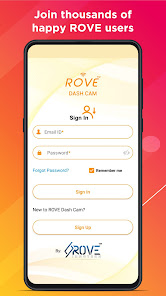
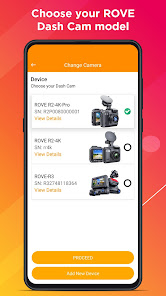
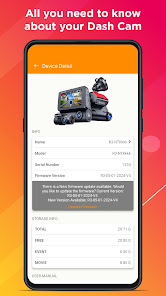
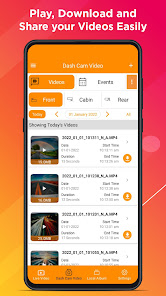
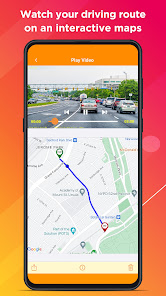


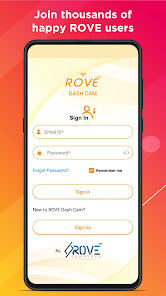
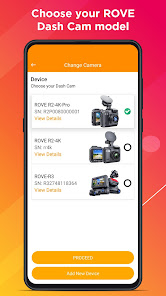
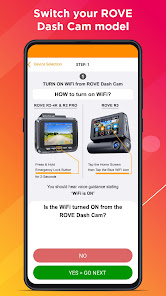
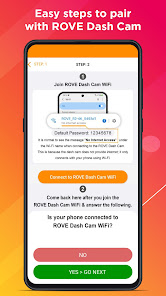
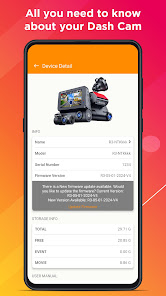
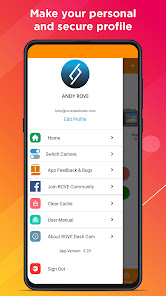
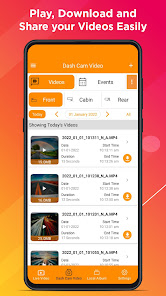
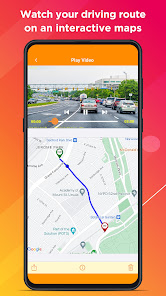
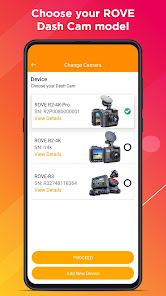
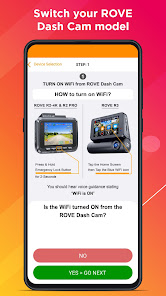
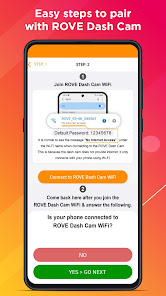
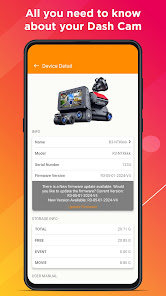
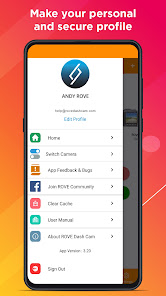
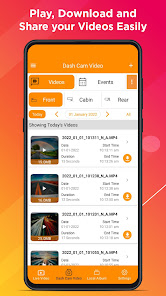
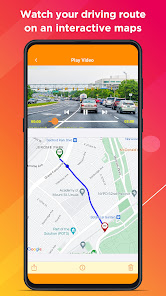
About this app
ROVE App – Version 5.0
What’s New
New Shop Feature: Explore and purchase ROVE products directly from within the app.
Updated Profile Page: A refreshed design makes it easier to view and manage your profile and connected dash cams.
Firmware Requirements
To enjoy full compatibility with this release, please ensure your dash cam firmware is up to date:
ROVE R2-4K PRO: R2P-10-01-2025-V12
ROVE R2-4K (New): R2-08-29-2025-V24
ROVE R2 DUAL: R2-DUAL-07-01-2025-V14
ROVE R2-4K DUAL PRO: R2DP-09-01-2025-V2
How to Update
Open the ROVE App.
Connect your dash cam.
Go to Device Settings → Firmware Update and follow the prompts.
These updates ensure optimal performance, reliability, and the latest feature enhancements for your ROVE Dash Cam.
What’s New
New Shop Feature: Explore and purchase ROVE products directly from within the app.
Updated Profile Page: A refreshed design makes it easier to view and manage your profile and connected dash cams.
Firmware Requirements
To enjoy full compatibility with this release, please ensure your dash cam firmware is up to date:
ROVE R2-4K PRO: R2P-10-01-2025-V12
ROVE R2-4K (New): R2-08-29-2025-V24
ROVE R2 DUAL: R2-DUAL-07-01-2025-V14
ROVE R2-4K DUAL PRO: R2DP-09-01-2025-V2
How to Update
Open the ROVE App.
Connect your dash cam.
Go to Device Settings → Firmware Update and follow the prompts.
These updates ensure optimal performance, reliability, and the latest feature enhancements for your ROVE Dash Cam.
Updated on
Safety starts with understanding how developers collect and share your data. Data privacy and security practices may vary based on your use, region, and age. The developer provided this information and may update it over time.

No data shared with third parties
Learn more about how developers declare sharing

No data collected
Learn more about how developers declare collection

Data is encrypted in transit

You can request that data be deleted
Ratings and reviews
4.5
7.83K reviews

Lou Held III
- Flag inappropriate
November 19, 2025
After using my ROVE R2-4K PRO dash cam since April last year, the most recent update to either the application or the dash camera has caused an issue. Now, while using the Rove phone app, when I tap on the PLAY arrow to view a recorded video, it downloads the video instead. When I tap on the DOWNLOAD arrow, it plays the video instead. Nuisance.
2 people found this review helpful

T W
- Flag inappropriate
September 4, 2025
Pretty good app, but I am not able to figure out how to: 1. Sort the LONG list of 1-minute files in REVERSE chronological order with the most recent on top. Scrolling all the way through a day's long list of files just to get to most recent (and most likely desired!) file is a complete PIA. 2. Visually indicate on the file listing that a file has been locked so it is easy to find. Or better yet , a folder called "Locked" that has a listing of Locked files These seem like very basic things.
3 people found this review helpful

Grant Harris
- Flag inappropriate
March 27, 2023
App connects to camera just fine. Downloading video over built-in wifi is incredibly slow, and the video doesn't show in the local album after downloading. Tried to leave feedback regarding this after disconnecting from the camera, and the app claimed I was still connected to the camera's wifi. My wifi was turned completely off and I was only using my cellular connection. If you're set on using a camera from this company, don't bother with the app. Better yet, don't use a camera from Rove.
41 people found this review helpful
What’s new
ROVE Android App – Version 5.0.4
What’s New
We’ve made several behind-the-scenes improvements to enhance your overall experience.
This update includes:
Bug fixes for smoother and more reliable performance
Speed and stability optimizations across the app
General improvements to keep everything running flawlessly
Update now for the best ROVE experience!
What’s New
We’ve made several behind-the-scenes improvements to enhance your overall experience.
This update includes:
Bug fixes for smoother and more reliable performance
Speed and stability optimizations across the app
General improvements to keep everything running flawlessly
Update now for the best ROVE experience!
App support
About the developer
Aarna Sales Corporation
help@rovedashcam.com
412 W Meadow Mist Ln
Round Lake, IL 60073
United States
+1 844-768-3226


