HD Photo Caller Screen
Enthält Werbung
50 Tsg.+
Downloads

Jedes Alter
info


Über diese App
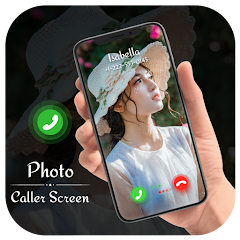
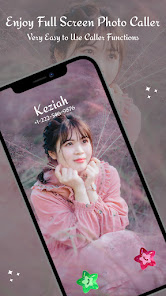
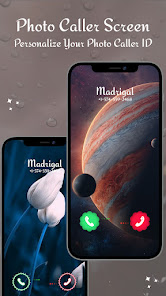
Now you can place a your own Photo as an incoming caller id instead of phone's default caller id. You can place your own photo as incoming Photo caller id with full screen caller id. It will change the look of your incoming calls. Place your favorite Photo as a caller Id so that your can always see it when you get a incoming call. You can set Photo specifically assigned for each separate contacts too. So when you meet your friend, click his photo and assign it to his contact. Every time he calls your you'll see his full screen photo.
Features :-
-> Switch on/off Outgoing & incoming caller ID Screens.
-> Beautiful, stylish and customized caller screen themes.
-> Full Screen Photo for outgoing call.
-> Create caller screen for selected contact.
-> Set Contact photo for incoming and outgoing screen.
-> Set as ringtone as you like
Features :-
-> Switch on/off Outgoing & incoming caller ID Screens.
-> Beautiful, stylish and customized caller screen themes.
-> Full Screen Photo for outgoing call.
-> Create caller screen for selected contact.
-> Set Contact photo for incoming and outgoing screen.
-> Set as ringtone as you like
Aktualisiert am
Was die Sicherheit angeht, solltest du als Erstes verstehen, wie Entwickler deine Daten erheben und weitergeben. Die Datenschutz- und Sicherheitspraktiken können je nach deiner Verwendung, deiner Region und deinem Alter variieren. Diese Informationen wurden vom Entwickler zur Verfügung gestellt und können jederzeit von ihm geändert werden.

Keine Daten werden mit Drittunternehmen oder -organisationen geteilt

Diese App kann die folgenden Datentypen erheben
Fotos und Videos und Geräte- oder andere IDs

Daten werden nicht verschlüsselt
Daten können nicht gelöscht werden
Neuerungen
Android 15 Supported.
Support für diese App
Informationen zum Entwickler
DHAMELIYA KANTUBEN CHHAGANBHAI
sparkinglions.404club@gmail.com
26-BHALCHANDRA NAGAR SOCIETY,
SIGANPOR ROAD KATARGAM
SURAT, Gujarat 395004
India
undefined


