Art Filters: Photo to Painting
Contains adsIn-app purchases
3.7star
3.99K reviews
100K+
Downloads

Everyone
info


About this app
Transform Your Photos with Artistic Filters!
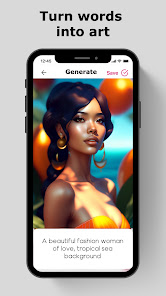
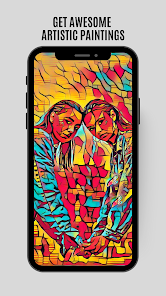
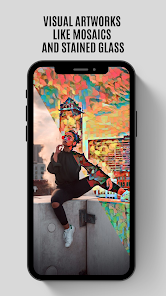
Unleash your creativity with Art Filters Photo Editor! Discover a range of stunning effects, from vibrant pop-art to vintage styles that turn your photos into masterpieces resembling Van Gogh paintings – all with just one click.
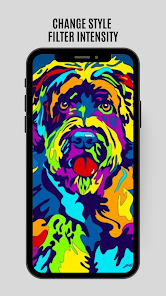
Art Filters Photo Editor offers an intuitive way to apply artistic filters like pop-art, oil painting, and cartoon effects to your pictures. Easily add sketch, prism, and other creative filters for a unique look.
HOW TO USE?
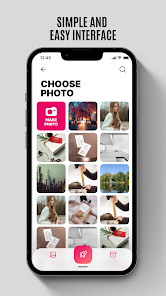
Simply select a photo from your gallery or snap a picture with your camera. With a single tap, you can apply a stylish, eye-catching filter. Turn your mobile photo collection into an artistic gallery with filters inspired by iconic artists.
KEY HIGHLIGHTS:
A wide variety of unique filters, including artistic filters, cartoon effects, and sketch styles, developed by artists, photographers, and creative enthusiasts. Make your posts stand out on social media and attract more attention.
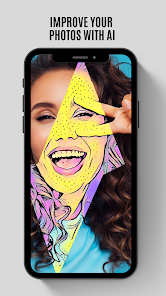
Optimize photo quality to achieve the best results, adjusting contrast, saturation, brightness, shadows, temperature, and sharpness. Transform your images with perfect details, making them look like handcrafted artwork.
Use the app for creative projects such as home design mockups or personalized photo decorations. Each effect has its own vibe and artistic atmosphere.
ART FILTER FEATURES:
Access 400+ creative filters, including Art, Cartoon, Pencil Sketch, Watercolor, and Oil Painting effects.
Create stunning HD selfies with ease.
Automatic background removal for effortless editing.
Fine-tune photos with adjustable contrast, saturation, brightness, shadows, and more.
Crop, enhance, and customize your photos with advanced editing tools.
Art Filters Photo Editor is your all-in-one photo editing tool. Express your artistic vision with ease and share your creativity with the world!
Note:
Art effects and filters require an internet connection to function.
We regularly update the app with new filters and effects. Keep your app up to date for the latest features!
Save your creations with one tap, and easily share them on social media platforms like Facebook, Instagram, Twitter, and more.
Your edited photos will be saved in the "Deep Art Picture" folder on your device.
Follow us on:
Facebook https://www.facebook.com/artfiltersai/
Instagram https://www.instagram.com/artfiltersai/
Twitter https://www.twitter.com/artfiltersai/
If you have any feedback, feel free to drop it here in the comments.
Unleash your creativity with Art Filters Photo Editor! Discover a range of stunning effects, from vibrant pop-art to vintage styles that turn your photos into masterpieces resembling Van Gogh paintings – all with just one click.
Art Filters Photo Editor offers an intuitive way to apply artistic filters like pop-art, oil painting, and cartoon effects to your pictures. Easily add sketch, prism, and other creative filters for a unique look.
HOW TO USE?
Simply select a photo from your gallery or snap a picture with your camera. With a single tap, you can apply a stylish, eye-catching filter. Turn your mobile photo collection into an artistic gallery with filters inspired by iconic artists.
KEY HIGHLIGHTS:
A wide variety of unique filters, including artistic filters, cartoon effects, and sketch styles, developed by artists, photographers, and creative enthusiasts. Make your posts stand out on social media and attract more attention.
Optimize photo quality to achieve the best results, adjusting contrast, saturation, brightness, shadows, temperature, and sharpness. Transform your images with perfect details, making them look like handcrafted artwork.
Use the app for creative projects such as home design mockups or personalized photo decorations. Each effect has its own vibe and artistic atmosphere.
ART FILTER FEATURES:
Access 400+ creative filters, including Art, Cartoon, Pencil Sketch, Watercolor, and Oil Painting effects.
Create stunning HD selfies with ease.
Automatic background removal for effortless editing.
Fine-tune photos with adjustable contrast, saturation, brightness, shadows, and more.
Crop, enhance, and customize your photos with advanced editing tools.
Art Filters Photo Editor is your all-in-one photo editing tool. Express your artistic vision with ease and share your creativity with the world!
Note:
Art effects and filters require an internet connection to function.
We regularly update the app with new filters and effects. Keep your app up to date for the latest features!
Save your creations with one tap, and easily share them on social media platforms like Facebook, Instagram, Twitter, and more.
Your edited photos will be saved in the "Deep Art Picture" folder on your device.
Follow us on:
Facebook https://www.facebook.com/artfiltersai/
Instagram https://www.instagram.com/artfiltersai/
Twitter https://www.twitter.com/artfiltersai/
If you have any feedback, feel free to drop it here in the comments.
Updated on
Safety starts with understanding how developers collect and share your data. Data privacy and security practices may vary based on your use, region, and age. The developer provided this information and may update it over time.


Ratings and reviews
3.7
3.78K reviews

Leonard Krashoc
- Flag inappropriate
- Show review history
September 6, 2021
Nice filters for artistic work. Baught the pro version. Effects take time, 10-15 seconds, but they are more than your run of the mill effects 😀 Update...in use, like so many, you start to notice that one cool pic looks like the last, and you see the same effect with just more options. Maybe it's just my artistic background. It would help if all the "effects" were done on the same image, so you could really judge the difference. Also you only get about a 200kb image by default.
54 people found this review helpful
Art Filters & Photo Effects
August 28, 2021
Thanks a lot Leonard, We are daily update photo filters, stay with Us

Ren Rudder
- Flag inappropriate
September 20, 2022
I would give this 5 stars except that you have to scroll through a long train of effects when you're in the menu where you're actually editing your photo. They're not organized like how they are on the AE homepage w/ the effect gallery. At least your favorites appear at the beginning of the train. Otherwise, I'm very impressed w/ how many cool filters are offered in the free version unlike other stingy apps. Love the small watermark Definitely considering upgrading to paid version. Don't change!
29 people found this review helpful
Art Filters & Photo Effects
December 22, 2022
Thanks, stay with us, we are daily photo filters and art effects, We increased the HD dimensions

John D'Adesky
- Flag inappropriate
- Show review history
August 7, 2023
It's good and has potential. THE GOOD: lots of filters and many are really good and create excellent effects on photos. The bad: There is no way to bookmark your favorite filters. There is no way to apply the same filter to muriple photos without doing it manually each time. The ugly, having to scroll through 400 filters to find the one you are looking for. A simple search feature would help. A desktop version of this app, or photoshop plug in would solve these. Improve the UI.
17 people found this review helpful
What’s new
Our AI is smarter than ever!
Enhanced Photo Editor – Enjoy more editing options with our updated and improved photo editor
Simple Background Eraser – Easily remove backgrounds with just one tap for seamless edits
Custom Backgrounds – Now you can add your own backgrounds to photos, giving you even more creative control
Fewer Ads – We’ve reduced the number of ads, so you can focus more on your creativity!
Make sure to update the app to enjoy these exciting new features!
Enhanced Photo Editor – Enjoy more editing options with our updated and improved photo editor
Simple Background Eraser – Easily remove backgrounds with just one tap for seamless edits
Custom Backgrounds – Now you can add your own backgrounds to photos, giving you even more creative control
Fewer Ads – We’ve reduced the number of ads, so you can focus more on your creativity!
Make sure to update the app to enjoy these exciting new features!
App support
phone
Phone number
+998998613153
About the developer
Ruslan Madatov
inginer.r@gmail.com
Бустон МФЙ, 4-мавзе кучаси, 69-уй
120100, Guliston
Сирдарјо
Uzbekistan


