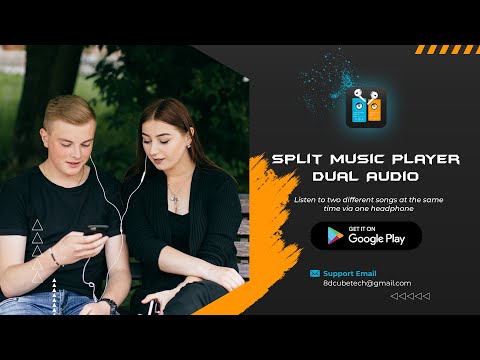

Split Music Player: Dual Audio
Contains adsIn-app purchases

star
2.53K reviews

Everyone
info
500K+
Downloads

Everyone
Learn more


About this app
Are you a music lover or want to share music track with your friend to listen together? To explore songs on earphones we come with Split Music Player: Dual Audio app.
Dual Music Player is the multiplayer music app that helps users to share your music headphones for separation and listen two different audio songs at once. If you ever had to share music with a friend or partner, dual music mp3 player allow you to play two different songs in right and left airpods for musically fans. Duo Music Player access all the songs saved on your android music library and mp3 playlists.
Split Music: Dual Music Player
Duo mp3 Player is the audio player helps you to explore songs through music syncing to show your music collection and allow you to play dual separate audio track to listen daily music from your favourite tracks. Double audio player is mp3 music manager with music player you can also listen to music & compare your voice recording or voice memos on dual player. Play double music in single earphones and share your music playlist or music library with music partner.
- Split Music player : With dual split songs Player app you can play two different music audio by splitting single headphone. Splitting headphone means you can set one mp3 music to left side headphone and set second songs track to right side headphone.
- Single Audio Player : Use option for a simple mp3 player to listen daily music with music background player.
- Multi-format Support - Double music player supports all popular music file formats, such as MP3, WAV, WMA, AAC and more.
- Control Music : Dou split music player app also control both music track split effects. You can change volume level, change music track, shuffle your songs with music controller.
- Sync playlist or music syncing : Offline music player app sync your device music library and you don't need to sync single music manually to play dual music.
Key features of Dual Music - Split MP3 Player:
- Dual music player to play multiple songs
- Single audio player for mp3 music
- Multiple mp3 Playlist support
- Create your custom music playlists
- Music manager to browse all your organized music folders
- Search music album and listen your favourite songs
- Separately adjust volume of each music player
- Shuffle and repeat your songs
So, Get Duo Audio Player app. A better way to Play & listen two songs at once on single device and listen different songs on right & left earphone. Enjoy the music with Partner!
Dual Music Player is the multiplayer music app that helps users to share your music headphones for separation and listen two different audio songs at once. If you ever had to share music with a friend or partner, dual music mp3 player allow you to play two different songs in right and left airpods for musically fans. Duo Music Player access all the songs saved on your android music library and mp3 playlists.
Split Music: Dual Music Player
Duo mp3 Player is the audio player helps you to explore songs through music syncing to show your music collection and allow you to play dual separate audio track to listen daily music from your favourite tracks. Double audio player is mp3 music manager with music player you can also listen to music & compare your voice recording or voice memos on dual player. Play double music in single earphones and share your music playlist or music library with music partner.
- Split Music player : With dual split songs Player app you can play two different music audio by splitting single headphone. Splitting headphone means you can set one mp3 music to left side headphone and set second songs track to right side headphone.
- Single Audio Player : Use option for a simple mp3 player to listen daily music with music background player.
- Multi-format Support - Double music player supports all popular music file formats, such as MP3, WAV, WMA, AAC and more.
- Control Music : Dou split music player app also control both music track split effects. You can change volume level, change music track, shuffle your songs with music controller.
- Sync playlist or music syncing : Offline music player app sync your device music library and you don't need to sync single music manually to play dual music.
Key features of Dual Music - Split MP3 Player:
- Dual music player to play multiple songs
- Single audio player for mp3 music
- Multiple mp3 Playlist support
- Create your custom music playlists
- Music manager to browse all your organized music folders
- Search music album and listen your favourite songs
- Separately adjust volume of each music player
- Shuffle and repeat your songs
So, Get Duo Audio Player app. A better way to Play & listen two songs at once on single device and listen different songs on right & left earphone. Enjoy the music with Partner!
Dual music player allow to listen two mp3 songs at once to play music together
Updated on
Safety starts with understanding how developers collect and share your data. Data privacy and security practices may vary based on your use, region, and age. The developer provided this information and may update it over time.
- This app may share these data types with third partiesDevice or other IDs
- No data collectedLearn more about how developers declare collection
- Data is encrypted in transit
- Data can’t be deleted


Ratings and reviews
2.48K reviews

Shawn Zea
- Flag inappropriate
- Show review history
September 9, 2026
great app. I can finally listen to my fnf mods that I make to test the sounds. Thanks so much. Great app, not that many ads.
3 people found this review helpful

Anne-Marie
- Flag inappropriate
- Show review history
June 3, 2026
TOO MANY ADS. LITERALLY PRESSING ANY BUTTON PROMPTS AN AD. tried the free version to decide if I should upgrade to the paid version eg. is the app worth the money. Literally before you can even decide to buy the non ad version there are so many ads in the free version you quickly decide not to bother. I know the company needs to generate income but you won't get any because the app gets quickly uninstalled and not used due to the extremely high and unreasonable ad saturation.
19 people found this review helpful

Asha Lodheshwar
- Flag inappropriate
May 31, 2026
bombarded with ads the moment I opened the app. And had the audacity to ask for a FEEDBACK just after the ad was over. I pressed a few buttons and another bombardment started. then I gave up on even trying to use the app altogether.
1 person found this review helpful
8D CUBE TECH
June 1, 2026
We are sorry for this, but to continue work on this free app we need revenue from Ads. If you don't want to see the Ads you can purchase the Pro version. Thanks for your understanding!
What’s new
Remove Crashes
Updated for Android 16
Upgrade to VIP
All Bugs fixed for all Versions.
Improved app performance.
Enjoy Two songs at same time using Hands free/Airpods.
Split double music player Also Available for Android 16
Updated for Android 16
Upgrade to VIP
All Bugs fixed for all Versions.
Improved app performance.
Enjoy Two songs at same time using Hands free/Airpods.
Split double music player Also Available for Android 16
Everyone
Learn moreApp support
About the developer
FARYAL HAIDER NAQVI
8dcubetech@gmail.com
House # 533, block b, satellite town
Rawalpindi, 46300
Pakistan


