Marantz Hi-Fi Remote
2.0star
1.62K reviews
100K+
Downloads

Everyone
info
About this app
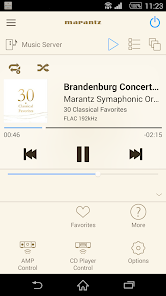
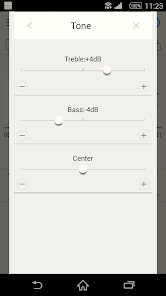
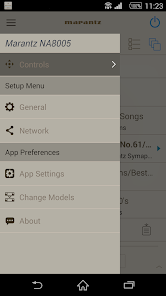
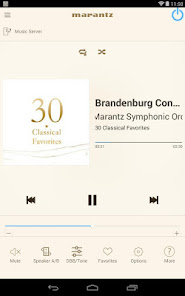
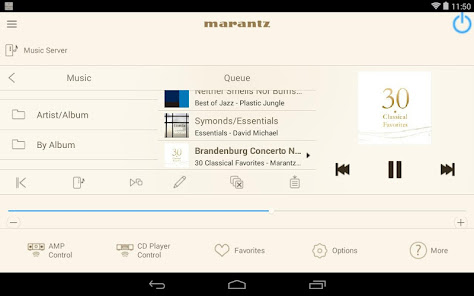
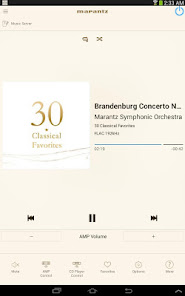
Designed from the ground up for Android, the new Marantz Hi-Fi Remote is a brand new app for Android Phone and Tablet devices will give you an unprecedented level of command and control over the latest generation of Marantz network audio player and music system products. Along with many new features, the graphics and user interface have been completely overhauled.
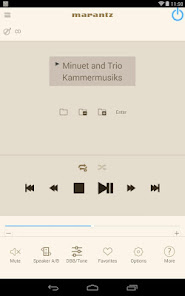
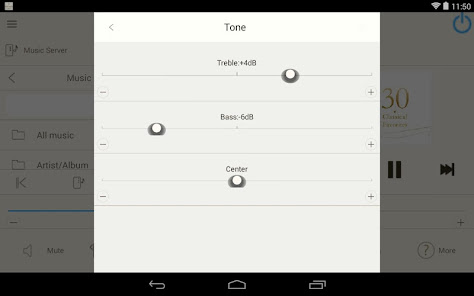
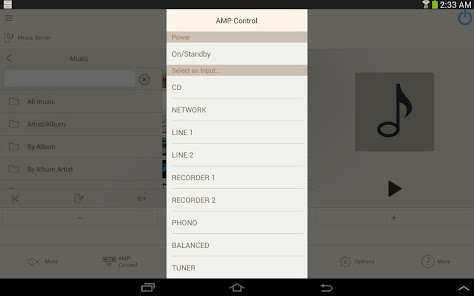
Control the basic functions of your Marantz product with power, volume, input and settings.
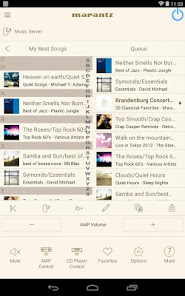
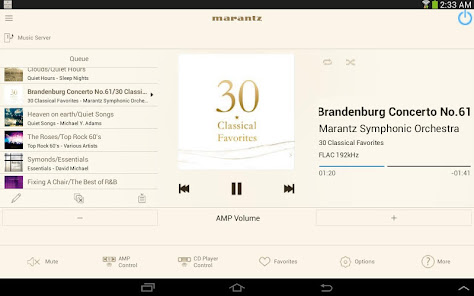
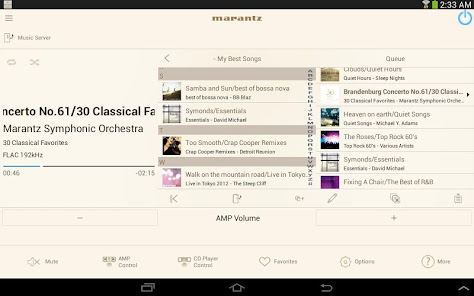
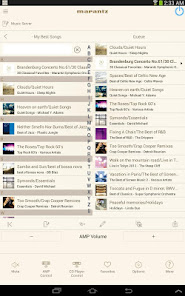
With a new landscape orientation control screen for tablet devices you can easily browse and navigate through your network music services or personal digital music collection with ease; and at the same time view now playing information and cover art all on a single screen.
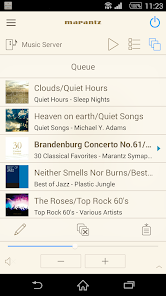
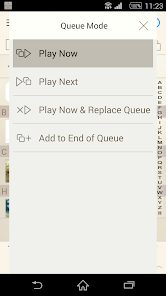
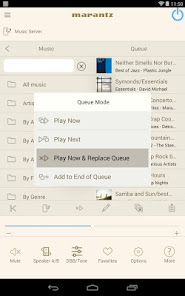
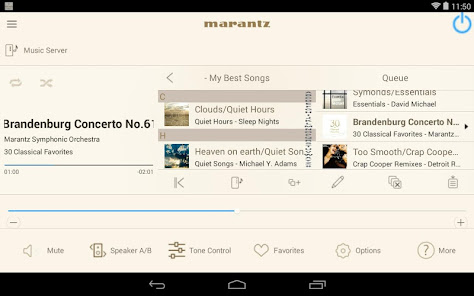
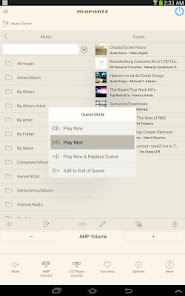
Our new playback system allows you to easily build your own personal music playlists on the fly with the ability to Drag & Drop files into your queue, or tap to “Play Now”, “Play Next”, “Play Next and Replace Queue” or “Add to End of Queue”. You can then save your queue as a playlist for easy recall.
With the new Marantz Hi-Fi Remote, your Android device just became an integral part of your home entertainment experience.
"Because Music Matters"
Compatible Marantz Models (*1, *2)
2015 New Models:
Network Audio Player: NA6005
Wireless Music System: M-CR611
2014 Model:
Network Audio Player: NA8005
2013 Models:
Wireless Music System: M-CR610, M-CR510
Reference Network Audio Player: NA-11S1
*Not compatible with Marantz models other than the above models. Please use Marantz Remote App for previous Marantz models which support App control.
Main feature:
•All brand new designed screen graphics
•Powerful queue playback system for Music Server and music files stored in your mobile device
•Fast Thumbnail Browsing for Internet Radio and Music Server
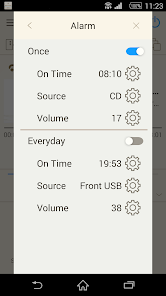
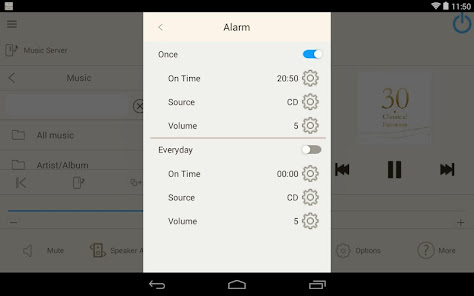
•Sleep Timer, Alarm, Dimmer and Clock function for Network Music Systems
•AMP Control (Power, Input, Volume) function with Network Audio Player(*3)
•CD Player Control (Power, Playback control, Input) function with Network Audio Player(*3)
•Link to Web Manual (Owner’s Manual) when it is used with tablets
•Link to Marantz Support Website
•Multi-Language Support (English, French, German, Spanish, Dutch, Italian, Swedish, Japanese, Simplified Chinese, Russian and Polish.) (*4)
Notes:
*1: Please use a latest firmware in your Marantz models by checking it via the system setup menu.(General > Firmware) If the App doesn't work properly, please try to reboot your mobile device, unplug the power cord of the main unit and reinsert into the power outlet or check your home network.
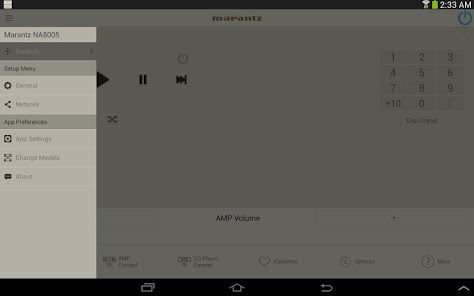
*2: Please set "Network Control" to "ON" in your product via the system setup menu to use this app. (Network > Network Control)
*3: It requires Marantz products which has Remote Control terminals.
*4: The OS language setting is automatically detected; when not available, English is selected.
Compatible Android devices:
• Android Smartphones or Tablets with Android OS ver.5.0(or higher)
• Confirmed Screen resolution: 800x480, 854x480, 960x540, 1280x720, 1280x800, 1920x1080, 1920x1200
* This application does not support smartphones in QVGA(320x240) and HVGA(480x320) resolution.
Confirmed Android devices:
Samsung Galaxy S5(OS5.0.0), Google(ASUS) Nexus 7 (2013) (OS5.1), Nexus 7 (2012) (OS5.1), Google(LG) Nexus 5 (OS5.0.1), Nexus 4 (OS5.0.1), Google(HTC) Nexus 9 (OS5.0.1), Google(Motorola) Nexus 6 (OS5.1), Google Pixel 2 (OS9), Google Pixel 3 (OS10)
Caution:
We do not guarantee that this application works with all Android devices.
Control the basic functions of your Marantz product with power, volume, input and settings.
With a new landscape orientation control screen for tablet devices you can easily browse and navigate through your network music services or personal digital music collection with ease; and at the same time view now playing information and cover art all on a single screen.
Our new playback system allows you to easily build your own personal music playlists on the fly with the ability to Drag & Drop files into your queue, or tap to “Play Now”, “Play Next”, “Play Next and Replace Queue” or “Add to End of Queue”. You can then save your queue as a playlist for easy recall.
With the new Marantz Hi-Fi Remote, your Android device just became an integral part of your home entertainment experience.
"Because Music Matters"
Compatible Marantz Models (*1, *2)
2015 New Models:
Network Audio Player: NA6005
Wireless Music System: M-CR611
2014 Model:
Network Audio Player: NA8005
2013 Models:
Wireless Music System: M-CR610, M-CR510
Reference Network Audio Player: NA-11S1
*Not compatible with Marantz models other than the above models. Please use Marantz Remote App for previous Marantz models which support App control.
Main feature:
•All brand new designed screen graphics
•Powerful queue playback system for Music Server and music files stored in your mobile device
•Fast Thumbnail Browsing for Internet Radio and Music Server
•Sleep Timer, Alarm, Dimmer and Clock function for Network Music Systems
•AMP Control (Power, Input, Volume) function with Network Audio Player(*3)
•CD Player Control (Power, Playback control, Input) function with Network Audio Player(*3)
•Link to Web Manual (Owner’s Manual) when it is used with tablets
•Link to Marantz Support Website
•Multi-Language Support (English, French, German, Spanish, Dutch, Italian, Swedish, Japanese, Simplified Chinese, Russian and Polish.) (*4)
Notes:
*1: Please use a latest firmware in your Marantz models by checking it via the system setup menu.(General > Firmware) If the App doesn't work properly, please try to reboot your mobile device, unplug the power cord of the main unit and reinsert into the power outlet or check your home network.
*2: Please set "Network Control" to "ON" in your product via the system setup menu to use this app. (Network > Network Control)
*3: It requires Marantz products which has Remote Control terminals.
*4: The OS language setting is automatically detected; when not available, English is selected.
Compatible Android devices:
• Android Smartphones or Tablets with Android OS ver.5.0(or higher)
• Confirmed Screen resolution: 800x480, 854x480, 960x540, 1280x720, 1280x800, 1920x1080, 1920x1200
* This application does not support smartphones in QVGA(320x240) and HVGA(480x320) resolution.
Confirmed Android devices:
Samsung Galaxy S5(OS5.0.0), Google(ASUS) Nexus 7 (2013) (OS5.1), Nexus 7 (2012) (OS5.1), Google(LG) Nexus 5 (OS5.0.1), Nexus 4 (OS5.0.1), Google(HTC) Nexus 9 (OS5.0.1), Google(Motorola) Nexus 6 (OS5.1), Google Pixel 2 (OS9), Google Pixel 3 (OS10)
Caution:
We do not guarantee that this application works with all Android devices.
Updated on
Safety starts with understanding how developers collect and share your data. Data privacy and security practices may vary based on your use, region, and age. The developer provided this information and may update it over time.

No data shared with third parties
Learn more about how developers declare sharing

No data collected
Learn more about how developers declare collection

Data isn’t encrypted
Data can’t be deleted
Ratings and reviews
1.8
1.38K reviews

Bernard Riches
- Flag inappropriate
March 13, 2021
Just gets worse even though I thought it not possible. Loses all connection with the WiFi at the drop of a hat. Probably when it does an on air update. Used it in the morning kaput by afternoon. Total rubbish. No longer showing the button to choose the source. Can no longer search for internet stations well any new stations in fact. It only seems any use to turn on or off. Note: My Marantz has a LAN connection.
1 person found this review helpful

A Google user
- Flag inappropriate
March 8, 2020
Keeps stopping. Interface is far from intuitive. Come on Marantz, this spoils the otherwise very good M-CR 511. Oh, and it stops playing the queued music after three or four tracks. Almost entirely useless. Update - it is now down to playing one track at a time. Why do they think it's OK to provide this useless app with a piece of hifi equipment that is not cheap? I shall never buy another Marantz product.
6 people found this review helpful
A Google user
- Flag inappropriate
February 20, 2019
It's impossible to describe how awful this app is. I have never seen anything like it. The M-CR611 is fine when it works which, with this app, is almost never. If it plays a source at all it crashes regularly but now I can't get it to play from any source other than Bluetooth. Restarting or reinstalling used to make a difference but no longer seems to. I'm at a complete loss.
11 people found this review helpful
What’s new
•Bug fixes
Notes:
*If the App doesn't work properly, please try to reboot your mobile device, unplug the power cord of the main unit and reinsert into the power outlet or check your home network.
*Please use a latest firmware in your Marantz models by checking it via the system setup menu. (General > Firmware)
*Please set "Network Standby / IP Control / Network / Network Control" to "On / Always On" in your Marantz product’s menu to use this app.
Notes:
*If the App doesn't work properly, please try to reboot your mobile device, unplug the power cord of the main unit and reinsert into the power outlet or check your home network.
*Please use a latest firmware in your Marantz models by checking it via the system setup menu. (General > Firmware)
*Please set "Network Standby / IP Control / Network / Network Control" to "On / Always On" in your Marantz product’s menu to use this app.
App support
About the developer
D&M HOLDINGS INC.
dmhapp-master.dmj@dmh-global.com
2-1, NISSHINCHO, KAWASAKI-KU
D&M BLDG.
KAWASAKI, 神奈川県 210-0024
Japan
+1 978-357-0416


