
Mi Remote controller - for TV,
4.2star
664K reviews
100M+
Downloads

Everyone
info



About this app
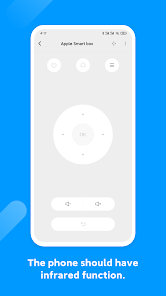
Control your electric appliances with your phone using Mi Remote. Whenever you can’t find your remote or feel like pranking your friends, Mi Remote will be there to help. We also have all the information you need about your favorite TV shows, so you can switch the channel faster, or even watch the show on your mobile device. Mi Remote brings watching TV to a new level!
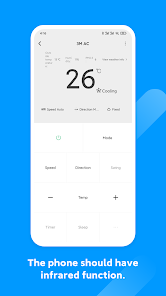
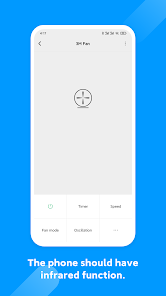
Supported appliances: TV, air-conditioner, set top box, DVD player, projector, A/V receiver, camera, etc.
Supported Brands: Samsung, LG, Sony, Panasonic, Sharp, Haier, Videocon, Micromax, Onida, etc.
1. Most phones with IR blasters support Mi Remote and its features.
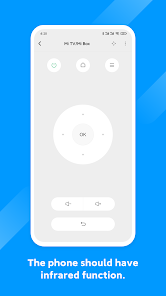
2. All mobile devices can be used to control Mi TV/Mi Box and other smart TVs with standard protocols over Wi-Fi.
3. All mobile devices support Mi Remote’s integration with TV scheduling.
Supported phones: Samsung S4/S5/S6/S6 Edge/Note 3/Note 4, HTC One Series, Mi 4/Mi 4c/Mi 5/Mi 5S Plus/Mi 5C/Mi 5X/Mi 6, Redmi 4/Redmi 4A/Redmi 4X, Redmi Note 2/Redmi Note 3/Redmi Note4/Redmi Note4X/Redmi Note5A, Huawei Honor 3/6/6 plus
Mi Remote. Life at the tips of your fingers.
Supported appliances: TV, air-conditioner, set top box, DVD player, projector, A/V receiver, camera, etc.
Supported Brands: Samsung, LG, Sony, Panasonic, Sharp, Haier, Videocon, Micromax, Onida, etc.
1. Most phones with IR blasters support Mi Remote and its features.
2. All mobile devices can be used to control Mi TV/Mi Box and other smart TVs with standard protocols over Wi-Fi.
3. All mobile devices support Mi Remote’s integration with TV scheduling.
Supported phones: Samsung S4/S5/S6/S6 Edge/Note 3/Note 4, HTC One Series, Mi 4/Mi 4c/Mi 5/Mi 5S Plus/Mi 5C/Mi 5X/Mi 6, Redmi 4/Redmi 4A/Redmi 4X, Redmi Note 2/Redmi Note 3/Redmi Note4/Redmi Note4X/Redmi Note5A, Huawei Honor 3/6/6 plus
Mi Remote. Life at the tips of your fingers.
Updated on
Safety starts with understanding how developers collect and share your data. Data privacy and security practices may vary based on your use, region, and age. The developer provided this information and may update it over time.


Ratings and reviews
4.2
662K reviews

Shi Yu Lin (Violet Rachel Lin)
- Flag inappropriate
September 8, 2023
I've paired my Sony TV and use this remote control app mostly because my TV remote doesn't work lately. It's really a useful app until I found out that the arrow buttons (that is up, down, left, right buttons which are at the middle of the remote) are not working. I had to press input button (which is at the top) again and again to change TV to HDMI or HDMI to TV. And also some buttons (like return/back button) are missing. So, fix this bug. Thank you.
363 people found this review helpful

Hristina Dyakova
- Flag inappropriate
July 21, 2024
Was very useful, but now it does nothing as it should. Changed phones and wanted to transfer my acc to the new one, but there is no Account in the settings?! Also when I add a new TV it does not work as on the old phone. 80% of the buttons are either wrong or not working. Strange, since it all works on the old phone. Shame. It was really good app.
25 people found this review helpful

Apoorv
- Flag inappropriate
January 3, 2022
Nice app!! It works great with IR. I have used it for many TV, AC and settop boxes. It works great. My only concern is it's remote function sometimes provide only basic features. Like for my hot and cold AC, it controls only temp. I cannot change modes in it. But it's good for what it provides and I think it best suited for TVs.
6,033 people found this review helpful
What's new
1.Support more infrared devices
2.Fix some bugs
2.Fix some bugs


