
SG Bus Buddy
Contains adsIn-app purchases
4.8star
3.95K reviews
100K+
Downloads

Everyone
info


About this app
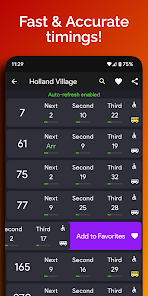
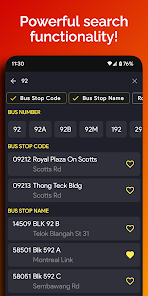
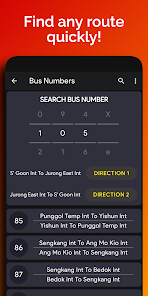
SG Bus Buddy instantly shows you the bus timings you want to see with just a single tap.
Top Features:
1. Clean and simple with essential features!
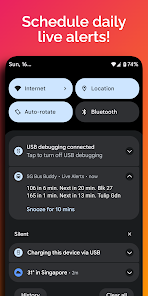
2. Schedule daily reminders!
3. View nearby bus stops on stunning Dark mode Map
4. English, Chinese, Malay, Tamil language options
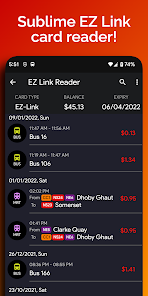
5. Super fast EZ Link Card Reader
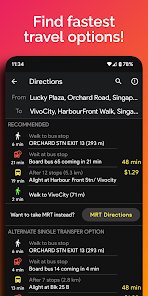
6. View MRT maps on-the-go!
7. Displays bus capacity and type (Single/Double Decker) at a glance.
8. Quick weather overview to start off your day!
Top Features:
1. Clean and simple with essential features!
2. Schedule daily reminders!
3. View nearby bus stops on stunning Dark mode Map
4. English, Chinese, Malay, Tamil language options
5. Super fast EZ Link Card Reader
6. View MRT maps on-the-go!
7. Displays bus capacity and type (Single/Double Decker) at a glance.
8. Quick weather overview to start off your day!
Updated on
Safety starts with understanding how developers collect and share your data. Data privacy and security practices may vary based on your use, region, and age. The developer provided this information and may update it over time.

This app may share these data types with third parties
Device or other IDs

No data collected
Learn more about how developers declare collection

Data is encrypted in transit
Ratings and reviews
4.8
3.88K reviews

Teng Tuan Goh
- Flag inappropriate
June 30, 2024
Used to be the default bus app for years. But recently, bus arrival timings have consistently been off. Tested it against other apps and personal observations confirm phantom bus arrivals and time gaps skipping. I love the interface but am now forced to switch apps until this bug gets fixed.
HM Productions
July 8, 2024
Hi Teng Tuan, we show timings as it is from LTA like other apps. Is there any specific bus number or bus stop at which you face the issue? Please email us at support@busbuddy.app

RH
- Flag inappropriate
- Show review history
June 26, 2024
Generally, i find the app good, useful and intuitive. Now got MRT map somemore. Some minor display bug on ezlink reader. E.g. bus 188, board 12.15pm but ended 07.29am - specific entry, have emailed
HM Productions
June 26, 2024
Hi RH, is the wrong timing shown for specific card or specific entry only? Please email us at support@busbuddy.app so that we can assist fast! Thanks for your patience!

Kenny Kenneth
- Flag inappropriate
- Show review history
June 12, 2024
wrong timing all the time. busstop 70059. bus 100, 100A. all the time. wasted a lot of time. feedback to wherever u got the info from
HM Productions
June 12, 2024
Hi Kenny! Thanks for letting us know. The data is directly from LTA server and other apps should be showing the exact same timings. We have already notified LTA! Do you see the timing in red color? Red color means that bus has not left the terminal. Thanks for your patience!
What's new
* Added Hong Kong and Madrid support!
* Updated MRT Maps!
* Updated bus routes!
* Updated MRT Maps!
* Updated bus routes!


