bVNC Pro: Secure VNC Viewer

4.7star
451 reviews
5K+
Downloads

Everyone
info

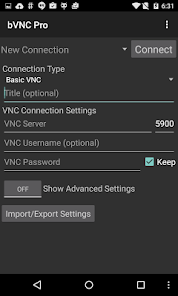
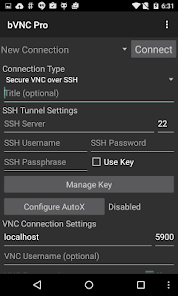
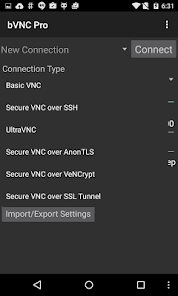
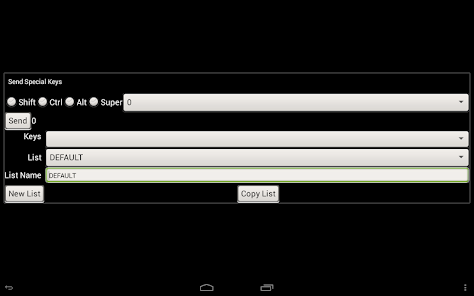
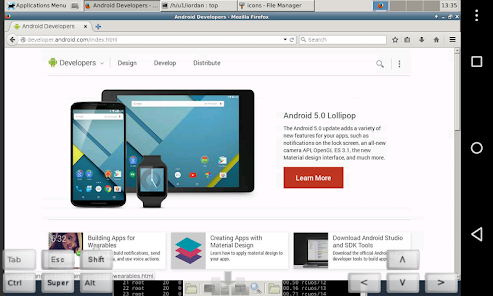
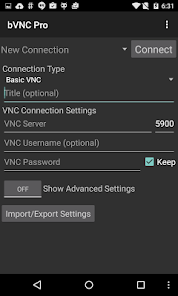
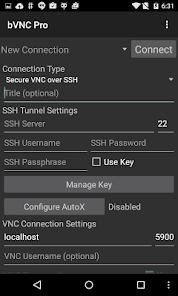
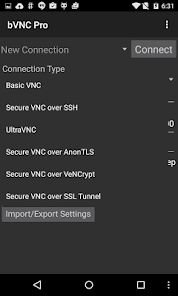


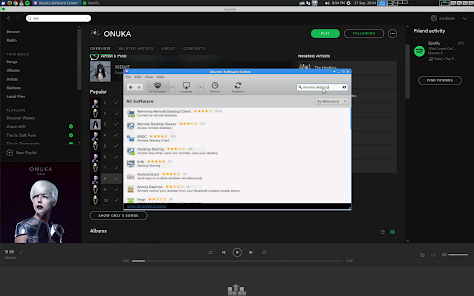
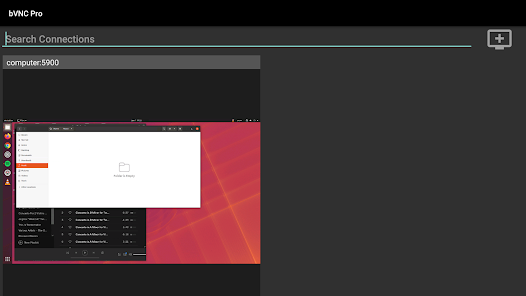
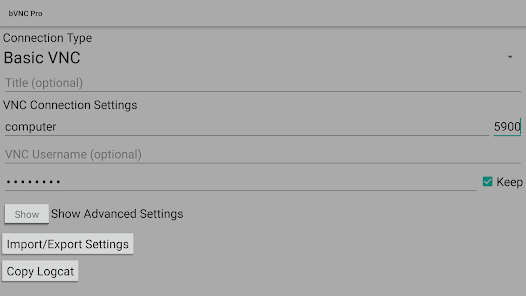

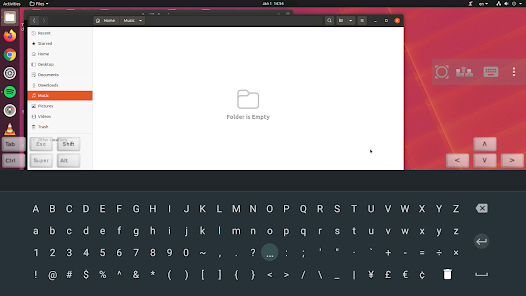
About this app
Need bVNC on iOS or Mac OS X? Now available at
https://apps.apple.com/ca/app/bvnc-pro/id1506461202
Thank you for supporting my work and GPL open-source software by donating! Please also rate my application, and tell everyone about it!
Release notes:
https://github.com/iiordanov/remote-desktop-clients/blob/master/bVNC/CHANGELOG-bVNC
Older versions:
https://github.com/iiordanov/remote-desktop-clients/releases
Report bugs:
https://github.com/iiordanov/remote-desktop-clients/issues
If you have questions, please don't post a negative review, rather, ask your question on the forum so everybody benefits:
https://groups.google.com/forum/#!forum/bvnc-ardp-aspice-opaque-remote-desktop-clients
Check out my RDP Client, aRDP
https://play.google.com/store/apps/details?id=com.iiordanov.freeaRDP
For Proxmox and oVirt, get Opaque
https://play.google.com/store/apps/details?id=com.undatech.opaque
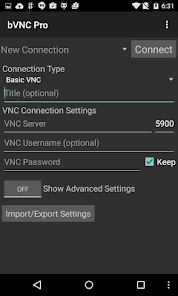
bVNC is a secure, open source VNC client. Its features include:
- Windows, Mac, Linux, BSD, or any other OS with a VNC server installed
- Master password support in the Pro version
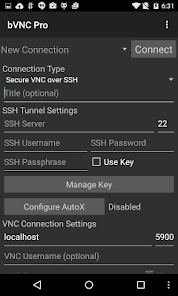
- Multi-factor (two-factor) SSH authentication in the Pro version
- Multi-touch control over the remote mouse. One finger tap left-clicks, two-finger tap right-clicks, and three-finger tap middle-clicks
- Left, right and middle button drag/drop if you don't lift the first finger that tapped
- Scrolling with a two-finger drag
- Pinch-zoom
- Force Landscape, Immersive Mode, Keep Screen Awake
- Dynamic resolution changes, allowing you to reconfigure your desktop while connected, and control over virtual machines from BIOS to OS
- Full rotation
- Multi-language
- Full mouse support
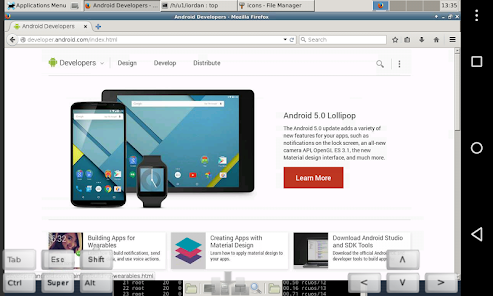
- Full desktop visibility even with soft keyboard extended
- SSH tunneling, AnonTLS and VeNCrypt for secure connections (does not support RealVNC encryption).
- High-grade encryption superior to RDP using SSH and VeNCrypt (x509 certificates and SSL), preventing man-in-the-middle attacks
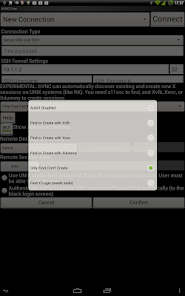
- AutoX session discovery/creation like NX client
- Tight and CopyRect encodings for quick updates
- Ability to reduce the color depth over slow links
- Copy/paste integration
- Samsung DEX, Alt-Tab, Start Button capture
- Ctrl+Space capture
- SSH public/private (pubkey)
- Importing encrypted/unencrypted RSA keys in PEM format
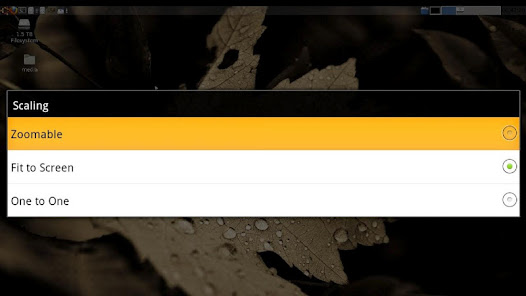
- Zoomable, Fit to Screen, and One to One scaling modes
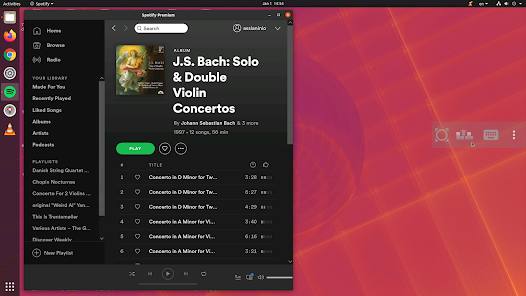
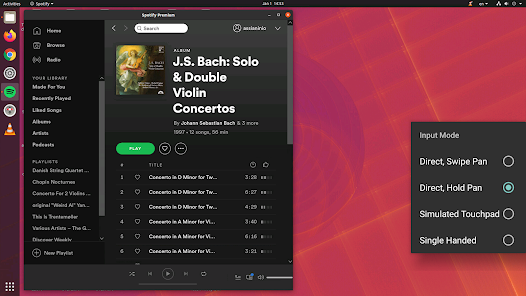
- Two Direct, one Simulated Touchpad, and one Single-handed input modes
- In single-handed input mode, long-tap to get a choice of clicks, drag modes, scroll, and zoom
- Supports most VNC servers including TightVNC, UltraVNC, TigerVNC, and RealVNC
- Supports Mac OS X built-in remote desktop server (ARD) and Mac OS X authentication
- Does NOT support RealVNC encryption (use VNC over SSH or VeNCrypt instead)
- Stowable on-screen keys
- Right-click with Back button
- D-pad for arrows, rotate D-pad
- Hardware/FlexT9 keyboard support
- View-only mode
- In-app help on usage, connection setup and input modes (see in-app Menu)
- Hacker's Keyboard recommended
- Instructions for Windows:
Plain VNC:
http://iiordanov.blogspot.ca/2012/04/how-to-install-and-connect-to-tightvnc.html
Secure VNC over VeNCrypt:
https://groups.google.com/d/msg/bvnc-ardp-aspice-opaque-remote-desktop-clients/c9ptU7UekE4/rOzNlkiaEgAJ
Secure VNC over SSH:
http://iiordanov.blogspot.ca/2012/04/tunneling-vnc-over-ssh-to-windows.html
- Instructions for Linux:
Plain VNC (Remote Desktop on Ubuntu):
NOTE: To use Vino (default Ubuntu VNC Server), first run:
gsettings set org.gnome.Vino require-encryption false
http://www.howtoforge.com/configure-remote-access-to-your-ubuntu-desktop
AutoX Secure VNC over SSH:
http://iiordanov.blogspot.ca/2012/10/looking-for-nx-client-for-android-or.html
- Instructions for Mac OS X Remote Desktop:
http://iiordanov.blogspot.ca/2012/04/how-to-connect-to-mac-os-x-using-bvnc.html
Secure VNC over SSH:
http://iiordanov.blogspot.ca/2012/04/tunneling-vnc-over-ssh-to-mac-os-x.html
Code
https://github.com/iiordanov/remote-desktop-clients
https://apps.apple.com/ca/app/bvnc-pro/id1506461202
Thank you for supporting my work and GPL open-source software by donating! Please also rate my application, and tell everyone about it!
Release notes:
https://github.com/iiordanov/remote-desktop-clients/blob/master/bVNC/CHANGELOG-bVNC
Older versions:
https://github.com/iiordanov/remote-desktop-clients/releases
Report bugs:
https://github.com/iiordanov/remote-desktop-clients/issues
If you have questions, please don't post a negative review, rather, ask your question on the forum so everybody benefits:
https://groups.google.com/forum/#!forum/bvnc-ardp-aspice-opaque-remote-desktop-clients
Check out my RDP Client, aRDP
https://play.google.com/store/apps/details?id=com.iiordanov.freeaRDP
For Proxmox and oVirt, get Opaque
https://play.google.com/store/apps/details?id=com.undatech.opaque
bVNC is a secure, open source VNC client. Its features include:
- Windows, Mac, Linux, BSD, or any other OS with a VNC server installed
- Master password support in the Pro version
- Multi-factor (two-factor) SSH authentication in the Pro version
- Multi-touch control over the remote mouse. One finger tap left-clicks, two-finger tap right-clicks, and three-finger tap middle-clicks
- Left, right and middle button drag/drop if you don't lift the first finger that tapped
- Scrolling with a two-finger drag
- Pinch-zoom
- Force Landscape, Immersive Mode, Keep Screen Awake
- Dynamic resolution changes, allowing you to reconfigure your desktop while connected, and control over virtual machines from BIOS to OS
- Full rotation
- Multi-language
- Full mouse support
- Full desktop visibility even with soft keyboard extended
- SSH tunneling, AnonTLS and VeNCrypt for secure connections (does not support RealVNC encryption).
- High-grade encryption superior to RDP using SSH and VeNCrypt (x509 certificates and SSL), preventing man-in-the-middle attacks
- AutoX session discovery/creation like NX client
- Tight and CopyRect encodings for quick updates
- Ability to reduce the color depth over slow links
- Copy/paste integration
- Samsung DEX, Alt-Tab, Start Button capture
- Ctrl+Space capture
- SSH public/private (pubkey)
- Importing encrypted/unencrypted RSA keys in PEM format
- Zoomable, Fit to Screen, and One to One scaling modes
- Two Direct, one Simulated Touchpad, and one Single-handed input modes
- In single-handed input mode, long-tap to get a choice of clicks, drag modes, scroll, and zoom
- Supports most VNC servers including TightVNC, UltraVNC, TigerVNC, and RealVNC
- Supports Mac OS X built-in remote desktop server (ARD) and Mac OS X authentication
- Does NOT support RealVNC encryption (use VNC over SSH or VeNCrypt instead)
- Stowable on-screen keys
- Right-click with Back button
- D-pad for arrows, rotate D-pad
- Hardware/FlexT9 keyboard support
- View-only mode
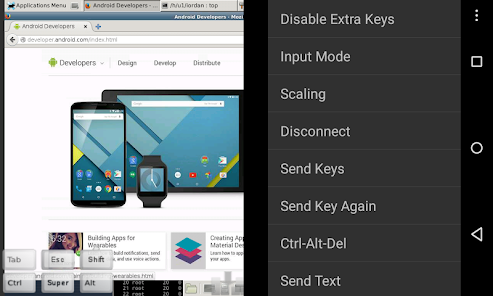
- In-app help on usage, connection setup and input modes (see in-app Menu)
- Hacker's Keyboard recommended
- Instructions for Windows:
Plain VNC:
http://iiordanov.blogspot.ca/2012/04/how-to-install-and-connect-to-tightvnc.html
Secure VNC over VeNCrypt:
https://groups.google.com/d/msg/bvnc-ardp-aspice-opaque-remote-desktop-clients/c9ptU7UekE4/rOzNlkiaEgAJ
Secure VNC over SSH:
http://iiordanov.blogspot.ca/2012/04/tunneling-vnc-over-ssh-to-windows.html
- Instructions for Linux:
Plain VNC (Remote Desktop on Ubuntu):
NOTE: To use Vino (default Ubuntu VNC Server), first run:
gsettings set org.gnome.Vino require-encryption false
http://www.howtoforge.com/configure-remote-access-to-your-ubuntu-desktop
AutoX Secure VNC over SSH:
http://iiordanov.blogspot.ca/2012/10/looking-for-nx-client-for-android-or.html
- Instructions for Mac OS X Remote Desktop:
http://iiordanov.blogspot.ca/2012/04/how-to-connect-to-mac-os-x-using-bvnc.html
Secure VNC over SSH:
http://iiordanov.blogspot.ca/2012/04/tunneling-vnc-over-ssh-to-mac-os-x.html
Code
https://github.com/iiordanov/remote-desktop-clients
Updated on
Safety starts with understanding how developers collect and share your data. Data privacy and security practices may vary based on your use, region, and age. The developer provided this information and may update it over time.

No data shared with third parties
Learn more about how developers declare sharing

No data collected
Learn more about how developers declare collection
Ratings and reviews
4.8
356 reviews

Marc Stocker
- Flag inappropriate
- Show review history
May 3, 2024
Got the pro since I've been using free version for years now. Only complaint is a lack of "hamburger" options on the TV app. Specifically the inability to Import/Export settings. I use 100 character long generated passwords that I'd very much prefer to not type in using a remote... And my chromecast sometimes refuses to enter remote mode, so being able to fall back on a config file would be tremendously helpful (Upload files to Chromecast using Cx File Explorer).
Iordan Iordanov (Undatech)
May 3, 2024
Hey there, would you mind kindly opening a feature request at https://github.com/iiordanov/remote-desktop-clients/issues and I can go ahead and prioritize this for you? I don't usually track feature requests made in reviews very well. Thanks for the feedback, the first TV User to do so! Is the version you have able to move the mouse with the remote

A Google user
- Flag inappropriate
June 25, 2019
Terrific app. I installed the free version first, to check it out. It works very, very well - even establishing VNC connections over a secure channel (SSH, in my case) to hosts behind a firewall is straightforward to do, once you know your way around the app. I decided to get the pay version, not necessarily because I want to get extra features or get rid of the marketing window, but because I think that the developer deserves it. Notice that migrating from the free one to the pay version is painless, thanks to the Import/Export Settings capability available in both versions. Very highly recommended.
35 people found this review helpful

Michael Taylor
- Flag inappropriate
- Show review history
March 14, 2021
I generally like this app, but preferred seeing a list without preview screenshots. I was intrigued when that change was made, but the novelty wore off and I wish I could go back. I hope the developer adds a way to let users choose which they prefer. Edit: it's not my job to chase the developer to make a suggestion. This is where I got the app, so this is where I make comments. My comment was obviously seen. I'd rather find a different app than play games.
14 people found this review helpful
Iordan Iordanov (Undatech)
March 13, 2021
Feature requests can be made on the projects issues page on github, not in reviews. Feature requests in critical reviews are unlikely to be actioned. Thanks!
What's new
v5.5.8
- Bugfix for master password crash
v5.5.7
- Stability improvements
v5.5.6
- Stop asking for Master Password on disconnection
v5.4.8
- Support for ACTION_BUTTON_PRESS and ACTION_BUTTON_RELEASE mouse actions
v5.4.7
- New round icon
v5.3.5
- Improved icon resolution
v5.3.4
- New app banner for Android TV
- Fix for toolbar position not restored
v5.3.3
- Back button disconnects on Android TV
- Show default settings icon on Android TV
- New show keyboard icon and function for Android TV
v5.3
- Bugfix for master password crash
v5.5.7
- Stability improvements
v5.5.6
- Stop asking for Master Password on disconnection
v5.4.8
- Support for ACTION_BUTTON_PRESS and ACTION_BUTTON_RELEASE mouse actions
v5.4.7
- New round icon
v5.3.5
- Improved icon resolution
v5.3.4
- New app banner for Android TV
- Fix for toolbar position not restored
v5.3.3
- Back button disconnects on Android TV
- Show default settings icon on Android TV
- New show keyboard icon and function for Android TV
v5.3


