
ScreenPin


Everyone
info
0+
Downloads

Everyone
Learn more


About this app
ScreenPin makes your favorite images instantly accessible, right from your Android home screen!
Stop searching through folders for photos, screenshots, and saved images. ScreenPin lets you pin any image stored on your device directly to your home screen using a simple Android widget.
HOW IT WORKS
Add the Widget
Place a ScreenPin widget anywhere on your Android home screen.
Choose an Image
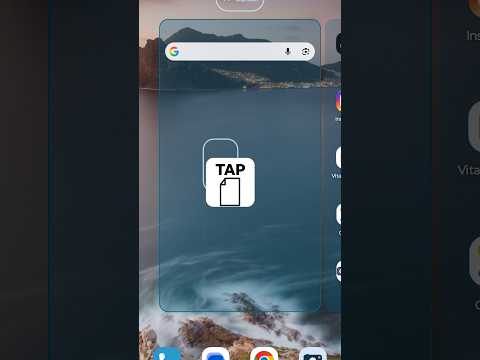
Tap the empty widget to browse your device's image folders and select a photo, screenshot, or saved image.
Pin Your Image
Your selected image instantly appears inside the widget.
View Full Screen
Tap the widget anytime to display your image in full screen.
Remove Anytime
Remove the widget just like any standard Android home screen widget.
PERFECT FOR
• Quick References — Keep important screenshots, instructions, or reference images one tap away.
• Favorite Memories — Display photos from recent events, vacations, or special occasions.
• Saved Screenshots — Access captured information without searching through your gallery.
• Visual Reminders — Keep useful images visible on your home screen.
• Everyday Convenience — Access frequently used images without navigating folders.
SIMPLE, PRIVATE, AND CONVENIENT
ScreenPin uses images already stored on your Android device. Your selected images remain on your phone and are never uploaded to external servers or shared with third parties.
No accounts. No subscriptions. No unnecessary complications.
Your images. Your home screen. One tap away.
Developed by Uncharted Domains LLC as part of the SimpleWidgets collection.
Pin your favorite saved images to your wallpaper for quick, easy access.
Updated on
Safety starts with understanding how developers collect and share your data. Data privacy and security practices may vary based on your use, region, and age. The developer provided this information and may update it over time.
- No data shared with third partiesLearn more about how developers declare sharing
- No data collectedLearn more about how developers declare collection


Everyone
Learn moreApp support
phone
Phone number
+13604712593
About the developer
Uncharted Domains LLC
ralph.peterson@uncharteddomainsllc.com
10215 Lake Arbor Ln
Colorado Springs, CO 80924-5230
United States
+1 360-471-2593


