
Stemify - AI Stem Separator
Contains ads

star
40 reviews

Everyone
info
10K+
Downloads

Everyone
Learn more


About this app
Stemify uses on-device AI to split any song into individual stems — vocals, drums, bass, and other instruments — directly on your Android phone. No internet connection required. Your music never leaves your device.
🎵 WHAT IS STEM SEPARATION?
Stem separation (also called source separation) isolates each instrument in a song into its own audio track. Want to sing along without the original vocals? Practice guitar to just the drums? Remix a track? Stemify makes it possible.
🔒 100% ON-DEVICE & PRIVATE
Unlike other stem separators that upload your music to the cloud, Stemify processes everything locally using HTDemucs — one of the most accurate AI separation models available. Your songs stay on your phone.
🎛️ FEATURES
- Import any video/audio file — MP3, WAV, FLAC, AAC, OGG
- Separate into vocals, drums, bass & other
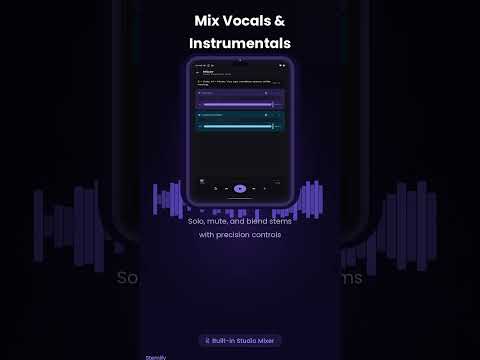
- Multi-track mixer — control each stem independently
- Mute or solo individual stems
- Export any stem as a high-quality WAV file
- Background processing — switch apps freely while it runs
- Works fully offline after installation
⚡ POWERFUL AI, RIGHT ON YOUR PHONE
Powered by HTDemucs, the same AI model used by professional audio tools. Runs entirely on your device using your phone's processor — no subscription, no cloud costs, no privacy trade-offs.
🎤 PERFECT FOR
- Karaoke — remove vocals from any song instantly
- Musicians — learn any instrument part by isolating it
- DJs & producers — extract stems for remixes and mashups
- Content creators — get instrumental versions to avoid copyright issues
- Singers — practice with backing tracks
📱 REQUIREMENTS
For best results, a device with 4GB+ RAM is recommended. Processing time varies by song length and device hardware (typically 2–8 minutes).
Stemify is free to use and supported by ads. No account or sign-up required.
Separate any song into stems on-device. No internet. No uploads. 100% private.
Updated on
Safety starts with understanding how developers collect and share your data. Data privacy and security practices may vary based on your use, region, and age. The developer provided this information and may update it over time.


Ratings and reviews
40 reviews

Knuendo
- Flag inappropriate
- Show review history
November 14, 2026
It's good as it's free. No signing up required. Just watch some ads and it does it's thing after some brief processing and wallah, you have an acapella and an instrumental track. It's not perfect and you can still hear the vocals lowered down in the instrumental track but it's free and no sign ups are required. 5 stars.
IB Labs
November 14, 2026
Thanks so much for the 5 stars! 🙌 Glad you like that it’s free with no sign-up. You’re right about the faint vocals left in the instrumental, and we’re working on better models to clean that up. Stay tuned!

Manan Mehta
- Flag inappropriate
November 10, 2026
the bleed of vocals is way too much in the instrumental track.
IB Labs
November 14, 2026
Sorry about that! Cleaner vocal removal is coming in an upcoming update. Thanks for the feedback!

Ewan Mogadima
- Flag inappropriate
- Show review history
November 18, 2026
I updated the app and I'm going to try and use it one different video and scenes and if I face an issue or a problem I will inform u
2 people found this review helpful
IB Labs
November 14, 2026
Sorry about the crash! Could you email us your phone model, plus the video’s length and format? That will help us find and fix it quickly. For now, updating to the latest version or trying a shorter clip may help.
What’s new
- Expanded multi-language localisation and improved translation quality.
- Refined UI/UX across processing, library, and mixer screens for a cleaner flow.
- Fixed bugs and improved overall app stability and performance.
- Refined UI/UX across processing, library, and mixer screens for a cleaner flow.
- Fixed bugs and improved overall app stability and performance.
Everyone
Learn moreApp support
About the developer
Mohammad Saqib
msaqib4203@gmail.com
544C/139/02, Almasbagh, Hardoi Road, Behind Charak Hospital
LUCKNOW, Uttar Pradesh 226003
India


