TD Authenticate
2.7star
248 reviews
50K+
Downloads

Everyone
info
About this app
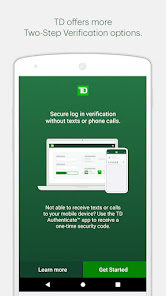
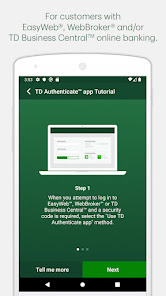
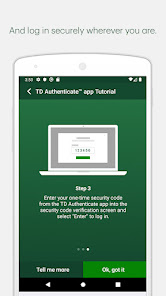
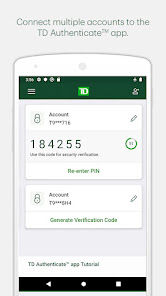
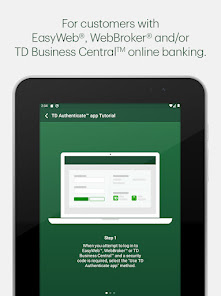
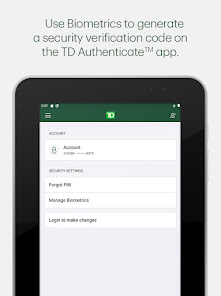
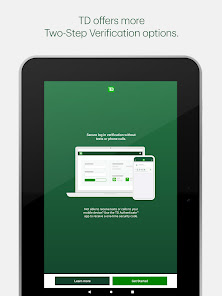
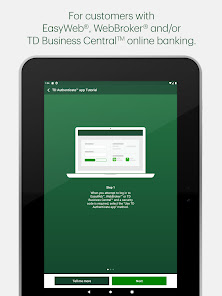
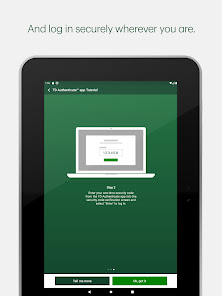
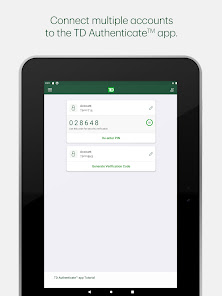
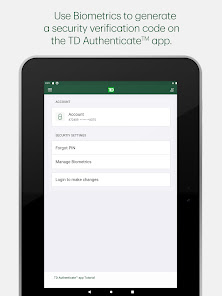
The TD Authenticate™ app is a Two-Step Verification method for your EasyWeb®, WebBroker® or TD Business Central™ Canadian online banking applications.
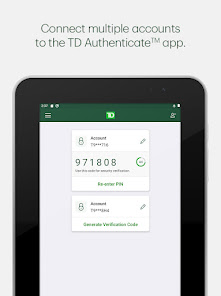
Simply download the app and follow the registration process to connect your account and device to the TD Authenticate app.
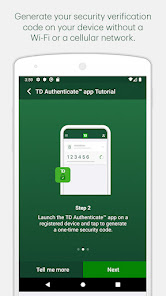
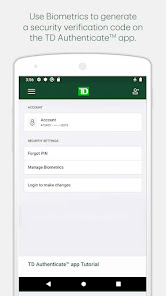
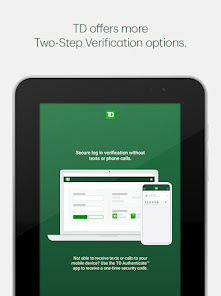
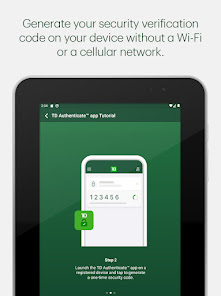
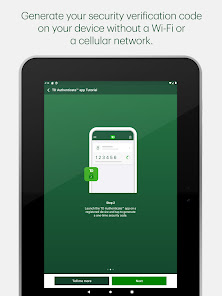
Once you've registered, you can generate a security verification code in the TD Authenticate app while online or offline (not connected to Wi-Fi or a mobile network), without the need for texts or phone calls.
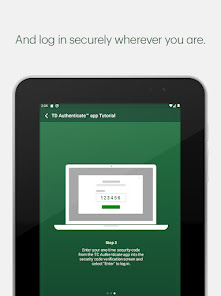
This confirms it's really you accessing your EasyWeb, WebBroker or TD Business Central online banking.
The TD Authenticate app is for use with EasyWeb, WebBroker and TD Business Central. For other TD apps or digital platforms, please use the Two-Step Verification services they provide. We are working on enhancing the TD Authenticate app, as well as onboarding new businesses and platforms within TD.
Note: Text or Voice One Time Passcode is required to register for the TD Authenticate app on your device.
By tapping "Install", you consent to the installation of the TD Authenticate app* and any future updates that can perform the functions described. The TD Authenticate app is for use by customers with an active EasyWeb®, WebBroker® and/or TD Business Central™ online banking profile. You may withdraw your consent at any time by removing your device from the list of registered devices under Password & Security within the applicable online banking profile.
Simply download the app and follow the registration process to connect your account and device to the TD Authenticate app.
Once you've registered, you can generate a security verification code in the TD Authenticate app while online or offline (not connected to Wi-Fi or a mobile network), without the need for texts or phone calls.
This confirms it's really you accessing your EasyWeb, WebBroker or TD Business Central online banking.
The TD Authenticate app is for use with EasyWeb, WebBroker and TD Business Central. For other TD apps or digital platforms, please use the Two-Step Verification services they provide. We are working on enhancing the TD Authenticate app, as well as onboarding new businesses and platforms within TD.
Note: Text or Voice One Time Passcode is required to register for the TD Authenticate app on your device.
By tapping "Install", you consent to the installation of the TD Authenticate app* and any future updates that can perform the functions described. The TD Authenticate app is for use by customers with an active EasyWeb®, WebBroker® and/or TD Business Central™ online banking profile. You may withdraw your consent at any time by removing your device from the list of registered devices under Password & Security within the applicable online banking profile.
Updated on
Safety starts with understanding how developers collect and share your data. Data privacy and security practices may vary based on your use, region, and age. The developer provided this information and may update it over time.

No data shared with third parties
Learn more about how developers declare sharing

This app may collect these data types
App activity, App info and performance and Device or other IDs

Data is encrypted in transit

Data can’t be deleted
Ratings and reviews
2.7
248 reviews

Jon
- Flag inappropriate
March 4, 2024
This app is a POS. I'd give it negative stars if I could. I set everything up before I left the country for traveling. Lo and behold when I went to login, it didn't work! It generated a number, I entered it into the browser... And it failed! I tried multiple times, and then TD decided to lock me out an disallow this mode of auth. Totally useless.
18 people found this review helpful

JM Casey
- Flag inappropriate
February 24, 2024
A non-starter for me; never did manage to even log in. Either there's an additional step that's not made clear on all the information materials on their website or this app doesn't work poperly. I suspect the former but whatever is really needed to get this thing going, TD is not clear about it. I noticed people seem to have a lot of problems with the thing. Shame as I really need the service it exactly seems to advertise since I'm currently unable to receive texts or calls.
15 people found this review helpful

Patrick Eriksson
- Flag inappropriate
- Show review history
February 29, 2024
Works fine when on desktop, but the app is not usable for people using the TD banking app. Most people are on mobile so this app makes very little sense. Sure, one can access the bank account using mobile web browser, but the user experience is not great, especially since there is no option to copy the code, so one has to memorize and then switch to browser and manually enter the code.. The TD Authenticate app should be made compatible with the TD banking app + add a copy function.
14 people found this review helpful
What's new
In this release, we've enabled the show/hide functionality for password on the login screen during the registration process, as well as an update to the TD Privacy Policy in the terms and conditions.
We love hearing from you! If you are experiencing issues, please let us know at customer.support@td.com. If you like the TD Authenticate™ app, please let us know by reviewing our app.
We love hearing from you! If you are experiencing issues, please let us know at customer.support@td.com. If you like the TD Authenticate™ app, please let us know by reviewing our app.


