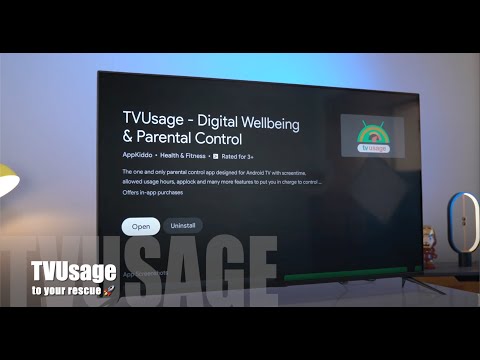

tvusage Parental Control App
In-app purchases

star
526 reviews

Everyone
info
100K+
Downloads


About this app
Pause screen, Play life 🪴
Create healthier screen routines—without turning every bedtime, homework session, or TV break into an argument.
tvusage is a parental control and screen time app for supervised Google/Android TV, Android phone, and Android tablet devices. Set clear routines, limit distracting apps, and make space for sleep, study, play, and family time.
With tvusage, you can:
Build routines that fit your day
🕰 Set daily screen-time limits for individual apps or the whole device.
📅 Choose the hours when apps or the device can be used.
📚 Group apps and apply shared rules for homework, focus, entertainment, or bedtime.
🍿 Add watch breaks to interrupt long TV and video sessions.
Keep the right apps available
🚫 Block selected apps completely when they do not belong in the routine.
♾️ Give essential or educational apps unlimited time.
🔐 Protect app and device rules with a four-digit PIN.
🌩️ Create multiple profiles and sync them across supported devices.
Understand screen habits
💡 See daily and weekly usage for each app so you can make informed changes instead of guessing.
How tvusage works
Install tvusage on the supervised child device, then configure rules for that device or profile. tvusage monitors app usage and applies the screen-time limits, allowed hours, groups, and blocks you choose.
A persistent notification remains visible on the device while monitoring is active, so the device user can see that tvusage is running.
Bring profiles, schedules, app groups, limits, and watch breaks together to create consistent rules across your family's supported Android TV, phone, and tablet devices.
For your own screen time
Adults can also install tvusage on their own Android device to understand app habits, set personal limits, block distractions, and create routines for focus, rest, or bedtime.
Optional Accessibility service
tvusage can use an optional Accessibility service for two parental-control features authorized by a parent or legal guardian on a supervised child device: uninstall protection and, on supported Android TV devices, Override launcher.
When uninstall protection is enabled, tvusage reads visible text on the device from Android system app-management and uninstall screens used to manage or remove tvusage. This allows it to identify and stop attempts to remove tvusage on supported devices.
On supported Android TV devices, when Override launcher is enabled, tvusage detects the configured TV launcher package or window and reopens tvusage when that launcher appears.
tvusage does not capture typed text. Accessibility-derived data is not used for advertising, profiling, or unrelated third-party sharing. The app works without Accessibility, but uninstall protection and Override launcher are unavailable.
Monitoring disclosure
tvusage is intended for parents and legal guardians managing their minor children's screen time on supervised child devices, and for adults managing screen time on their own devices.
Do not use tvusage to monitor another adult's device without that person's clear knowledge and consent.
Create screen rules that fit your family—and help screen time stop on time.
For help, contact support@tvusage.app.
Create healthier screen routines—without turning every bedtime, homework session, or TV break into an argument.
tvusage is a parental control and screen time app for supervised Google/Android TV, Android phone, and Android tablet devices. Set clear routines, limit distracting apps, and make space for sleep, study, play, and family time.
With tvusage, you can:
Build routines that fit your day
🕰 Set daily screen-time limits for individual apps or the whole device.
📅 Choose the hours when apps or the device can be used.
📚 Group apps and apply shared rules for homework, focus, entertainment, or bedtime.
🍿 Add watch breaks to interrupt long TV and video sessions.
Keep the right apps available
🚫 Block selected apps completely when they do not belong in the routine.
♾️ Give essential or educational apps unlimited time.
🔐 Protect app and device rules with a four-digit PIN.
🌩️ Create multiple profiles and sync them across supported devices.
Understand screen habits
💡 See daily and weekly usage for each app so you can make informed changes instead of guessing.
How tvusage works
Install tvusage on the supervised child device, then configure rules for that device or profile. tvusage monitors app usage and applies the screen-time limits, allowed hours, groups, and blocks you choose.
A persistent notification remains visible on the device while monitoring is active, so the device user can see that tvusage is running.
Bring profiles, schedules, app groups, limits, and watch breaks together to create consistent rules across your family's supported Android TV, phone, and tablet devices.
For your own screen time
Adults can also install tvusage on their own Android device to understand app habits, set personal limits, block distractions, and create routines for focus, rest, or bedtime.
Optional Accessibility service
tvusage can use an optional Accessibility service for two parental-control features authorized by a parent or legal guardian on a supervised child device: uninstall protection and, on supported Android TV devices, Override launcher.
When uninstall protection is enabled, tvusage reads visible text on the device from Android system app-management and uninstall screens used to manage or remove tvusage. This allows it to identify and stop attempts to remove tvusage on supported devices.
On supported Android TV devices, when Override launcher is enabled, tvusage detects the configured TV launcher package or window and reopens tvusage when that launcher appears.
tvusage does not capture typed text. Accessibility-derived data is not used for advertising, profiling, or unrelated third-party sharing. The app works without Accessibility, but uninstall protection and Override launcher are unavailable.
Monitoring disclosure
tvusage is intended for parents and legal guardians managing their minor children's screen time on supervised child devices, and for adults managing screen time on their own devices.
Do not use tvusage to monitor another adult's device without that person's clear knowledge and consent.
Create screen rules that fit your family—and help screen time stop on time.
For help, contact support@tvusage.app.
Parental controls for Android TV, mobile & tablet screen time limits & routines.
Updated on
Safety starts with understanding how developers collect and share your data. Data privacy and security practices may vary based on your use, region, and age. The developer provided this information and may update it over time.
- No data shared with third partiesLearn more about how developers declare sharing
- This app may collect these data typesApp activity, App info and performance, and Device or other IDs
- Data is encrypted in transit
- You can request that data be deleted


Ratings and reviews
138 reviews

A Google user
- Flag inappropriate
August 25, 2026
Wish I could give it 0 stars!!! Have been looking for something exactly like what this promises, but was utterly disappointed. The running app on my phone took over the phone and I had to agree to things I wasn't comfortable doing just to get to the next screen. Website specifically said it was available on devices I NEEDED control over, and that was a lie. Trying to use it on the computer when already on phone, impossible. This was after upgrading to pro, unlimited devices and use. Run!
Codeseed
August 25, 2026
Thanks for trying out tvusage app. Kindly reach out support@tvusage.app to let us help you out.
Thanks,
Bala

Beau Rosario
- Flag inappropriate
April 3, 2025
Great idea, but needs work! Unfortunately, with any lag (even a tiny amount- I have a Chromecast with Google TV, so not that slow), it's very easy to bypass the pin to install apps, just by hitting install quickly enough before the pin wall pops up. My kids will figure this out instantly. If there was a way to make this app so it blocked access to the app store altogether, this might work better.

Guy Peled
- Flag inappropriate
January 28, 2021
Does the job, has good control - both schedule and total time. And easy to add more time. 2 things they could do better: 1. Allow controlling from an app on an android phone 2. Don't make the control only usable with a remote. On a shield ATV often the main usage is through a game controller, so should have worked with it too, but doesn't
5 people found this review helpful
Codeseed
January 28, 2021
Hi Guy, Thanks for your feedback. We will definitely consider it for future updates. TVUsage app is already compatible with the game controller. You can use the DPad in the game controller to navigate. Please drop an email to support@tvusage.app for help.
Thanks
What’s new
⏱️ One child profile, one clock. Daily limits are shared across linked devices—60 minutes of YouTube means 60 minutes total. Sync with tvusage Remote; Default stays device-only.
📺 TV alerts show usage by device and make extra time easier to add.
🔐 PIN keys now shuffle, PIN screens fit more sizes, and usage totals are more accurate.
Enjoy glitch-free digital wellbeing and parental control! Say goodbye to TV tantrums and bedtime battles 📺 🛌 🍿 👨👩👧👦 🎉
📺 TV alerts show usage by device and make extra time easier to add.
🔐 PIN keys now shuffle, PIN screens fit more sizes, and usage totals are more accurate.
Enjoy glitch-free digital wellbeing and parental control! Say goodbye to TV tantrums and bedtime battles 📺 🛌 🍿 👨👩👧👦 🎉
App support
About the developer
CODESEED
appkiddo007@gmail.com
8\4\13A5, AMBETHKAR NAGAR, KOLATHUR
Salem, Tamil Nadu 636303
India
+44 7804 655420


