
Park Compass
In-app purchases


Everyone
info
10+
Downloads

Everyone
Learn more


About this app
Park. Walk away. Find your way back.
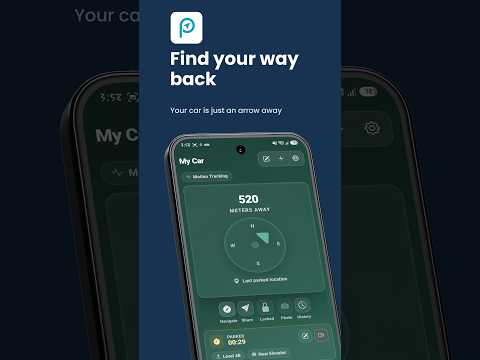
Park Compass remembers where you left your car and points you back to it with a live compass and distance readout. Whether you’re leaving a shopping center, event venue, unfamiliar street or sprawling car park, your saved spot is ready when you need it.
Choose how ParkCompass detects parking
Set up the method that suits your car and phone:
• Bluetooth tracking: Save your spot when your phone disconnects from your car’s Bluetooth device.
• Audio connection tracking: Save your spot when a selected car audio connection ends. It can work with supported Bluetooth, CarPlay, USB or AUX audio connections. Park Compass checks the output connection; it does not record or listen to audio.
• Motion tracking: Use GPS travel to recognize a drive and save your stopping point when you stop or walk away. No car connection is needed.
Everything you need for the return trip
• Follow a compass arrow towards your saved parking spot
• See your distance from the car update as you move
• Add a level, zone, bay, landmark or note, especially useful where GPS alone can’t tell you which floor you parked on
• Save a photo of your car or a nearby sign
• Set a parking timer and reminder
• Share your parked location or look back at parking history
Automatic detection depends on your chosen method, phone permissions and available location or connection signals. Motion tracking needs precise background location, and very short trips or poor GPS reception may require extra care.
Spend less time searching and more time getting on with your day. Park Compass helps you remember the spot and find your way back.
Park Compass remembers where you left your car and points you back to it with a live compass and distance readout. Whether you’re leaving a shopping center, event venue, unfamiliar street or sprawling car park, your saved spot is ready when you need it.
Choose how ParkCompass detects parking
Set up the method that suits your car and phone:
• Bluetooth tracking: Save your spot when your phone disconnects from your car’s Bluetooth device.
• Audio connection tracking: Save your spot when a selected car audio connection ends. It can work with supported Bluetooth, CarPlay, USB or AUX audio connections. Park Compass checks the output connection; it does not record or listen to audio.
• Motion tracking: Use GPS travel to recognize a drive and save your stopping point when you stop or walk away. No car connection is needed.
Everything you need for the return trip
• Follow a compass arrow towards your saved parking spot
• See your distance from the car update as you move
• Add a level, zone, bay, landmark or note, especially useful where GPS alone can’t tell you which floor you parked on
• Save a photo of your car or a nearby sign
• Set a parking timer and reminder
• Share your parked location or look back at parking history
Automatic detection depends on your chosen method, phone permissions and available location or connection signals. Motion tracking needs precise background location, and very short trips or poor GPS reception may require extra care.
Spend less time searching and more time getting on with your day. Park Compass helps you remember the spot and find your way back.
Automatically save your parked car and be guided back by a modern compass.
Updated on
Safety starts with understanding how developers collect and share your data. Data privacy and security practices may vary based on your use, region, and age. The developer provided this information and may update it over time.
- No data shared with third partiesLearn more about how developers declare sharing
- No data collectedLearn more about how developers declare collection


What’s new
We have made Park Compass even better!
This update includes:
- Fixed issues with camera permissions so you can capture moments smoothly.
- Improvements to AI features and overall app performance.
- General bug fixes and behind-the-scenes maintenance to keep your experience running reliably.
This update includes:
- Fixed issues with camera permissions so you can capture moments smoothly.
- Improvements to AI features and overall app performance.
- General bug fixes and behind-the-scenes maintenance to keep your experience running reliably.
Everyone
Learn moreApp support
About the developer
Valin Fox KENNEDY
superchargedsoftware@gmail.com
26/32 Marsh St
Wolli Creek NSW 2205
Australia


