

Zoom Workplace for Intune

3.9star
27K reviews
10M+
Downloads

Everyone
info



About this app
Zoom Workplace for Intune is for admins to organize and help protect BYOD environments with mobile application management (MAM). This app helps admins to protect corporate data while keeping employees connected.
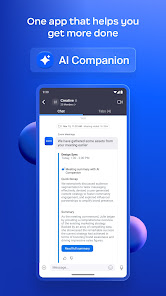
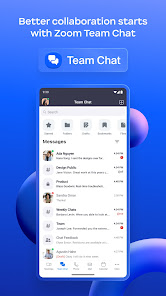
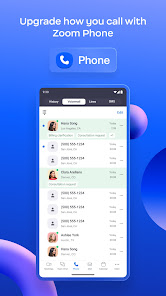
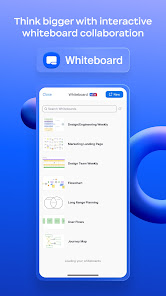
Reimagine how you work with Zoom Workplace, an all-in-one, AI-powered collaboration platform that combines team chat, meetings, phone, whiteboard, calendar, mail, notes, and more.
If you are looking for the end-user version of Zoom Workplace, download it here: https://itunes.apple.com/us/app/zoom-cloud-meetings/id546505307?mt=8
Zoom Workplace for Intune gives enterprise users all the features they expect from Zoom, while providing IT administrators expanded mobile app management capabilities to help prevent leakage of company information. And in the event of a lost or stolen device, IT can remove Zoom Workplace from the iPhone or iPad, along with any sensitive data associated with it.
IMPORTANT: This software requires your company’s work account and a Microsoft managed environment. Some functionality may not be available in all countries. If you have issues with this software or have questions about the use of it (including questions about your company’s privacy policy), please contact your company’s IT Administrator.
Follow us on social media @zoom
Have a question? Contact us at http://support.zoom.us.
Reimagine how you work with Zoom Workplace, an all-in-one, AI-powered collaboration platform that combines team chat, meetings, phone, whiteboard, calendar, mail, notes, and more.
If you are looking for the end-user version of Zoom Workplace, download it here: https://itunes.apple.com/us/app/zoom-cloud-meetings/id546505307?mt=8
Zoom Workplace for Intune gives enterprise users all the features they expect from Zoom, while providing IT administrators expanded mobile app management capabilities to help prevent leakage of company information. And in the event of a lost or stolen device, IT can remove Zoom Workplace from the iPhone or iPad, along with any sensitive data associated with it.
IMPORTANT: This software requires your company’s work account and a Microsoft managed environment. Some functionality may not be available in all countries. If you have issues with this software or have questions about the use of it (including questions about your company’s privacy policy), please contact your company’s IT Administrator.
Follow us on social media @zoom
Have a question? Contact us at http://support.zoom.us.
Updated on
Safety starts with understanding how developers collect and share your data. Data privacy and security practices may vary based on your use, region, and age. The developer provided this information and may update it over time.

No data shared with third parties
Learn more about how developers declare sharing

This app may collect these data types
Location, Personal info and 10 others

Data is encrypted in transit

You can request that data be deleted
Ratings and reviews
3.9
25K reviews

Cheryl Gribble
- Flag inappropriate
May 31, 2024
It did not open my link sent from host and i lost being in scheduled meeting. It did not say in google that it would not wirk on some non-microsoft platformd, which would have been good to know. My one point review is generous, as it was, in no way , what we needed, and i incurred a business meeting loss.
533 people found this review helpful

Daniel Solorio
- Flag inappropriate
May 14, 2024
I paid for monthly subscription but I had to cancel because Everytime you have an important meeting you can't access it unless you update it very annoying.
375 people found this review helpful

Paidra Fortenberry
- Flag inappropriate
- Show review history
April 30, 2020
I'm trying to download this app for important buisness purposes as I was encouraged to do so and I've been now trying to download this app for about 2 hours now, and It wont download for nothing!! My data / wifi is perfect and ready to get the job done. It's not my data, nor wifi it's this app apparently having difficulties of downloading. It just keeps buffering and saying waiting to download. Totally frustrating at this point due to me being distracted of my buisness call meeting/ conference!
3,660 people found this review helpful
What's new
Meeting features
-Auto-connect to audio using wifi by default for new app installations
-Don't Show This Again option for meeting disclaimer prompts
Team Chat features
-Support 250,000 members in Announcement channels
Phone features
-Expanded language support for voicemail and videomail transcription
-Outbound SMS spam prevention
-Support for multiple languages for voice call summary
-Post-quantum end-to-end encryption support for Zoom Phone
Resolved issues
-Minor bug fixes
-Auto-connect to audio using wifi by default for new app installations
-Don't Show This Again option for meeting disclaimer prompts
Team Chat features
-Support 250,000 members in Announcement channels
Phone features
-Expanded language support for voicemail and videomail transcription
-Outbound SMS spam prevention
-Support for multiple languages for voice call summary
-Post-quantum end-to-end encryption support for Zoom Phone
Resolved issues
-Minor bug fixes


