
Shelly Smart Control
3.0star
6K reviewsinfo
1M+
Downloads

USK: All ages
info



About this app
Shelly Smart Control is the successor of Shelly Cloud. We've added a number of new features to help you monitor and control your devices, look at your current consumption and even add cost periods, so you can see your monthly electricity bill prognosis.
The new features include but are not limited to:
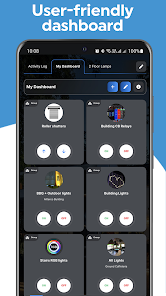
- Dashboards - create and organise your own dashboards with custom cards for your favourite devices, scenes or groups;
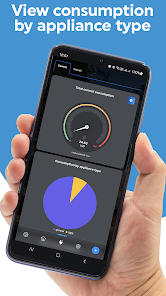
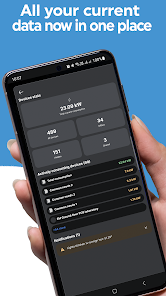
- New space for real-time measuring of energy consumption;
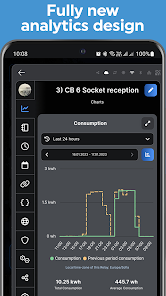
- Detailed statistics - for your house, a room, or each device;
- Electricity tariff;
- Information screens.
This app offers the possibility to remotely control your Shelly devices. It is the neccessary hub to initially install your Shelly devices.
We are constantly working on providing support for new devices. The updates are provided to you via a seamless update technology that works all on its own - you will only need to update the application manually for major updates.
The Shelly Home Automation portfolio includes a variety of relay switches, sensors, plugs, bulbs, and other controllers, all connected and controlled through your Wi-Fi network. The new Shelly Plus and Shelly Pro lines of products additionally support Bluetooth connectivity for faster and more stable device communication, and the new Shelly Pro line offers LAN and Wi-Fi usage simultaneously. The entire Shelly portfolio is available at https://shelly.cloud/
With Shelly you can control your lights, garage doors, curtains, window blinds, or other appliances, as well as trigger actions based on certain conditions.
All Shelly devices provide:
- Embedded Web server
- Wi-Fi control and connectivity
- APIs for observation and control
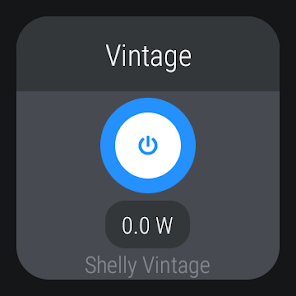
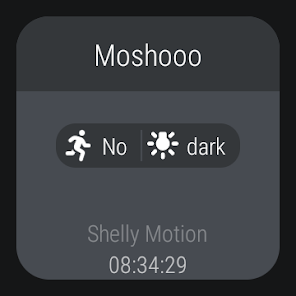
A user account is required to access, include, and control Shelly devices through the application or via the upcoming Wear OS applet.
Shelly devices are compatible with other widely used both local- and cloud-based home automation platforms like Google Home and Alexa.
Please note that on Android 9 and earlier an update to "Chrome" and "Android System WebView" might be necessary, as this app depends heavily on libraries provided by these two and you may encounter a black screen if they are not updated.
The new features include but are not limited to:
- Dashboards - create and organise your own dashboards with custom cards for your favourite devices, scenes or groups;
- New space for real-time measuring of energy consumption;
- Detailed statistics - for your house, a room, or each device;
- Electricity tariff;
- Information screens.
This app offers the possibility to remotely control your Shelly devices. It is the neccessary hub to initially install your Shelly devices.
We are constantly working on providing support for new devices. The updates are provided to you via a seamless update technology that works all on its own - you will only need to update the application manually for major updates.
The Shelly Home Automation portfolio includes a variety of relay switches, sensors, plugs, bulbs, and other controllers, all connected and controlled through your Wi-Fi network. The new Shelly Plus and Shelly Pro lines of products additionally support Bluetooth connectivity for faster and more stable device communication, and the new Shelly Pro line offers LAN and Wi-Fi usage simultaneously. The entire Shelly portfolio is available at https://shelly.cloud/
With Shelly you can control your lights, garage doors, curtains, window blinds, or other appliances, as well as trigger actions based on certain conditions.
All Shelly devices provide:
- Embedded Web server
- Wi-Fi control and connectivity
- APIs for observation and control
A user account is required to access, include, and control Shelly devices through the application or via the upcoming Wear OS applet.
Shelly devices are compatible with other widely used both local- and cloud-based home automation platforms like Google Home and Alexa.
Please note that on Android 9 and earlier an update to "Chrome" and "Android System WebView" might be necessary, as this app depends heavily on libraries provided by these two and you may encounter a black screen if they are not updated.
Updated on
Safety starts with understanding how developers collect and share your data. Data privacy and security practices may vary based on your use, region, and age. The developer provided this information and may update it over time.

No data shared with third parties
Learn more about how developers declare sharing

No data collected
Learn more about how developers declare collection

Data is encrypted in transit

You can request that data be deleted
Ratings and reviews
3.0
5.71K reviews

Innokenty
- Flag inappropriate
- Show review history
November 2, 2023
This is the worst app ever. After trying a lot of stuff, finally managed to discover the device I'm trying to set up on my network. Great Success! Clicking "Add device" button on it – doesn't do anything! Ok, now I know the IP at least, I thought, let's try putting in the API directly – device shows up – can't add again. Ok, after several restarts I managed to finally add it. However now the device status is stuck in "pending connection": great job, Shelly! Absolutely useless.
36 people found this review helpful

James McGuire
- Flag inappropriate
December 23, 2025
Widgets do not work. May work for a while then when a software update is available they either break if you stay on the old version or sometimes break if you upgrade to the new version. installed a 2PM, paired with a Galaxy S24+ works in the app, but widgets do nothing after adding them. Ran the S24 software update to the latest version, readded the widgets they worked for 24 hours but have now stopped working again. Just completely unreliable.
3 people found this review helpful

Tilman Jeske
- Flag inappropriate
- Show review history
January 15, 2026
Shelly: great. App: not so much. Why? If you don't close it it will PREVENT YOUR SCREEN FROM TURNING OFF (burn in hazard!!! Battery drain!!) and keeps phone unlocked (security issue!). EDIT: hello. There is no setting (Samsung phone) to change the timeout for shelly. timeout works fine in other apps. Something shelly has to fix please!!
5 people found this review helpful
Shelly Group
January 29, 2025
We thank you for your feedback about the devices we have as well as for the app. Sometimes the app indeed stays open and prevents the mobile device from turning off, however this can be managed through the energy consumption settings of the phone or through the display settings depending on the model.
What’s new
Thank you for your feedback! In this release:
* Added support for a 12-hour clock format in the BLU H&T Display;
* Improved communication with Wear OS devices;
* Other improvements and bug fixes.
* Added support for a 12-hour clock format in the BLU H&T Display;
* Improved communication with Wear OS devices;
* Other improvements and bug fixes.
App support
phone
Phone number
+35929887435
About the developer
SHELLY EUROPE EOOD
apps@shelly.com
103 Cherni Vrah blvd.
1407 Sofia
Bulgaria
+359 88 216 3817


