
MacroPoint for Truckers
4.5star
63.7K reviews
1M+
Downloads

Everyone
info


About this app
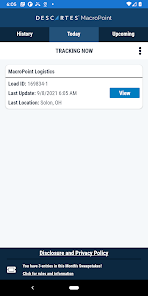
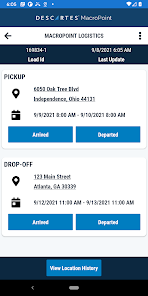
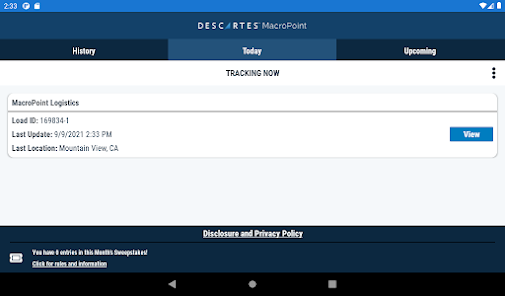
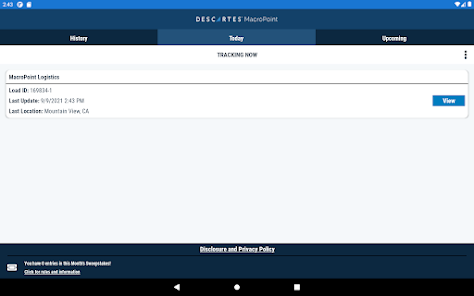
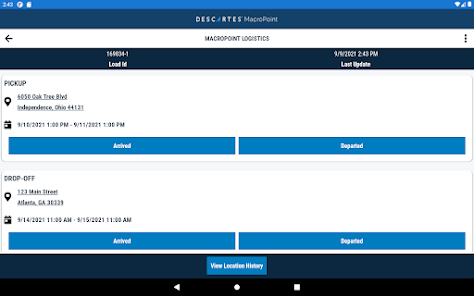
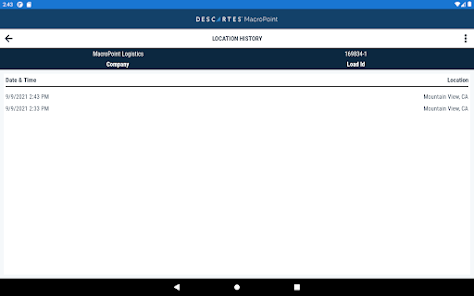
Descartes MacroPoint™ for Truckers is the most trusted and secure app used by drivers. Enjoy automated communication of arrival, departure, and in-transit location data to your customers in real time. Descartes MacroPoint™ for Truckers is free to use. Automatic location updating keeps the app hands-free. Ensure a safe and uninterrupted driving experience with MacroPoint for Truckers.
Benefits & Features
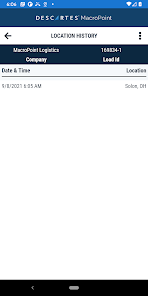
• Automatically sends in-transit location data
• Reduce check calls & increase on-road performance
• Receive real-time notification of load assignments
• Instant tracking connectivity to all your customers
• Improve customer satisfaction
Descartes MacroPoint™ for Truckers enables location sharing and other communication with your trusted partners during active load assignments only and always over a secure connection.
To read more about our terms and privacy policy, please visit: www.MacroPoint.com/privacy-policy/
Benefits & Features
• Automatically sends in-transit location data
• Reduce check calls & increase on-road performance
• Receive real-time notification of load assignments
• Instant tracking connectivity to all your customers
• Improve customer satisfaction
Descartes MacroPoint™ for Truckers enables location sharing and other communication with your trusted partners during active load assignments only and always over a secure connection.
To read more about our terms and privacy policy, please visit: www.MacroPoint.com/privacy-policy/
Updated on
Safety starts with understanding how developers collect and share your data. Data privacy and security practices may vary based on your use, region, and age. The developer provided this information and may update it over time.


Ratings and reviews
4.6
60.9K reviews

Alec Abell
- Flag inappropriate
October 31, 2025
The app itself seems to work well, but I only install it when required for a specific load, then I DELETE as soon as I deliver. I suspect that the seemingly constant location ping, 30 min or less in between, will drain a battery in a matter of hours! Keeping a phone plugged in will destroy battery life, yes, I heard the collective "DUH" from the techy people.. I do wonder why companies are requesting this of drivers, when they work for a company that tracks any way...
14 people found this review helpful
Descartes Intl.
October 31, 2025
Thanks for reviewing! If you set location permissions to “while using”, the app will not collect locations until you open the app. Closing the app prevents location tracking. We only report locations when a load is assigned. As for why the app, we connect to ELDs as well. Brokers assign many carriers. It’s ELD coordination vs easy mobile app use.

Law Abiding citizen
- Flag inappropriate
- Show review history
December 13, 2024
This App wants full access to your phone, I get location, but the app doesn't want to run properly unless you give it full control to your files, pictures and system settings, The only access should be location only. !!! On an iPhone it just basically has these turned on by default but for Android it gives you the option's for what the app can access on the phone, and if it's not given any control in anything, it will keep asking for permission and not working unless it's given full access.
47 people found this review helpful
Descartes Intl.
December 13, 2024
Our install follows requirements from both Android and Apple and permissions must be granted for location tracking for the app to work Full access to files and pictures is not requested. If you see otherwise send us a screenshot please at servicedesk@descartes.com. The Android OS simply won’t allow for that type of request and requirement.

Tina Johnston
- Flag inappropriate
- Show review history
January 21, 2021
It's easier than it used to be. Works good but needs a place for me to put comments. Ex. Removed from load, dropped at yard, swapped load, ect. I had to re-download to a new phone an wow it was really bad. 1st load it stopped tracking me in ca. I was in Ohio. Customer was not happy. I paused tracking and it stopped. Won't start again. I tried Uninstaller an reloading. Won't start tracking again. I guess it's done with my load! I know I'm done with this app!
101 people found this review helpful
Descartes Intl.
January 21, 2021
It sounds like your customer may have ordered just 1 day of tracking rather than 5 or 3 or whatever was needed and so when the order expires so does active tracking. Try our servicedesk@descartes.com next time if you need help as they can get you up and running faster than we can in the app reviews department.
What’s new
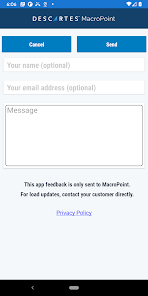
In this version we squashed some bugs and made some infrastructure updates to make the app more reliable than ever. Please send us your feedback and ideas!
App support
phone
Phone number
+18777869339
About the developer
The Descartes Systems Group Inc
bbialozynski@descartes.com
120 Randall Dr
Waterloo, ON N2V 1C6
Canada
+1 443-621-5401


