
Galaxy Watch Plugin
3.9star
27.1K reviews
1M+
Downloads

Everyone
info
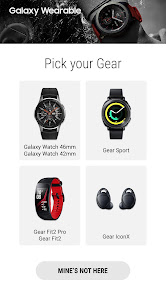
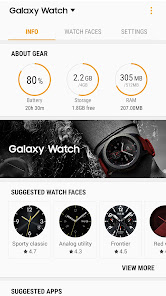
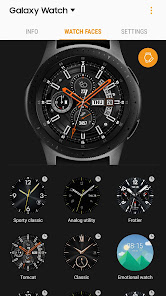
About this app
This application is a component for Galaxy Wearable Application.
Galaxy Wearable Application has to be installed in advance.
※ Please allow the permission of Galaxy Wearable Application from Android Settings to use it completely in Android 6.0.
Settings > Apps > Galaxy Watch Plugin > Permissions
※ Access rights information
The following permissions are required for the app service. For optional permissions, the default functionality of the service is turned on, but not allowed.
[Required permissions]
- Location : Used to search for nearby devices for Watch through Bluetooth
- Storage: Used to transmit and receive the stored files with Watch
- Telephone : Used to check device-unique identification information for updating apps and installing plug-in apps
- Contacts : Used to provide services that need to be linked with accounts using registered Samsung account information
- Calendar : Used to synchronize schedule with Watch
- SMS : Used to synchronize SMS with Watch
- Call logs : Used to synchronize Call logs with Watch
[Optional permissions]
- Camera : Used to scan the QR code to activate Watch's SIM card(eSIM Support Model only)
Galaxy Wearable Application has to be installed in advance.
※ Please allow the permission of Galaxy Wearable Application from Android Settings to use it completely in Android 6.0.
Settings > Apps > Galaxy Watch Plugin > Permissions
※ Access rights information
The following permissions are required for the app service. For optional permissions, the default functionality of the service is turned on, but not allowed.
[Required permissions]
- Location : Used to search for nearby devices for Watch through Bluetooth
- Storage: Used to transmit and receive the stored files with Watch
- Telephone : Used to check device-unique identification information for updating apps and installing plug-in apps
- Contacts : Used to provide services that need to be linked with accounts using registered Samsung account information
- Calendar : Used to synchronize schedule with Watch
- SMS : Used to synchronize SMS with Watch
- Call logs : Used to synchronize Call logs with Watch
[Optional permissions]
- Camera : Used to scan the QR code to activate Watch's SIM card(eSIM Support Model only)
Updated on
Safety starts with understanding how developers collect and share your data. Data privacy and security practices may vary based on your use, region, and age. The developer provided this information and may update it over time.

No data shared with third parties
Learn more about how developers declare sharing

No data collected
Learn more about how developers declare collection
Ratings and reviews
3.9
26.9K reviews

Matt Baer
- Flag inappropriate
January 11, 2023
Constantly disconnecting from phone. Over the last couple of week, it's been constantly draining battery like crazy because it's saying it is no longer connected. I'll have periods of the day where it will disconnect and reconnect just to disconnect again, over and over, 5, 6, 7 times in 10 minutes. It's been buggy the whole three years I've had it, but it's getting to the point where I'm about to leave the Galaxy watch world.
227 people found this review helpful

A Google user
- Flag inappropriate
March 31, 2019
The app doesn't keep the watch connected to the phone. If you step out of the Bluetooth range, your phone will disconnect from the watch, and once you come close to the phone again, the app wouldn't reconnect automatically so you will miss your notifications without knowing it. This was not a case with Samsung S8, so it looks like Samsung wants you to force-buy Samsung phones to use with the Samsung watch. Not a good practice.
62 people found this review helpful

Devesh Bhatla
- Flag inappropriate
- Show review history
September 22, 2021
If it ain't broke, don't fix it. After the latest plugin update, I got a notification that kindly reset your watch before connecting on the same old phone. I thought that I will lose my step data. It won't let me connect to my phone at 11:00 pm in the night. But instead of resetting the watch and lose my 1.5 year streak, I decided to download a previous version apk from Google and guess what, it synced all my data immediately and the error message was gone. Updated: all issues fixed
318 people found this review helpful
What’s new
- Fixed the error.
App support
About the developer
삼성전자(주)
mobile.biz@samsung.com
대한민국 16677 경기도 수원시
영통구 삼성로 129 (매탄동)
+82 1588-3366


