
Microsoft Authenticator
4.7star
2.49M reviews
100m+
Downloads

Everyone
info

About this app
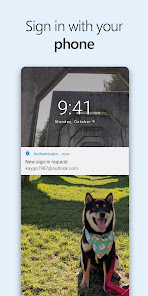
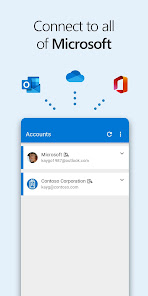
Two factor authentication (2FA or TFA) is easy, convenient, and secure when you use Microsoft Authenticator. Use your phone, not your password, to log into your Microsoft account. Just enter your username, then approve the notification sent to your phone. Your fingerprint, face ID, or PIN will provide a second layer of security in this two step verification process. After you’ve signed in with two factor authentication (2FA or TFA), you’ll have access to all your Microsoft products and services, such as Outlook, OneDrive, Office, and more.
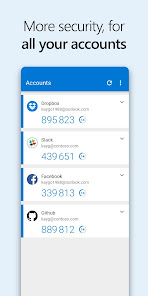
Microsoft Authenticator also supports multi factor authentication (MFA) even if you still use a password, by providing a second layer of security after you type your password. When logging in with two factor authentication (2FA or TFA), you’ll enter your password, and then you’ll be asked for an additional way to prove it’s really you. Either approve the notification sent to the Microsoft Authenticator, or enter the one time password (OTP) generated by the app. The one time passwords (OTP codes) have a 30 second timer counting down. This timer is so you never have to use the same time based one time password (TOTP) twice and you don’t have to remember the number. The one time password (OTP) doesn’t require you to be connected to a network, and it won’t drain your battery.
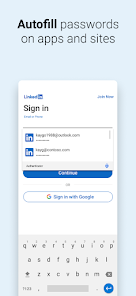
You can add multiple accounts to your app, including non-Microsoft accounts like LinkedIn, Github, Amazon, Dropbox, Google, Facebook, and more. Since the app supports the industry standard for time based one time passwords (TOTP), you can secure all your online accounts. Simply enable two factor authentication (2FA or TFA) on all your accounts. Then, when you sign in, you’ll provide your username and password as usual. Finally, you’ll enter the one time password (OTP) provided by the Microsoft Authenticator app.
Sometimes your work or school might ask you to install the Microsoft Authenticator when accessing certain files, emails, or apps. You will need to register your device to your organization through the app and add your work or school account. Microsoft Authenticator also supports cert-based authentication by issuing a certificate on your device. This will let your organization know that the sign-in request is coming from a trusted device and help you seamlessly and securely access additional Microsoft apps and services without needing to log into each. Because Microsoft Authenticator supports single sign-on, once you have proven your identity once, you will not need to log in again to other Microsoft apps on your device.
Enroll in our beta program! Follow this link for an early preview of our latest updates: https://play.google.com/apps/testing/com.azure.authenticator
Microsoft Authenticator also supports multi factor authentication (MFA) even if you still use a password, by providing a second layer of security after you type your password. When logging in with two factor authentication (2FA or TFA), you’ll enter your password, and then you’ll be asked for an additional way to prove it’s really you. Either approve the notification sent to the Microsoft Authenticator, or enter the one time password (OTP) generated by the app. The one time passwords (OTP codes) have a 30 second timer counting down. This timer is so you never have to use the same time based one time password (TOTP) twice and you don’t have to remember the number. The one time password (OTP) doesn’t require you to be connected to a network, and it won’t drain your battery.
You can add multiple accounts to your app, including non-Microsoft accounts like LinkedIn, Github, Amazon, Dropbox, Google, Facebook, and more. Since the app supports the industry standard for time based one time passwords (TOTP), you can secure all your online accounts. Simply enable two factor authentication (2FA or TFA) on all your accounts. Then, when you sign in, you’ll provide your username and password as usual. Finally, you’ll enter the one time password (OTP) provided by the Microsoft Authenticator app.
Sometimes your work or school might ask you to install the Microsoft Authenticator when accessing certain files, emails, or apps. You will need to register your device to your organization through the app and add your work or school account. Microsoft Authenticator also supports cert-based authentication by issuing a certificate on your device. This will let your organization know that the sign-in request is coming from a trusted device and help you seamlessly and securely access additional Microsoft apps and services without needing to log into each. Because Microsoft Authenticator supports single sign-on, once you have proven your identity once, you will not need to log in again to other Microsoft apps on your device.
Enroll in our beta program! Follow this link for an early preview of our latest updates: https://play.google.com/apps/testing/com.azure.authenticator
Updated on
Safety starts with understanding how developers collect and share your data. Data privacy and security practices may vary based on your use, region, and age. The developer provided this information and may update it over time.


Ratings and reviews
4.7
2.45M reviews

Carlie French
- Flag inappropriate
January 21, 2026
Garbage. If your company decides to use this, best of luck. And if you get a new phone, I wish you even more luck, because that is absolute hell, trying to get the authenticator to recognize your new phone. There have got to be better ways to secure digital things than this damned app. Also, you won't be able to use it if you lose reception or don't have Wi-Fi, which is a common occurrence in our very large building.
13 people found this review helpful

roxanne p
- Flag inappropriate
January 13, 2026
I lost my phone once so was worried about how I would access my account. But the customer service was professional, secure, and COMPLETELY efficient. Solved my problem and got me authenticated pretty quickly and easily and I was SO grateful for that. Because I was expecting it to be a total nightmare. Also, when I called their customer service, a REAL PERSON answered my call, which is almost solely enough to give this app an A+++ rating!
13 people found this review helpful

Taylor Herring
- Flag inappropriate
December 11, 2025
I was forced to install this app. My work email literally wouldn't open until I did. I did not elect to participate in the use of a two-factor authentication system that, based on the reviews available on the website, will inevitably lock me out when I get a new phone, will subject me to endless code loops, and will offer no customer support. Between this and the disabling of Office features if you opt out of AI, Microsoft is no longer a company; they are an ongoing hostage negotiation.
176 people found this review helpful
App support
About the developer
Microsoft Corporation
Appservices@microsoft.com
1 Microsoft Way
Redmond, WA 98052
United States
+1 800-642-7676


