
DM WiFi
3.3star
393 reviews
50K+
Downloads

Everyone
info

About this app
Safety starts with understanding how developers collect and share your data. Data privacy and security practices may vary based on your use, region and age. The developer provided this information and may update it over time.

No data shared with third parties
Learn more about how developers declare sharing

No data collected
Learn more about how developers declare collection
Ratings and reviews
3.1
341 reviews

A Google user
- Flag inappropriate
9 January 2020
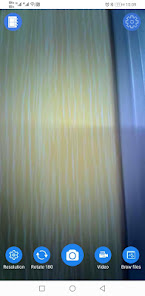
The other reviewers' comments don't make sense to me. Of COURSE the app doesn't work when you connect the microscope to the computer -- it can't be a peripheral to your computer and your phone at the same time! And yes, changing the magnification means you have to refocus -- that is how microscopes work! The app is basic but works fine. The microscope creates a WiFi network -- you connect to it and run the app, and the tablet is now a display for the microscope. You can take pictures, etc. Note that the network is not secure, so somebody else could connect to your microscope and see what you're looking at.
52 people found this review helpful

AntonioL
- Flag inappropriate
- Show review history
18 November 2025
I have a New Phone I Need this App to (Automatically Connects to the Data) If you're out & about There's No Wi-Fi around You should be able to have the Option to (Choose Data Hotspot) In the past you gave the Option of choosing Data over Wi-Fi You got it set to Wi-Fi I need it to Automatically Connect to the Data Hotspot
1 person found this review helpful

Marko Skocic
- Flag inappropriate
11 August 2024
Doesn't work on 2 out of 4 of my devices. The two devices it doesn't work are both relatively new with the latest Android. I connect to the microscope's Wi-Fi but get a black screen instead of camera feed. And it's not about permissions or security software on the devices, I've experimented with both.
5 people found this review helpful
What's new
Fixed bugs
App support
About the developer
深圳市乐信兴业科技有限公司
joyhonest@126.com
中国
广东省深圳市
龙华区观湖街道松元厦社区观平路229号粮食集团观澜工业
邮政编码: 518000
+86 136 2096 9868


