Nordea ID
4,3star
67,1K reviews
1M+
Downloads

Everyone
info



About this app
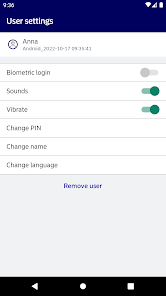
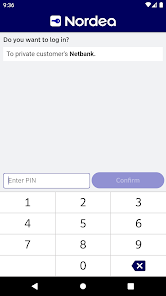
Nordea ID app provides an easy and secure way to authenticate your identity.
With the app you can do your banking regardless of time and place. Begin by installing the app on your mobile device and go through the activation process. You shouldn’t rely on just one copy of the Nordea ID app. If your phone or tablet breaks down or gets lost, you will also lose the Nordea ID app and you will need to go through the activation process again. To avoid this, we recommend that you install the Nordea ID app on more than one mobile device.
With the Nordea ID app you can:
- log in to Nordea services and confirm actions
- confirm online payments in a secure way
- as a personal customer identify yourself in other service providers’ services (only in Finland)
- identify yourself when calling Nordea Customer Service. (only in Finland)
The app can’t be used on rooted mobile devices for security reasons.
Read more:
Finland: nordea.fi/IDapp
Norway: nordea.no/NordeaID
Denmark: nordea.dk/NordeaID
With the app you can do your banking regardless of time and place. Begin by installing the app on your mobile device and go through the activation process. You shouldn’t rely on just one copy of the Nordea ID app. If your phone or tablet breaks down or gets lost, you will also lose the Nordea ID app and you will need to go through the activation process again. To avoid this, we recommend that you install the Nordea ID app on more than one mobile device.
With the Nordea ID app you can:
- log in to Nordea services and confirm actions
- confirm online payments in a secure way
- as a personal customer identify yourself in other service providers’ services (only in Finland)
- identify yourself when calling Nordea Customer Service. (only in Finland)
The app can’t be used on rooted mobile devices for security reasons.
Read more:
Finland: nordea.fi/IDapp
Norway: nordea.no/NordeaID
Denmark: nordea.dk/NordeaID
Updated on
Safety starts with understanding how developers collect and share your data. Data privacy and security practices may vary based on your use, region and age. The developer provided this information and may update it over time.


Ratings and reviews
4,3
64,8K reviews

Khôi
- Flag inappropriate
- Show review history
25 August 2025
The app is perfect, except for adding new users on new devices. There are 3 steps to this process: entering your info, entering the activation code and then a temporary PIN. The problem is that when I tried to add my user again after removing it or simply clicked back after entering the activation code (can be used once), the system never sent the code again, even after 24 hours. Without this code, it was impossible to proceed.
1 person found this review helpful

A Google user
- Flag inappropriate
25 October 2018
It worked fine until I've installed the second SIM card. After that the app regularly fails to complete verification and needs to be re-attached to the account. Apparently something is wrong with fingerprint calculation in case of several SIM cards (the developers forgot to sort the array maybe? ha-ha) Anyway, can you please look at this problem and fix it? Regards.
1 person found this review helpful
Nordea Bank Abp
25 October 2018
Hi! Thanks for your feedback. Could you please send us a message in Facebook Nordea Suomi, so we can try to figure out more about the problem there. -Miira

Kari Alatalo
- Flag inappropriate
17 December 2022
Decent authentication app, though some features seem to be hidden or missing, that you nevertheless encounter online. Like the "offline signing" function, if the client website only offers that, there's no easy way to access it in the app. Also seems to be an issue with notifications, as I never receive them and instead have to open the app again manually - whence it immediately enters the verification mode.
4 people found this review helpful
What's new
Minor improvements and bug fixes.
App support
phone
Phone number
+3582003000
About the developer
Nordea Bank Abp
appstore@nordea.com
Satamaradankatu 5
00020 NORDEA
Finland
+358 50 5911129


