
Snap Assist
Contains adsIn-app purchases
4.5star
9.42K reviews
500K+
Downloads

Everyone
info




About this game
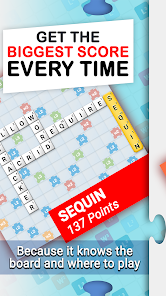
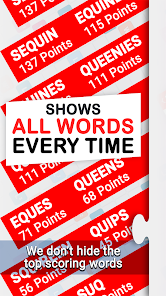
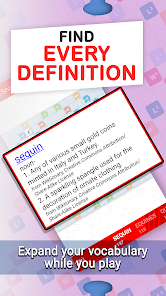
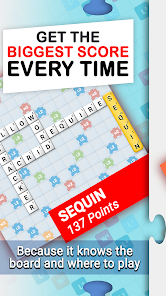
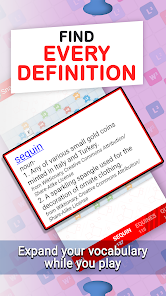
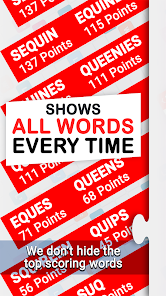
Snap Assist is the most powerful tool to improve your play at the most popular multiplayer crossword games! Learn to strategize using the powerful board solver and discover how you can make multiple crosswords in a single play. Expand your vocabulary using the built in dictionary and impress your opponents. Snap Assist has all of the features you need in an easy to use app!
TOP FEATURES:
- Lightning fast!
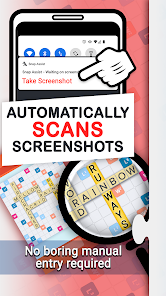
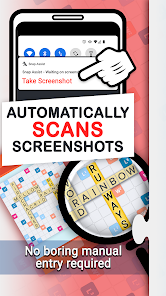
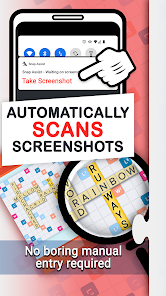
- Screenshot importing reads your game board directly into the app! Easily check what words you missed using this powerful feature.
- Local word list! You never have to be online to use Snap Assist
- American and British word lists available.
Check out our website Words With Friends Cheat .IO for all the latest WWF news, tips, and strategies.
★ Having trouble with Screenshot Importing?
1) Completely zoom out before taking a screenshot. This way, the whole board is visible and Snap Assist can properly scan every tile.
2) Make sure all of your playable tiles are on the tile rack, not on the game board. This ensures the results you get are valid.
3) Make sure nothing is obscuring the game. Facebook Chat Heads, app trays, and notification pop-ups can all interfere with Word Breaker.
Privacy Notice: This app collects your device’s IP address, advertising ID, and other partner specific identifiers. These identifiers enable personalized ads and analytics to improve our app. Opt-out or learn more by visiting our Privacy Center, accessible from the app's settings.
TOP FEATURES:
- Lightning fast!
- Screenshot importing reads your game board directly into the app! Easily check what words you missed using this powerful feature.
- Local word list! You never have to be online to use Snap Assist
- American and British word lists available.
Check out our website Words With Friends Cheat .IO for all the latest WWF news, tips, and strategies.
★ Having trouble with Screenshot Importing?
1) Completely zoom out before taking a screenshot. This way, the whole board is visible and Snap Assist can properly scan every tile.
2) Make sure all of your playable tiles are on the tile rack, not on the game board. This ensures the results you get are valid.
3) Make sure nothing is obscuring the game. Facebook Chat Heads, app trays, and notification pop-ups can all interfere with Word Breaker.
Privacy Notice: This app collects your device’s IP address, advertising ID, and other partner specific identifiers. These identifiers enable personalized ads and analytics to improve our app. Opt-out or learn more by visiting our Privacy Center, accessible from the app's settings.
Updated on
Safety starts with understanding how developers collect and share your data. Data privacy and security practices may vary based on your use, region, and age. The developer provided this information and may update it over time.


Ratings and reviews
4.5
9.14K reviews

A Google user
- Flag inappropriate
October 22, 2019
This was literally the perfect game helping app. Until it randomly decided to stop working. Every time I try to import a screenshot, it says "error parsing screenshot". I've done everything that it suggested; I even went as far as to pay for the full version, uninstalled/then reinstalled. Yet it still won't work. Please don't give the email for support, I've already messaged them.
13 people found this review helpful
Firecracker Software LLC
October 28, 2019
We're sorry to hear you're having this issue, Frankie! Please let us know if our support team hasn't reached out to you yet.
A Google user
- Flag inappropriate
August 9, 2019
This app works very well. I dont use it to cheat against my human opponents. I do use it to win mystery boxes. I am giving it 5 stars even though, on a reinstall on a new phone, it no longer sees me as an ad free user. A couple of years ago, I watched ads or offers to get ad free. I liked it so much I bought it anyway. Please check on this for me. If you find I am mistaken, Ill pay for the ad free version. Thanks!
25 people found this review helpful
Firecracker Software LLC
August 9, 2019
Luckily, your ad free purchase is tied to your Google Play account, not any individual phone. You can even tap Restore Purchases in our app's menu on all of your Android devices logged into that account and it will work. If you made a new Google account when you set up your new phone, that might be why the Restore button doesn't restore anything.

Jennifer Therrien
- Flag inappropriate
December 3, 2021
When I first installed it it was a great app. Now when I take a screenshot I have to manually import it. I don't get the drop-down in the Scrabble game to import it into the app. Also sometimes it takes the wrong screenshot. It does not delete old screenshots even though I have that option checked. I have to manually go through it every time and delete them. Tried uninstall and reinstalled and that didn't work either. I've also noticed that it misses higher scoring words that are available.
24 people found this review helpful
Firecracker Software LLC
December 6, 2021
Sorry to hear that, Jennifer! It looks like our support team replied to three of the emails you sent in last week. Please check your inbox, and make sure to check the spam/junk folder if you don't see them in your inbox.
What’s new
Improved Android 16 support.
Add support for reading confetti tiles (CT) on some devices.
Add support for reading confetti tiles (CT) on some devices.
App support
About the developer
FIRECRACKER SOFTWARE LLC
support@firecrackersw.com
7816 E Broadway Ave
Spokane Valley, WA 99212
United States
+1 509-443-5308


