MiXplorer Silver File Manager
4.2star
3.86K reviews
50K+
Downloads

Everyone
info




About this app
MiX Silver is a bundle of MiXplorer file manager and Archiver, Image, Tagger and PDF add-ons as a paid app to support development of MiXplorer.
FAQ: https://goo.gl/K9nf2y
Twitter: https://twitter.com/mixplorer
Skins: https://mixplorer.com/skins/
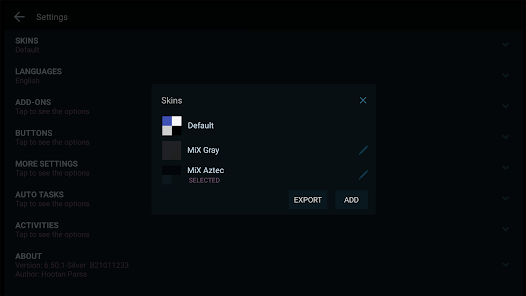
You can modify skin colors in the settings + Skin editor. There are also many theme packages with different icons to download. Tap on them + Import.
The best way indeed is to explore yourself. But here's a brief list of essential features:
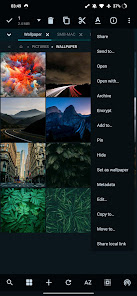
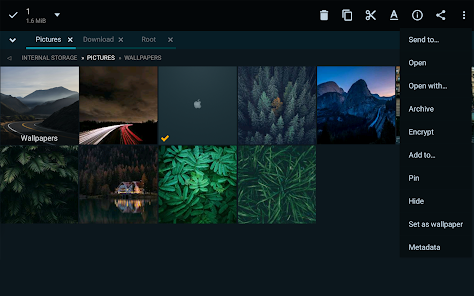
- Easily themable with customization option which lets you select any color you like.
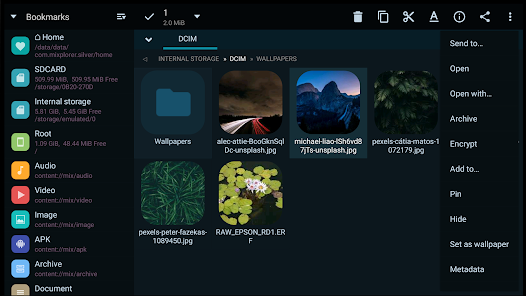
- Sort/disable/enable all menu options and action buttons.
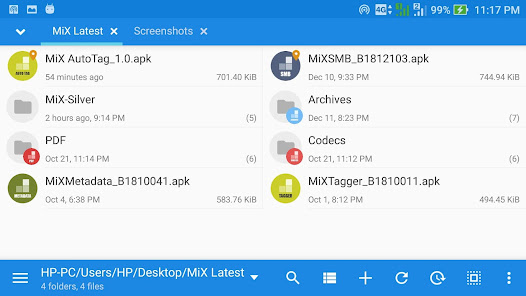
- Unlimited Tabbed browsing and Dual panel in landscape mode and drag & drop between panels also supported.
- Easily create Tasks to multitask Copy, Move and other operations.
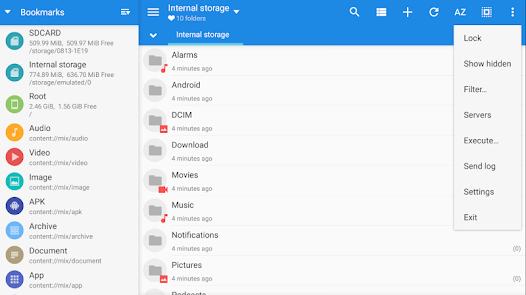
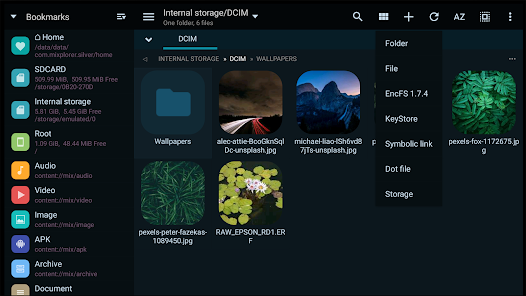
- Various view modes and sorting options for each folder.
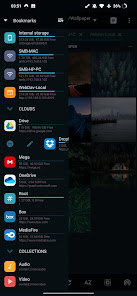
- Customizable bookmarks drawer with essential file types already categorized.
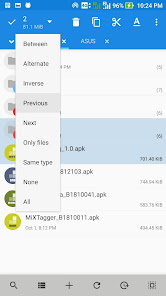
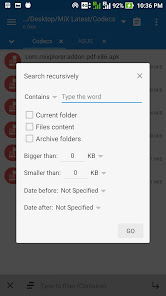
- Advanced search functions.
- Html viewer.
- Font viewer.
- Export/Import all preferences and bookmarks and customized skins.
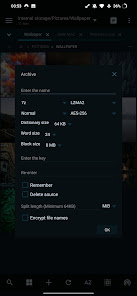
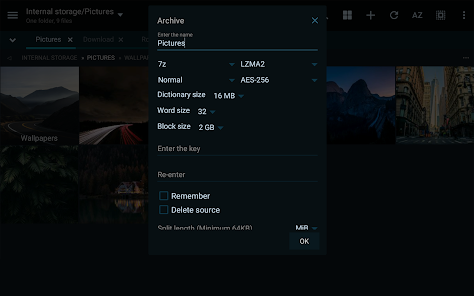
- Packing/unpacking 7z and Zip/Zip64 (splitted-encrypted), TAR, TAR.GZ, TAR.BZ2, GZIP, BZIP2, XZ, WIM, Lizard, LZ4, LZ5, Zstandard.
- Unpacking only: AR, ARJ, CAB, CHM, CPIO, CramFS, DMG, EXT, FAT, GPT, HFS, IHEX, ISO, LZH, LZMA, MBR, MSI, NSIS, NTFS, QCOW2, RAR/RAR5, RPM, SquashFS, UDF, UEFI, VDI, VHD, VMDK, XAR and Z.
- All your cloud storage needs accessible from one single app. Choose from these providers:
Mega.nz, Mail.ru, Dropbox, Box, Yandex, HiDrive, Mediafire, 4Sync, 4Shared, Meo, OneDrive, OneDrive Business, pCloud, SugarSync.
+ clouds which support webdav like (Yandex.ru, OwnCloud, MyDrive.ch, DriveHQ, CloudMe, CloudSafe).
- Modifying zip files.
- EPub, MobiPacket and PDF reader add-on.
- Root access for all advanced operations.
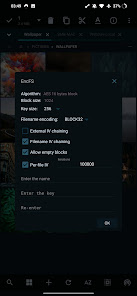
- EncFS volumes supported for all storages.
- File encryption and decryption using Aescrypt file format.
- FTP(S, ES)/HTTP(S)/WebDav/DLNA servers.
- SAMBA (SMB1, SMB2.0/2.1, SMB3), FTP(S, Es), SFTP, WEBDAV clients are supported as well.
- APK signer with v1, v2, and v3 schemes are supported.
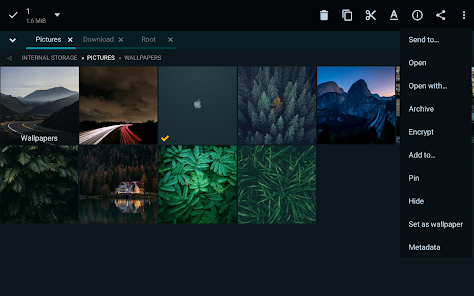
- Image Viewer (it supports GIF, SVG, TGA, ICO).
- Media Player + extra video codecs add-on.
- Text Editor and Code Editor.
- RAW, TIFF and many other image decoders.
And many more awesome features for you to explore!
FAQ: https://goo.gl/K9nf2y
Twitter: https://twitter.com/mixplorer
Skins: https://mixplorer.com/skins/
You can modify skin colors in the settings + Skin editor. There are also many theme packages with different icons to download. Tap on them + Import.
The best way indeed is to explore yourself. But here's a brief list of essential features:
- Easily themable with customization option which lets you select any color you like.
- Sort/disable/enable all menu options and action buttons.
- Unlimited Tabbed browsing and Dual panel in landscape mode and drag & drop between panels also supported.
- Easily create Tasks to multitask Copy, Move and other operations.
- Various view modes and sorting options for each folder.
- Customizable bookmarks drawer with essential file types already categorized.
- Advanced search functions.
- Html viewer.
- Font viewer.
- Export/Import all preferences and bookmarks and customized skins.
- Packing/unpacking 7z and Zip/Zip64 (splitted-encrypted), TAR, TAR.GZ, TAR.BZ2, GZIP, BZIP2, XZ, WIM, Lizard, LZ4, LZ5, Zstandard.
- Unpacking only: AR, ARJ, CAB, CHM, CPIO, CramFS, DMG, EXT, FAT, GPT, HFS, IHEX, ISO, LZH, LZMA, MBR, MSI, NSIS, NTFS, QCOW2, RAR/RAR5, RPM, SquashFS, UDF, UEFI, VDI, VHD, VMDK, XAR and Z.
- All your cloud storage needs accessible from one single app. Choose from these providers:
Mega.nz, Mail.ru, Dropbox, Box, Yandex, HiDrive, Mediafire, 4Sync, 4Shared, Meo, OneDrive, OneDrive Business, pCloud, SugarSync.
+ clouds which support webdav like (Yandex.ru, OwnCloud, MyDrive.ch, DriveHQ, CloudMe, CloudSafe).
- Modifying zip files.
- EPub, MobiPacket and PDF reader add-on.
- Root access for all advanced operations.
- EncFS volumes supported for all storages.
- File encryption and decryption using Aescrypt file format.
- FTP(S, ES)/HTTP(S)/WebDav/DLNA servers.
- SAMBA (SMB1, SMB2.0/2.1, SMB3), FTP(S, Es), SFTP, WEBDAV clients are supported as well.
- APK signer with v1, v2, and v3 schemes are supported.
- Image Viewer (it supports GIF, SVG, TGA, ICO).
- Media Player + extra video codecs add-on.
- Text Editor and Code Editor.
- RAW, TIFF and many other image decoders.
And many more awesome features for you to explore!
Updated on
Safety starts with understanding how developers collect and share your data. Data privacy and security practices may vary based on your use, region, and age. The developer provided this information and may update it over time.

No data shared with third parties
Learn more about how developers declare sharing

This app may collect these data types
Personal info, Files and docs and 3 others

Data is encrypted in transit

You can request that data be deleted
Ratings and reviews
4.2
3.52K reviews

Kyle Knox
- Flag inappropriate
- Show review history
September 17, 2024
This is by far the most powerful file manager ever made for Android. Honestly, probably the best out of ANY file manager I have ever used. Period. First of all, the theme options ans setting's are so plentiful it can get overwhelming but if you're a sucker for customizations then you'll feel right at home. Every single color of everything you see on your screen down to the scroll bar color. All of your storage from almost any provider and I've never had one single issue with opening a file!
17 people found this review helpful

Wayne LeRoy
- Flag inappropriate
October 5, 2022
Allows several folders to be open at the same time so quick to move files around. I have this set so my most commonly used folders to open at startup. Selecting recent files lists all files, newest first, regardless of the folder it is in. FTP server is reliable. I've tried lots of file managers over the years. This one does more than any I have tried and it is easy to use. Nothing is ever perfect but this is by far my favorite.
20 people found this review helpful

Mike Z
- Flag inappropriate
- Show review history
April 14, 2023
Honestly not sure why I did not buy this sooner. I've used a lot of file explorers before, but this one is the best. Only thing I can't figure out is how to make it ignore images in some of my folders without adding a . or a .nomedia file in the folder (None of which I want to do as it prevents other apps from using said folders. Overall extremely solid file explorer that has eliminated my need for any other one. Also the built in archiver, image viewer, and media player is pretty poggers.
20 people found this review helpful
What’s new
• Added MiX-Encrypt add-on for EncFS.
• General bug fixes.
Tips:
• With GDrive you can only manage files created/uploaded with this app.
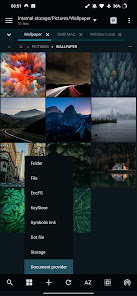
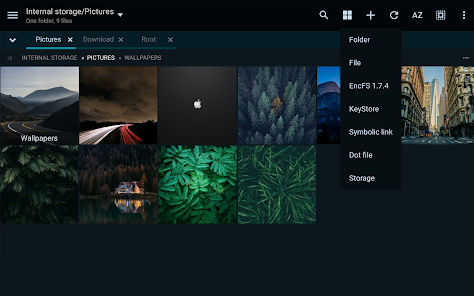
• Tap on ADD in bottom toolbar + Storage + Document provider + Find & select your USB or other drives.
• Swipe the bookmark item to the right to delete/edit it.
• The default user for the servers is 'Admin'.
• General bug fixes.
Tips:
• With GDrive you can only manage files created/uploaded with this app.
• Tap on ADD in bottom toolbar + Storage + Document provider + Find & select your USB or other drives.
• Swipe the bookmark item to the right to delete/edit it.
• The default user for the servers is 'Admin'.
App support
About the developer
Nasser Salman Salamat
mixplorer@gmail.com
The intersection of Al Ittihad Street and Baghdad Street, Al Mamzar
Al Zarooni building 3, 13th Floor, No 1308
إمارة دبيّ
United Arab Emirates


