
KartaView
3.5star
627 reviews
50K+
Downloads

Everyone
info


About this app
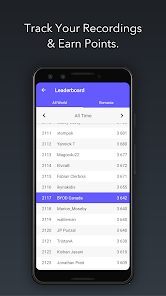
KartaView is a free and open platform for street level imagery. Anyone can contribute images with a smartphone and the open source apps.
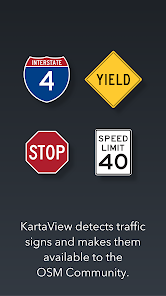
After upload, KartaView will detect salient features from the uploaded images such as signs, lanes and road curvature. Using both new and familiar tools, anyone can then use these and other features gleaned from the images to improve OpenStreetMap.
After upload, KartaView will detect salient features from the uploaded images such as signs, lanes and road curvature. Using both new and familiar tools, anyone can then use these and other features gleaned from the images to improve OpenStreetMap.
Updated on
Safety starts with understanding how developers collect and share your data. Data privacy and security practices may vary based on your use, region, and age. The developer provided this information and may update it over time.

No data shared with third parties
Learn more about how developers declare sharing

This app may collect these data types
Location, Personal info and 4 others

Data isn’t encrypted

You can request that data be deleted
Ratings and reviews
3.5
614 reviews

N B
- Flag inappropriate
- Show review history
January 12, 2026
So, after a couple tries and reinstalls, whenever I click a blue line, it crashes with an unexpected error message (something wrong, try again later). don't know if that's because I'm not logged in but it doesn't work for sure if you're not
1 person found this review helpful

Zach Wright
- Flag inappropriate
January 29, 2026
This app is so horribly unintuitive. When I click on the map, I would expect to be able to view imagery at that location, not the start of the image taker's route which could be tens of kilometres away.

A Google user
- Flag inappropriate
January 24, 2020
A nice concept, but the app itself is pretty poor. I often have "can't connect" errors when wanting to view my profile, the photos seem to be taken at a lower quality than the camera can actually manage, it won't let you delete a track before uploading, or even single frames, and it would be great if there was offline mode that downloaded which roads have already been photographed.
115 people found this review helpful
What’s new
Improvements to app stability
Large Text support UI improvements
Large Text support UI improvements
App support
About the developer
GRABTAXI HOLDINGS PTE. LTD.
help@grab.com
3 Media Close #01-03/06
Singapore 138498
+65 6668 7320


