
Nexxt Home
3.5star
4.47K reviews
1M+
Downloads

Everyone
info

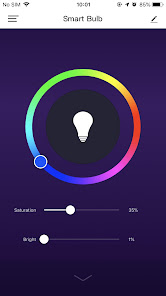
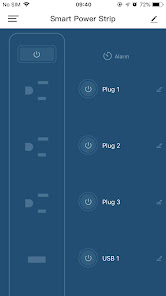
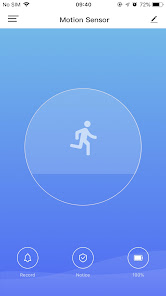
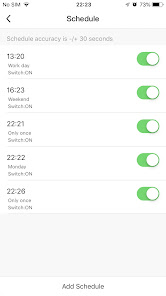
About this app
Nexxt Home, Smart Home - Smart Living
1. Seamlessly control your homes's lighitng, security and appliances more conveniently and efficently
2. Set timer and schedule your Smart devices to adjust themselves at certain periods of the day
3. Share devices within your family
4. Control multiple devices with one App.
1. Seamlessly control your homes's lighitng, security and appliances more conveniently and efficently
2. Set timer and schedule your Smart devices to adjust themselves at certain periods of the day
3. Share devices within your family
4. Control multiple devices with one App.
Updated on
Safety starts with understanding how developers collect and share your data. Data privacy and security practices may vary based on your use, region, and age. The developer provided this information and may update it over time.

No data shared with third parties
Learn more about how developers declare sharing

This app may collect these data types
Location, Personal info and 7 others

Data is encrypted in transit

You can request that data be deleted
Ratings and reviews
3.5
4.34K reviews

Geetanjali Lee
- Flag inappropriate
September 3, 2024
The only bad thing would be the initial setup for the camera. I wish there was a more in-depth explanation in the manual and app because I wasted so much time trying to scan the qr code. Also, please have patience while adding the camera device. Let it scan by itself because it automatically adds the camera to your phone. If it still doesn't connect, reset the device from the base. Amazing app and interface, clean playback, and good UI. Just wish it was more user-friendly
10 people found this review helpful

S Todd
- Flag inappropriate
September 8, 2025
Difficult to operate, not intuitive at all. It is difficult to add family members to the 'home network' so we can all control devices. Plus, every so often, we lose connection with the devices and have to reset the device. Now the app won't work at all. Very irritating!
5 people found this review helpful

Michael Richards
- Flag inappropriate
October 6, 2025
Needs better explanations (English). There are too many "Smart Camera" icons to select and no explanation for each camera icon, like model etc; just the icon. The app is very good, but it lacks instruction (english).
What’s new
fix PiP (Picture in Picture) issue
App support
phone
Phone number
+573202857675
About the developer
Accvent LLC
mmartinez@accvent.com
454 Holiday Dr
Hallandale, FL 33009-6520
United States
+57 314 6767591


