
Synology Photos
3.3star
6.71K reviewsinfo
1M+
Downloads

PEGI 3
info




About this app
**You must own a Synology NAS with DiskStation Manager 7.0 or above version to run this app, and be running the latest Synology Photos to get the complete set of features**
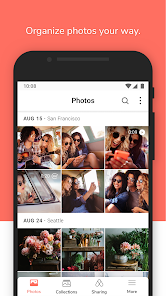
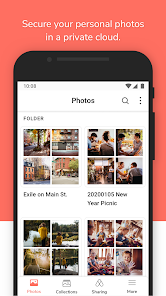
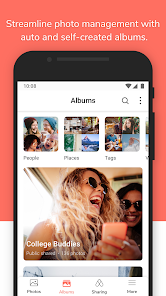
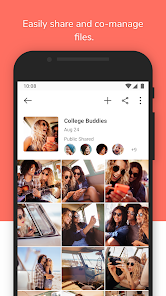
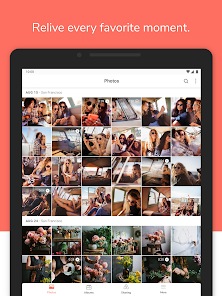
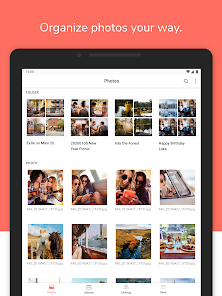
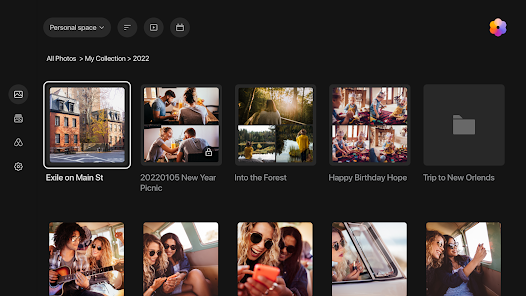
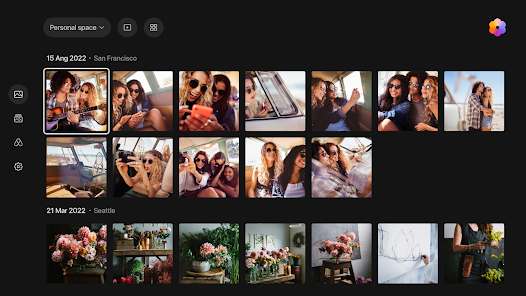
A flexible and comprehensive management tool that allows photo backup and browsing by chronological order or folder structure. Explore photos of loved ones or favorite vacation spots through automatically created albums. Group photos by themes or topics of your choice. Enjoy cherished memories in the palm of your hand.
A flexible and comprehensive management tool that allows photo backup and browsing by chronological order or folder structure. Explore photos of loved ones or favorite vacation spots through automatically created albums. Group photos by themes or topics of your choice. Enjoy cherished memories in the palm of your hand.
Updated on
Safety starts with understanding how developers collect and share your data. Data privacy and security practices may vary based on your use, region, and age. The developer provided this information and may update it over time.

This app may share these data types with third parties
Location, Photos and videos, and App info and performance

No data collected
Learn more about how developers declare collection

Data isn’t encrypted

You can request that data be deleted
Ratings and reviews
3.4
5.95K reviews

David Losantos
- Flag inappropriate
- Show review history
September 27, 2025
Photos are not shown in the original quality when you open them. They look perfectly fine in other photos apps, the Synology photos website, and even the Synology drive app, but here, unless you download it, you won't see it in high quality. You literally cannot share photos from other apps. The file/photos browser won't let you pick media from this app, forcing you to either download the photo first, or just share from within the app.
2 people found this review helpful

D M
- Flag inappropriate
- Show review history
November 24, 2025
Problems with the app suddenly not backing up when conditions met. Logging out. Errors. And now switching from shared to personal space without my selection to do so. My biggest complaint is not being able to input your own time range for "free up space" rather than the 1 year, 1 month... why isn't there a middle ground or just more options entirely?
3 people found this review helpful

Erik vdT
- Flag inappropriate
November 16, 2025
Self hosting your images, I would recommend that to everyone. The app could use some love to live up to Google Photos. However, my three stars is based on the backup ability of my DCIM folder. Whenever I'm abroad the Internet speed is slow, that's just provider roaming things, however the app can't handle slow image uploads. It fails with large files and starts over and over again resulting in lowering your roaming bundle. Would be great if the app was able to upload ik chunks.
1 person found this review helpful
What’s new
Fixed Issue:
1. Fixed an issue where folder covers might not display correctly.
1. Fixed an issue where folder covers might not display correctly.
App support
About the developer
群暉科技股份有限公司
pm@synology.com
220630台湾新北市板橋區
遠東路1號9樓
+886 965 386 230


