
Hiking Trail HK
Contains adsIn-app purchases
4.8star
2.24K reviews
100K+
Downloads

Everyone
info

About this app
Hiking Trail HK is a Hong Kong hiking mobile app.
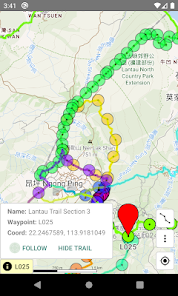
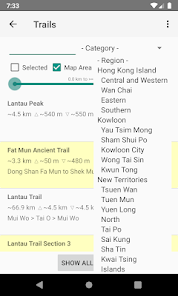
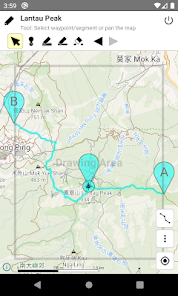
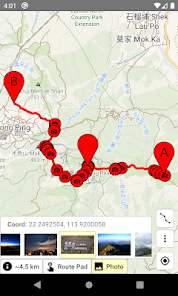
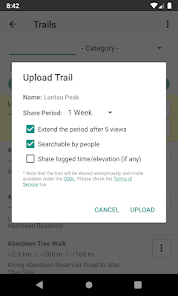
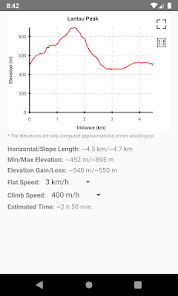
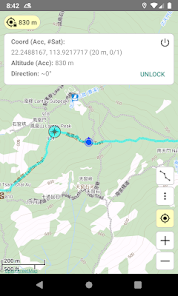
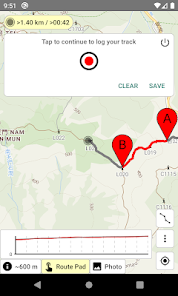
The Android version provides offline map and over 100 hiking trails in HK, and supporting route drawing, route sharing, route length/gain/loss calculation, time estimation, GPS location, compass, track logging, deviation alert, and etc.
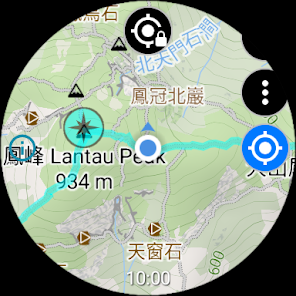
The Wear OS version provides offline map in HK, and supporting route editing, route length/gain/loss calculation, time estimation, GPS location, compass, track logging, deviation alert, and etc. Due to the limited screen size, the Wear OS version does not have built-in trails. Users need to transfer routes from a phone, or create/edit routes in the watch directly. All functions work without phone connection, except route transfer.
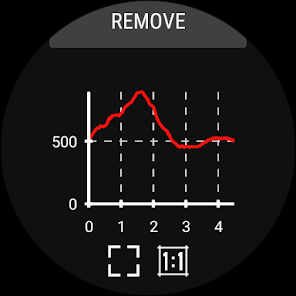
Before hiking, you can use the route drawing function to plan the route, and use the elevation profile to infer its difficulty, and estimate the time needed. During hiking, offline map is always available even if there is no data connection, and route deviation alert function can prevent you from getting lost.
You can pay for one-time purchase or annual subscription to unlock the trial features or remove the ads in the app and the website.
Functions: https://hikingtrailhk.appspot.com/home.en.html
Usage: https://hikingtrailhk.appspot.com/help.en.html
Route search: https://hikingtrailhk.appspot.com/en/search
About Data safety:
• We will collect Purchase history.
• Google Mobile Ads SDK will collect Approximate location, App interactions, Crash logs, Diagnostics, Device or other IDs. This does not apply to paid users.
The Android version provides offline map and over 100 hiking trails in HK, and supporting route drawing, route sharing, route length/gain/loss calculation, time estimation, GPS location, compass, track logging, deviation alert, and etc.
The Wear OS version provides offline map in HK, and supporting route editing, route length/gain/loss calculation, time estimation, GPS location, compass, track logging, deviation alert, and etc. Due to the limited screen size, the Wear OS version does not have built-in trails. Users need to transfer routes from a phone, or create/edit routes in the watch directly. All functions work without phone connection, except route transfer.
Before hiking, you can use the route drawing function to plan the route, and use the elevation profile to infer its difficulty, and estimate the time needed. During hiking, offline map is always available even if there is no data connection, and route deviation alert function can prevent you from getting lost.
You can pay for one-time purchase or annual subscription to unlock the trial features or remove the ads in the app and the website.
Functions: https://hikingtrailhk.appspot.com/home.en.html
Usage: https://hikingtrailhk.appspot.com/help.en.html
Route search: https://hikingtrailhk.appspot.com/en/search
About Data safety:
• We will collect Purchase history.
• Google Mobile Ads SDK will collect Approximate location, App interactions, Crash logs, Diagnostics, Device or other IDs. This does not apply to paid users.
Updated on
Safety starts with understanding how developers collect and share your data. Data privacy and security practices may vary based on your use, region, and age. The developer provided this information and may update it over time.


Ratings and reviews
4.8
2.16K reviews

Matthew Wong
- Flag inappropriate
- Show review history
November 24, 2025
Could not switch the name of the trail to Chinese even though I selected the system language in Chinese. Please help with it.
SeemGood Technology
November 25, 2025
Please enter the Setting UI in the app, and check the Language setting. It should be OK to select one of the Chinese options, or select Auto select (which follows the system language).

min min waffels
- Flag inappropriate
November 16, 2025
STOP automatatically jumping the map to my position all the time!!! Map centering should be a MANUALLY ACTIVATED feature, instead of constantly preventing me from reading the map else where and stopping me from plotting routes!!!
SeemGood Technology
November 17, 2025
Maybe, you have turned on the GPS function, or other similar functions. You can check the online help to see how to turn off the function. ( https://hikingtrailhk.appspot.com/help.en.html#close_gps )

James Lam
- Flag inappropriate
December 19, 2021
This is a great app with many routes for hiking places in Hong Kong. It is neat and simple to use. I like the off-route alarm feature. It would be even more helpful if tracks can be updated more frequently. Some old tracks are no longer accessible for most hikers and could mislead them. Some ways for hikers to report the latest condition of the routes would be nice. For most hikers, it is worth subscribing the no-adds version.
3 people found this review helpful
SeemGood Technology
December 20, 2021
Thanks for your feedback. For builtin routes, you may report issues to us via email. For paths in the map, as the map data came from OpenStreetMap, no need to report issues to us. You can go straight to https://www.openstreetmap.org/ , apply an account, and use their "Edit" function to fix issues. They should provide a tutorial on first use.
What’s new
- Follow the Android version to publish using the Android App Bundle format.
- Fix some issues.
- Fix some issues.
App support
About the developer
TSOI YAT SHING
seemgoodtech@gmail.com
寶康路108號
將軍澳
Hong Kong
undefined


