
Cisco Jabber
3.0star
40.4K reviews
1M+
Downloads

Everyone
info





About this app
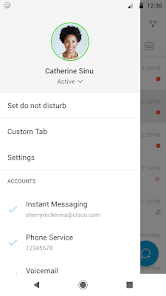
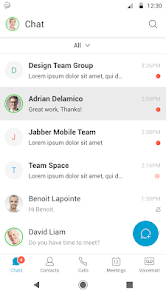
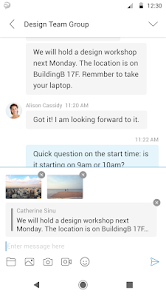
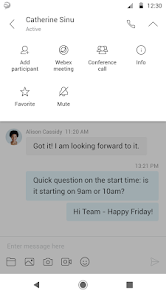
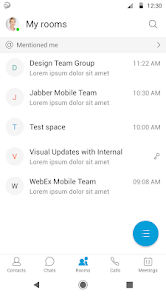
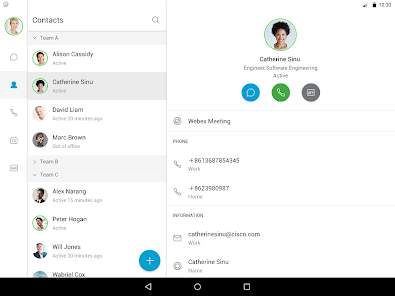
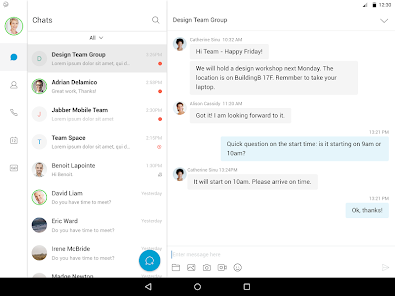
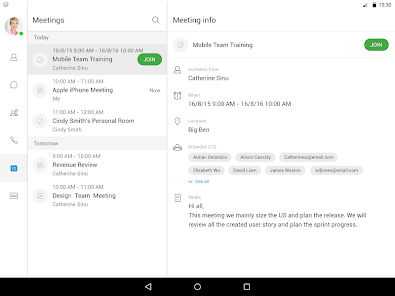
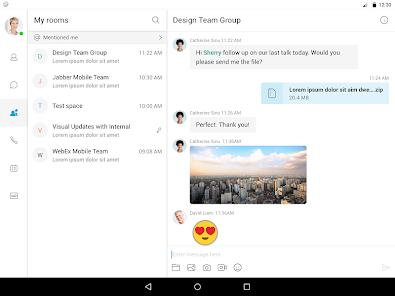
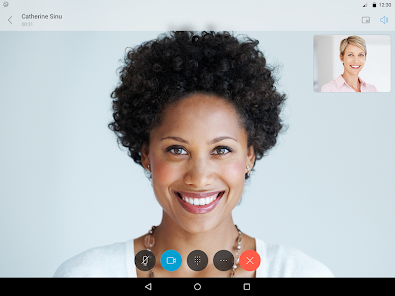
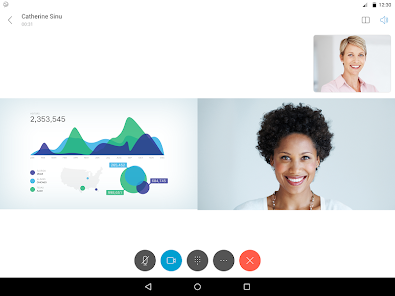
Cisco Jabber™ for Android is a collaboration application that provides presence, instant messaging (IM), voice, voice messaging, and video calling capabilities on Android phone and table . Escalate your Jabber calls into multi-party conferencing with Cisco WebEx® Meetings.
This application supports the following capabilities:
• Integrated voice
• High-quality video with interoperability to Cisco video endpoints
• IM, presence
• Visual voicemail
• One-tap escalation to WebEx meetings (cross-launches the Cisco WebEx® Meetings application)
For more information about Cisco Jabber, visit: http://www.cisco.com/go/jabber
IMPORTANT: If connecting to Cisco Unified Communications Manager, administrators must enable the correct Cisco Jabber for Android configurations, or proper connectivity will not be established. For details, review the Cisco Jabber Installation and Configuration Guide.
IMPORTANT: Most of the features described above are specific to a particular system configuration. Please check with your IT administrator to determine the specific features that are available to you.
Portions of Cisco Jabber are licensed under the GNU Lesser General Public License (LGPL), and are “Copyright © 1999 Erik Walthinsen omega@cse.ogi.edu”. You may obtain a copy of the LGPL license at http://www.gnu.org/licenses/lgpl-2.1.html.
Cisco, Cisco Unified Communications Manager and Cisco Jabber are trademarks of Cisco Systems, Inc. Copyright © 2013 - 2025 Cisco Systems, Inc. All Rights Reserved.
By tapping “Install” you agree to install Jabber and all future software updates, and you accept the terms of service and privacy statement below:
http://www.cisco.com/web/siteassets/legal/privacy.html
Support URL
http://www.cisco.com/c/en/us/support/unified-communications/jabber-android/tsd-products-support-series-home.html
Consult the Cisco Support Forums at http://supportforums.cisco.com or email to jabberfeedback@cisco.com if you encounter issues with unsupported devices.
Marketing URL
http://www.cisco.com/go/jabber
This application supports the following capabilities:
• Integrated voice
• High-quality video with interoperability to Cisco video endpoints
• IM, presence
• Visual voicemail
• One-tap escalation to WebEx meetings (cross-launches the Cisco WebEx® Meetings application)
For more information about Cisco Jabber, visit: http://www.cisco.com/go/jabber
IMPORTANT: If connecting to Cisco Unified Communications Manager, administrators must enable the correct Cisco Jabber for Android configurations, or proper connectivity will not be established. For details, review the Cisco Jabber Installation and Configuration Guide.
IMPORTANT: Most of the features described above are specific to a particular system configuration. Please check with your IT administrator to determine the specific features that are available to you.
Portions of Cisco Jabber are licensed under the GNU Lesser General Public License (LGPL), and are “Copyright © 1999 Erik Walthinsen omega@cse.ogi.edu”. You may obtain a copy of the LGPL license at http://www.gnu.org/licenses/lgpl-2.1.html.
Cisco, Cisco Unified Communications Manager and Cisco Jabber are trademarks of Cisco Systems, Inc. Copyright © 2013 - 2025 Cisco Systems, Inc. All Rights Reserved.
By tapping “Install” you agree to install Jabber and all future software updates, and you accept the terms of service and privacy statement below:
http://www.cisco.com/web/siteassets/legal/privacy.html
Support URL
http://www.cisco.com/c/en/us/support/unified-communications/jabber-android/tsd-products-support-series-home.html
Consult the Cisco Support Forums at http://supportforums.cisco.com or email to jabberfeedback@cisco.com if you encounter issues with unsupported devices.
Marketing URL
http://www.cisco.com/go/jabber
Updated on
Safety starts with understanding how developers collect and share your data. Data privacy and security practices may vary based on your use, region, and age. The developer provided this information and may update it over time.


Ratings and reviews
3.0
39.7K reviews

Jess K
- Flag inappropriate
December 9, 2025
every now and again I get a connection issue to where the app cannot connect to the network, yet my internet speeds are great and no latency issues. this makes it very difficult to do my work since I have to make calls and cannot when the phone will not connect. I've tried signing out and rebooting my phone to no avail. This is a persistent issue that needs reviewed.

Anelisse Westmeyer
- Flag inappropriate
December 11, 2025
while call quality is good and lag from my office phone to my cell is minimal, the app will randomly disconnect and I have to either log in again or something similar. 😵💫 It's a headache sometimes. when it works it works though! just wish it worked all the time out at least send me an alert when there's a disconnect...

A Google user
- Flag inappropriate
- Show review history
April 9, 2020
After making and completing 1-2 phone calls, the app freezes. The only way to unfreeze it is to reboot my phone (android) or uninstall and reinstall the app. The IT dept at the company I work for just said to uninstall/reinstall which has not worked. Also, I never hear it ring! I will notice a missed call and that's it. I wouldn't recommend this app.
48 people found this review helpful
What’s new
- Stability improvement.
App support
phone
Phone number
+14085267209
About the developer
Cisco Systems, Inc.
androidadmin@cisco.com
170 W Tasman Dr
San Jose, CA 95134
United States
+1 512-999-3275


