
Moto Camera Content 3
4.1star
18.9K reviews
100M+
Downloads

Everyone
info

About this app
Safety starts with understanding how developers collect and share your data. Data privacy and security practices may vary based on your use, region, and age. The developer provided this information and may update it over time.

No data shared with third parties
Learn more about how developers declare sharing

No data collected
Learn more about how developers declare collection
Ratings and reviews
4.1
18.9K reviews

Q
- Flag inappropriate
December 17, 2025
The phone has a decent camera, I have no idea what this app does or what it's for it's useless like most bloatware. most likely a back door keep your cameras covered ... or don't. the default settings on Android devices are absolutely nonsensical...
1 person found this review helpful

Sidd
- Flag inappropriate
December 8, 2021
I like the photos I click through it. Some of them are really astounding. I have no complaints regarding the 4k video filming either. Although I would like to point out that 1) The slow motion has major problem of focusing a subject in low light conditions. 2) the focus problem also extends to photos (usually in low light or close up). Also end results are very grainy in those cases. 3) The app lags sometimes. How is it supposed to happen in such a good processor phone with 6gb ram?(G40 fusion)
228 people found this review helpful
Motorola Mobility LLC.
December 8, 2021
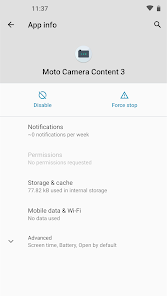
In order to provide the latest AI features, we store some of the AI model files for the Moto Camera 3 app in this app.

PeaceOut911
- Flag inappropriate
September 21, 2022
Reply to Sandie's question on 6-23-22. Noticed that her question had not been addressed, so since I have the same phone, wanted to help. Open your photos, at the bottom right click the library tab and that's where you get to all of your different photo types. This is where you can edit, organize, print, basically your screenshot, download, camera workstation. If you didn't already have this info, I hope what I posted was helpful.
192 people found this review helpful
What’s new
Fix to Auto Smile Capture, Gesture Selfie and Scene Detection features not working
App support
About the developer
Motorola Mobility LLC
playstor@motorola.com
222 Merchandise Mart Plz Ste 1800
Chicago, IL 60654
United States
+1 866-237-8320


