
TYPE S LED
Contains ads

star
1.79K reviews

Everyone
info
500K+
Downloads

Everyone
Learn more


About this app
What’s New
This our most significant update since launching the TYPE S LED app. With this update, you can now use Google Assistant to control your TYPE S Smart LED Kits. You will be able to turn lights on/off and select your favorite Presets while driving, without looking at your phone. All TYPE S Smart LED products will work with “Hey, Google…”. In addition, we are also adding Photo Match to the LED Color Selector. Use your phone’s camera to select a color and the TYPE S LED app will match it!
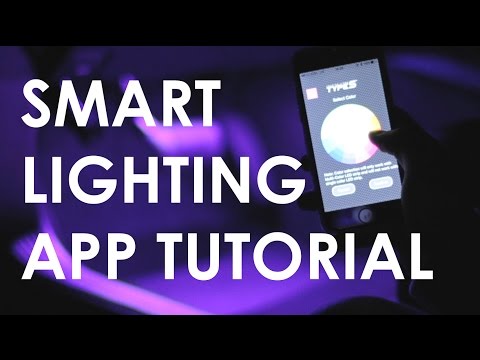
The TYPE S LED App allows you to control and customize your TYPE S Smart Lighting products for automotive and home personalization. Select from 49 colors and unique lighting modes including strobe, music, fade and more. Create and save up to 10 presets for special occasions, set brightness and light effect speed to your preference. TYPE S LED requires Bluetooth 4.0 and up.
EASY INSTALLATION!
• Power by using 12V plug or Hardwire
• Flexible/bendable light strip with 3M™ self-adhesive tape
• Light strips are water resistant
• LED strips can be cut to fit
Here are the TYPE S Smart Plug & Glow™ Lighting products available
Smart Plug & Glow™ Lighting Series:
• 48" Smart Lighting Deluxe Kit
• 24” Smart LED Starter Kit
• 4PC Smart Micro Light Kit
• 72” Smart Trim Lighting Kit (Available Late October 2016 at AutoZone)
• 7” Smart Panel Light Kit (Available Late October 2016 at AutoZone)
• Smart LED Dome Light Kit
Smart Off-Road Lighting Series
• 8" Smart Light Bar Kit (Available Late October 2016)
• 4" Smart Work Light Kit (Available Late October 2016)
• 3" Smart Running Light Kit (Available Late October 2016)
• 6" Smart Running Light Kit (Available Late October 2016)
Smart Exterior Kit
• 72" Smart Exterior Lighting Kit (Available Late October 2016)
This our most significant update since launching the TYPE S LED app. With this update, you can now use Google Assistant to control your TYPE S Smart LED Kits. You will be able to turn lights on/off and select your favorite Presets while driving, without looking at your phone. All TYPE S Smart LED products will work with “Hey, Google…”. In addition, we are also adding Photo Match to the LED Color Selector. Use your phone’s camera to select a color and the TYPE S LED app will match it!
The TYPE S LED App allows you to control and customize your TYPE S Smart Lighting products for automotive and home personalization. Select from 49 colors and unique lighting modes including strobe, music, fade and more. Create and save up to 10 presets for special occasions, set brightness and light effect speed to your preference. TYPE S LED requires Bluetooth 4.0 and up.
EASY INSTALLATION!
• Power by using 12V plug or Hardwire
• Flexible/bendable light strip with 3M™ self-adhesive tape
• Light strips are water resistant
• LED strips can be cut to fit
Here are the TYPE S Smart Plug & Glow™ Lighting products available
Smart Plug & Glow™ Lighting Series:
• 48" Smart Lighting Deluxe Kit
• 24” Smart LED Starter Kit
• 4PC Smart Micro Light Kit
• 72” Smart Trim Lighting Kit (Available Late October 2016 at AutoZone)
• 7” Smart Panel Light Kit (Available Late October 2016 at AutoZone)
• Smart LED Dome Light Kit
Smart Off-Road Lighting Series
• 8" Smart Light Bar Kit (Available Late October 2016)
• 4" Smart Work Light Kit (Available Late October 2016)
• 3" Smart Running Light Kit (Available Late October 2016)
• 6" Smart Running Light Kit (Available Late October 2016)
Smart Exterior Kit
• 72" Smart Exterior Lighting Kit (Available Late October 2016)
TYPE S LED is used for controlling multiple leds on cars with BLE 4.0.
Updated on
Featured stories

Safety starts with understanding how developers collect and share your data. Data privacy and security practices may vary based on your use, region, and age. The developer provided this information and may update it over time.
- No data shared with third partiesLearn more about how developers declare sharing
- No data collectedLearn more about how developers declare collection
- Data is encrypted in transit
- You can request that data be deleted


Ratings and reviews
1.73K reviews

J K Fannon
- Flag inappropriate
August 21, 2026
Works as intended... but it constantly asks for location data, access to camera, and wants to send notifications, every time. it does not have a simple slide wheel to adjust colors, and is just all around ok. the big issue is my google wallet app opened every time i launched it while setting up so i highly do not recommend this product. at least it has memory so i set a color i liked and then deleted the app. will be tearing it out for something non app based when it breaks.

Josh
- Flag inappropriate
July 1, 2025
works fine for the most part so far. for some reason, I can't get it to flow with the music no matter what I do to try to fix the problem. I've spent hours trying to play with the settings and restarting/resetting it but all it does is flash. it does this when I have the microphone selected and when I select media player, it always shows "no music" even though I have music playing. if there is anyone that could help, that would be appreciated
1 person found this review helpful

Leeann Lasseter
- Flag inappropriate
November 20, 2025
I love it but trying the setting for it to follow along with the beat of a song, the music option, not on key at all. tried the phone speaker and playing the song from the app itself and have the same issue. You should make it where only one person can alter the it. even with me connected another person could still change everything from what I had to what they want. Not cool by no means.
2 people found this review helpful
What’s new
1. Fixed known issues.
Notes for Reviewers (CRITICAL):
NO LOGIN: Click "Continue as Guest" to bypass login and access all features/Android Auto.
SCREEN: "Connecting..." is for Bluetooth hardware (LYNX 6/8), NOT a login gate.
VIDEOS: https://winplusnorthamericainc.box.com/s/ikmih8ugxcnnygy4uck0ijmpbsx8l0hf
https://winplusnorthamericainc.box.com/s/zpksq3cxtzijias4ywrv9t9khcind5j2
Notes for Reviewers (CRITICAL):
NO LOGIN: Click "Continue as Guest" to bypass login and access all features/Android Auto.
SCREEN: "Connecting..." is for Bluetooth hardware (LYNX 6/8), NOT a login gate.
VIDEOS: https://winplusnorthamericainc.box.com/s/ikmih8ugxcnnygy4uck0ijmpbsx8l0hf
https://winplusnorthamericainc.box.com/s/zpksq3cxtzijias4ywrv9t9khcind5j2
Everyone
Learn moreApp support
About the developer
ADC Solutions USA, LLC
waynelai@horizon-brands.com
2975 Red Hill Ave Ste 100
Costa Mesa, CA 92626
United States
+886 988 176 693


