
Day One Journal: Private Diary
In-app purchases

4.7star
13.7K reviews
500K+
Downloads

Everyone
info
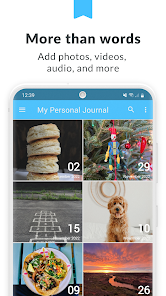
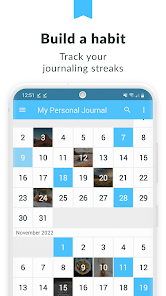

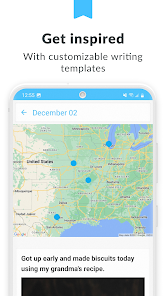
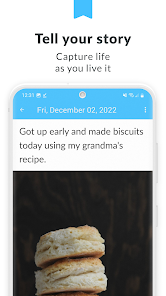


About this app
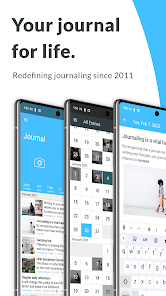
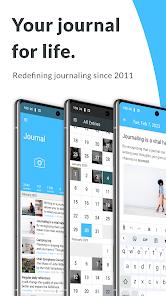
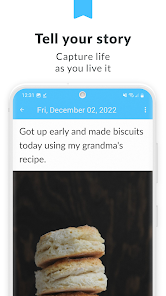
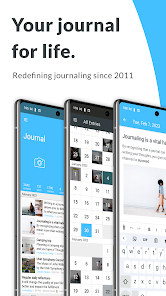
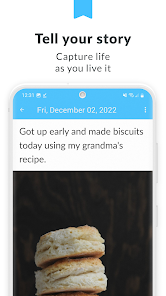
Day One is the journal app that reinvented journaling. Completely private, cross-platform, and designed to never fill up, Day One is designed to let you capture your life as you live it. Use Day One as a daily journal, personal diary, note taking app, travel log, or gratitude journal.
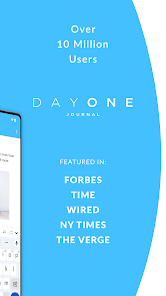
“Day One creates something so rare it feels almost sacred: A completely private digital space.” – New York Times
“Day One makes keeping a journal delightfully easy.” – Wired
“It’s perfect! Does what it says on the box. I was able to import my stuff from another (pricey) journal so that I didn’t lose those entries. It’s easy to add multiple entries to a day and to keep pictures. And it’s lockable, keeping private thoughts protected. I will happily use Day One for years.” – Day One user
PRESERVE EVERY MEMORY
- Unlimited text entries
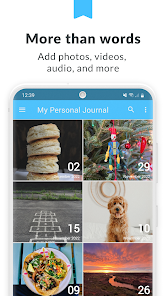
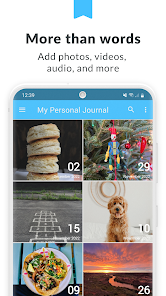
- Unlimited photos*
- Different journals for every aspect of your life*
- IFTTT shortcuts allow importing data from Spotify, YouTube, Strava, Fitbit, Facebook, Twitter, and more
PRIVATE AND SECURE
- Automatic backups keep your journal entries safe
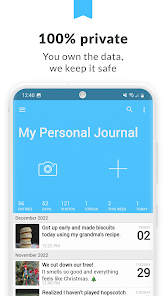
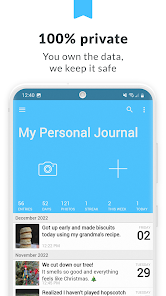
- End-to-end encryption, which is a fancy way of saying your entries are 100% private
- Journal entries stay secure with passcode or Fingerprint lock
- Export options (PDF, JSON) ensure your entries always stay yours
- Seamless sync across multiple devices
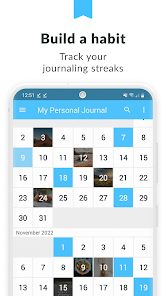
FORM A HABIT & STAY CONSISTENT
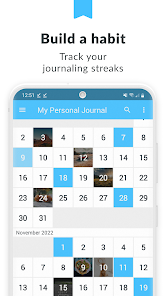
- Programmable journaling reminders
- Unique, daily journal prompts help eliminate writer’s cramp
- SIMPLE TO USE, EASY TO LOVE
- Beautiful, award-winning design
- Powerful rich text formatting
- Ability to star favorite entries to revisit quickly
DELIGHT IN THE DETAILS
- Time, date, and weather are automatically added to every entry
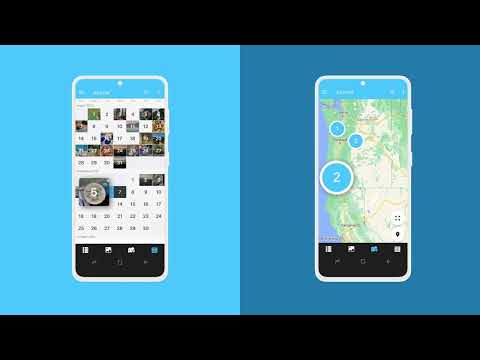
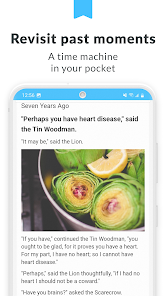
- On This Day feature allows you to revisit past memories
- Tags, favorites, and search filters make it easy to find what you’re looking for
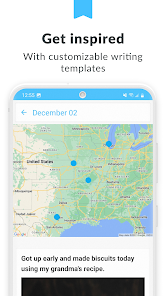
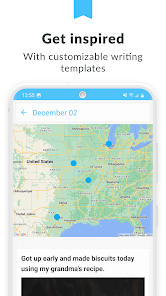
- Map view quickly shows all the places you’ve journaled from
* Day One is FREE to use forever with unlimited entries. To get more out of Day One, try Premium free for 1 month.
Privacy Policy: https://dayoneapp.com/privacy-policy/
Terms of Use: https://dayoneapp.com/terms-of-use/
For technical assistance or other inquiries: https://dayoneapp.com/contact/
“Day One creates something so rare it feels almost sacred: A completely private digital space.” – New York Times
“Day One makes keeping a journal delightfully easy.” – Wired
“It’s perfect! Does what it says on the box. I was able to import my stuff from another (pricey) journal so that I didn’t lose those entries. It’s easy to add multiple entries to a day and to keep pictures. And it’s lockable, keeping private thoughts protected. I will happily use Day One for years.” – Day One user
PRESERVE EVERY MEMORY
- Unlimited text entries
- Unlimited photos*
- Different journals for every aspect of your life*
- IFTTT shortcuts allow importing data from Spotify, YouTube, Strava, Fitbit, Facebook, Twitter, and more
PRIVATE AND SECURE
- Automatic backups keep your journal entries safe
- End-to-end encryption, which is a fancy way of saying your entries are 100% private
- Journal entries stay secure with passcode or Fingerprint lock
- Export options (PDF, JSON) ensure your entries always stay yours
- Seamless sync across multiple devices
FORM A HABIT & STAY CONSISTENT
- Programmable journaling reminders
- Unique, daily journal prompts help eliminate writer’s cramp
- SIMPLE TO USE, EASY TO LOVE
- Beautiful, award-winning design
- Powerful rich text formatting
- Ability to star favorite entries to revisit quickly
DELIGHT IN THE DETAILS
- Time, date, and weather are automatically added to every entry
- On This Day feature allows you to revisit past memories
- Tags, favorites, and search filters make it easy to find what you’re looking for
- Map view quickly shows all the places you’ve journaled from
* Day One is FREE to use forever with unlimited entries. To get more out of Day One, try Premium free for 1 month.
Privacy Policy: https://dayoneapp.com/privacy-policy/
Terms of Use: https://dayoneapp.com/terms-of-use/
For technical assistance or other inquiries: https://dayoneapp.com/contact/
Updated on
Safety starts with understanding how developers collect and share your data. Data privacy and security practices may vary based on your use, region, and age. The developer provided this information and may update it over time.

No data shared with third parties
Learn more about how developers declare sharing

This app may collect these data types
Location, Personal info and 5 others

Data is encrypted in transit

You can request that data be deleted
Ratings and reviews
4.6
13K reviews

Jeff Lurie
- Flag inappropriate
May 15, 2024
Great app! The reason only three starts is that the month listing continues to be off. For instance, it's May now but all my May entries are under June, April listings under May, etc. etc. for each month. There was one or two times when I opened the app and the month listing's were correct but then it goes back to this wonky listing. I have tried uninstall ingredients and reinstalling the app, updating the app, and making sure my OS is the most recent.
2 people found this review helpful
Automattic, Inc
May 16, 2024
Thanks for your review! It seems something isn't going right, and we'd like to investigate further. If you haven't done so already, we'd appreciate it if you could contact us https://dayoneapp.com/contact/. To help us understand the issue better, could you include some screenshots or, if you can, a screen recording? We're always here to assist you!

mars hills
- Flag inappropriate
April 27, 2024
The app so far is pretty great! I've only had it a little over a week so take me with a grain of salt. I have only one complaint thus far and that is when I retype a misspelled word, it auto corrects the word by doubling what I type. for example if I retype "stareotypical" as stereotypical, I would get "stereotypicalereotypical". confusing to relay so I apologize, granted it is twice as frustrating.
10 people found this review helpful

Billy Knox
- Flag inappropriate
- Show review history
February 26, 2024
This is currently a very well designed app on Android but for some reason, they do not have a Windows, Chrome, or browser based interface so I can't give it the credit (stars) it deserves. (Developers, yes I paid for Premium.) EDIT: I found the web interface through the forum (should be a clear home page link). Adding one more star until a Windows app comes out.
30 people found this review helpful
What's new
Updated
• Design improvements throughout Day One
Fixed
• Fixed a bug that could cause Google Drive auto-backup to not work
• Fixed a bug where duplicate backup files could appear in Google Drive
• Fixed a crash when searching
• Design improvements throughout Day One
Fixed
• Fixed a bug that could cause Google Drive auto-backup to not work
• Fixed a bug where duplicate backup files could appear in Google Drive
• Fixed a crash when searching


