

Safe Family - Parental Control
In-app purchases

3.0star
6.22K reviews
1M+
Downloads

Everyone
info

About this app
McAfee Safe Family 👨👩👧👦 provides parents with the visibility and simple controls needed to improve web, app & digital safety for children. We encourage positive parent-child interactions and help establish trust and peace of mind in an ever-mobile, ever-social, ever-changing world.
Accessibility services are required for McAfee Safe Family App to block access to inappropriate websites and applications for children.
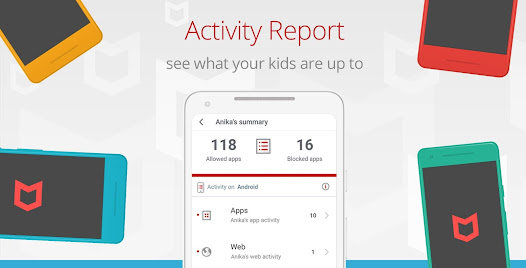
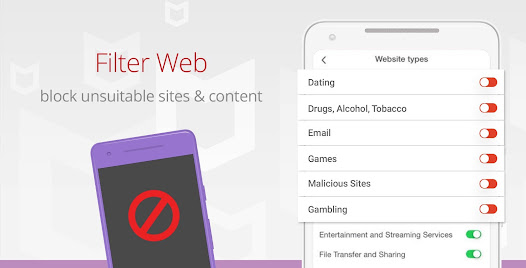
McAfee Safe Family is a comprehensive parental control app that enables you to monitor your kids’ phone activities and protects your children from exposure to inappropriate digital content. It sets up a child lock that blocks inappropriate apps 🚫, monitors your kids’ cell phones 🔍, locates their position with a GPS map 🌎 using the phone tracker feature and limits their screen time ⏰ .
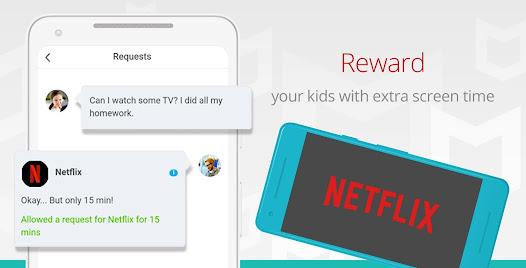
Download McAfee Safe Family now to view reports 📋 about your kids’ device usage and allows parents to block social media apps 📵 to avoid any potential cyber-bullying or trolling. Instantly block apps you consider inappropriate, monitor your kids’ phone activities, enable a child lock 🔒 and limit screen time with a bedtime curfew ⏱. Choose to allow extra app time or provide access a blocked app plus know where your children are at all times through their connected devices with the Family Locator 👬.
Features:
✔️ View history about app usage activity, location details and system alert history
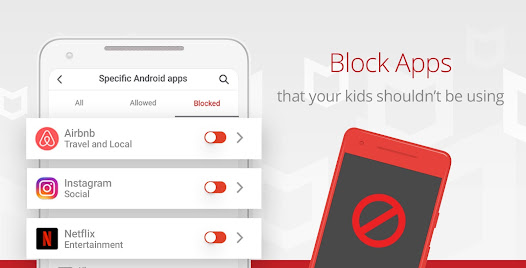
✔️ App Blocker by category keeps your children from accessing apps in specific categories
✔️ App Blocker by specific Android apps allows you to block individual apps on your kid’s Android device
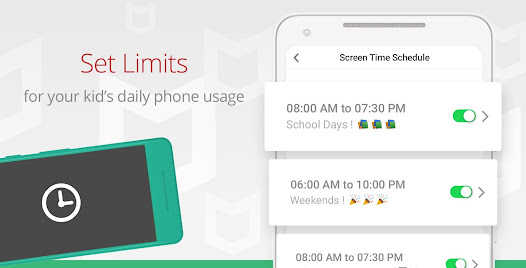
✔️ Set a daily time limit for apps to help manage the amount of screen time your child spends with specific applications
✔️ Track a cell phone and see your kids on a live map so that you know where they are in real time - from breakfast to bedtime
✔️ Use geofences to receive an automatic alert when your child has arrived or left a known place (e.g. school, park, or library) with the GPS location tracking feature so you’ll know where they are
✔️ Limit screen time to prevent your kids from using their devices early in the morning or set a bedtime curfew and limit accessibility late at night
✔️ Use this function to promote good mental health and limit the negative impacts of artificial bluelight, which has been linked with insomnia
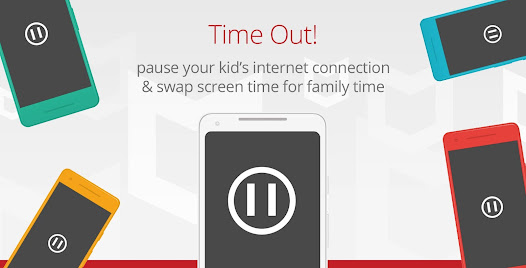
✔️ Pause internet usage when you want to, give your kids a 1-click digital time-out when they will be unable to access the Internet or use a majority of their apps until the time-out has been removed
✔️ Enjoy a device free dinnertime by putting your children on time-out while eating dinner and spending time with the family
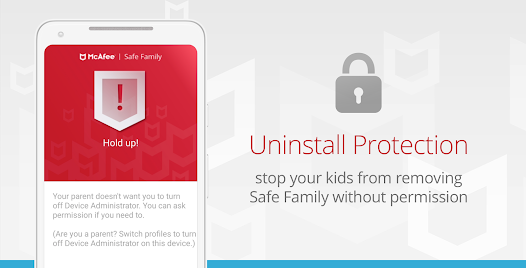
✔️ Uninstall protection prevents kids from uninstalling Safe Family from their Android devices and PCs
Download McAfee Safe Family 👨👩👧👦 now for the peace of mind that your family will stay safer and more secure, online and on their phone.
30-DAY RISK FREE TRIAL – offers the full McAfee Safe Family experience for free. McAfee Safe Family supports an unlimited number of your kids’ devices, whether it is a smart phone, tablet, laptop or PC. You have the option at the end of the 30-day free trial period to sign up for an auto-renewing monthly or yearly subscription.
Note: McAfee Safe Family uses the Device Administrator permission to alert you when your kids try uninstalling the app from their devices.
Note: This app uses Accessibility services.
Facebook: https://www.facebook.com/McAfee/
Instagram: https://www.instagram.com/mcafee/?hl=en
YouTube: https://www.youtube.com/watch?v=cCCxjWnz-Zs
Twitter: https://twitter.com/mcafee_family
SUPPORT AND FEEDBACK
Give us feedback on Safe Family at: https://community.mcafee.com/community/home/parental_controls/safe-family
LEARN MORE ABOUT MCAFEE SAFE FAMILY
Please visit our website http://family.mcafee.com/ to learn more about us!
PRIVACY POLICY
View our privacy policy at https://www.mcafee.com/consumer/en-us/policy/global/legal.html
Accessibility services are required for McAfee Safe Family App to block access to inappropriate websites and applications for children.
McAfee Safe Family is a comprehensive parental control app that enables you to monitor your kids’ phone activities and protects your children from exposure to inappropriate digital content. It sets up a child lock that blocks inappropriate apps 🚫, monitors your kids’ cell phones 🔍, locates their position with a GPS map 🌎 using the phone tracker feature and limits their screen time ⏰ .
Download McAfee Safe Family now to view reports 📋 about your kids’ device usage and allows parents to block social media apps 📵 to avoid any potential cyber-bullying or trolling. Instantly block apps you consider inappropriate, monitor your kids’ phone activities, enable a child lock 🔒 and limit screen time with a bedtime curfew ⏱. Choose to allow extra app time or provide access a blocked app plus know where your children are at all times through their connected devices with the Family Locator 👬.
Features:
✔️ View history about app usage activity, location details and system alert history
✔️ App Blocker by category keeps your children from accessing apps in specific categories
✔️ App Blocker by specific Android apps allows you to block individual apps on your kid’s Android device
✔️ Set a daily time limit for apps to help manage the amount of screen time your child spends with specific applications
✔️ Track a cell phone and see your kids on a live map so that you know where they are in real time - from breakfast to bedtime
✔️ Use geofences to receive an automatic alert when your child has arrived or left a known place (e.g. school, park, or library) with the GPS location tracking feature so you’ll know where they are
✔️ Limit screen time to prevent your kids from using their devices early in the morning or set a bedtime curfew and limit accessibility late at night
✔️ Use this function to promote good mental health and limit the negative impacts of artificial bluelight, which has been linked with insomnia
✔️ Pause internet usage when you want to, give your kids a 1-click digital time-out when they will be unable to access the Internet or use a majority of their apps until the time-out has been removed
✔️ Enjoy a device free dinnertime by putting your children on time-out while eating dinner and spending time with the family
✔️ Uninstall protection prevents kids from uninstalling Safe Family from their Android devices and PCs
Download McAfee Safe Family 👨👩👧👦 now for the peace of mind that your family will stay safer and more secure, online and on their phone.
30-DAY RISK FREE TRIAL – offers the full McAfee Safe Family experience for free. McAfee Safe Family supports an unlimited number of your kids’ devices, whether it is a smart phone, tablet, laptop or PC. You have the option at the end of the 30-day free trial period to sign up for an auto-renewing monthly or yearly subscription.
Note: McAfee Safe Family uses the Device Administrator permission to alert you when your kids try uninstalling the app from their devices.
Note: This app uses Accessibility services.
Facebook: https://www.facebook.com/McAfee/
Instagram: https://www.instagram.com/mcafee/?hl=en
YouTube: https://www.youtube.com/watch?v=cCCxjWnz-Zs
Twitter: https://twitter.com/mcafee_family
SUPPORT AND FEEDBACK
Give us feedback on Safe Family at: https://community.mcafee.com/community/home/parental_controls/safe-family
LEARN MORE ABOUT MCAFEE SAFE FAMILY
Please visit our website http://family.mcafee.com/ to learn more about us!
PRIVACY POLICY
View our privacy policy at https://www.mcafee.com/consumer/en-us/policy/global/legal.html
Updated on
Safety starts with understanding how developers collect and share your data. Data privacy and security practices may vary based on your use, region, and age. The developer provided this information and may update it over time.

No data shared with third parties
Learn more about how developers declare sharing

No data collected
Learn more about how developers declare collection

Data is encrypted in transit

You can request that data be deleted
Ratings and reviews
2.9
5.82K reviews

A Google user
- Flag inappropriate
April 19, 2020
This app has potential, but until they work out the bugs it is useless. My kids ask for permission to use apps which I then grant for a limited time, but the app still won't let them into the app so I have to physically go to the app and add access which lags and is not always immediate. Then to top it off, when I set a limit for use of the app, the time goes over the timer and still grants them access, so I then have to go back into the app to restrict access again. I really wanted something automated because I tend to forget so if I forget then I need a backup. Another problem I have is there is no option (that I can find) to block access to tools/settings so my kids can go into the settings and turn the app off. Yes, it alerts me, but in the meantime they are living it up while the app is removed. It also would let me get pretty far into some apps before blocking access, for example play store. Let me know when all these issues have been resolved until then I guess I will go back to the Norton app or look elsewhere.
23 people found this review helpful
McAfee LLC
April 21, 2020
Hi, we really appreciate your feedback! We will pass this along to the concerned team and certainly look in to what we can do. Please check if the most recent release of Safe Family app was installed in your device. If you have any questions we would love to clarify. You can reach us at service.mcafee.com/contact anytime!

Mr jaycee Dad
- Flag inappropriate
- Show review history
October 21, 2025
Having issues logging into app after password reset. I have noticed some devices are still unlocked and some locked from same profile. There's no way manage devices properly especially when the profile user stops using a device. Kids have found a loophole to bypass the admin and still log in for several minutes and think they shouldn't have access to admin settings at all. It takes time to respond to request
9 people found this review helpful
McAfee LLC
October 22, 2025
We are sorry for the inconvenience. We recommend reaching out to our support team, so an agent can further troubleshoot and determine what's causing the problem. You can find the regional contact information at mcafee.com/support/contact. Thank you.

AnnMarie
- Flag inappropriate
- Show review history
April 3, 2024
Some features like App monitoring work great. Location info is hit or miss. Some days it works excellent, other days it glitches out and shows my kid at home all day even tho he's not. Accidentally added my device to his profile and couldn't for the life of me edit his devices to remove mine. I could no longer monitor HIS location on his original device because it would only show me mine (Accidentally added to his profile.) Ran update, un-installed & reinstalled to no avail! No TRASH CAN icons.
3 people found this review helpful
McAfee LLC
April 4, 2024
Thanks for the feedback, Ann. We recommend reaching out to our support team, so an agent can help configure the app according to your needs. You can find the regional contact info at https://mcafee.com/support/contact.
App support
About the developer
MCAFEE, LLC
mobile-support@mcafee.com
2821 Mission College Blvd
Santa Clara, CA 95054
United States
+91 99943 53963


