Snapseed
4.1star
1.73M reviews
100M+
Downloads

Everyone
info


About this app
Snapseed is a complete and professional photo editor developed by Google.
== KEY FEATURES==
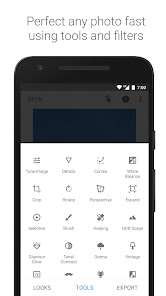
• 29 Tools and Filters, including: Healing, Brush, Structure, HDR, Perspective (see list below)
• Opens JPG and RAW files
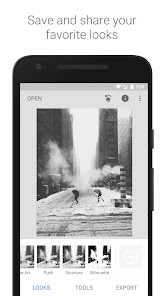
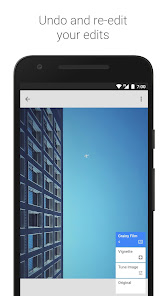
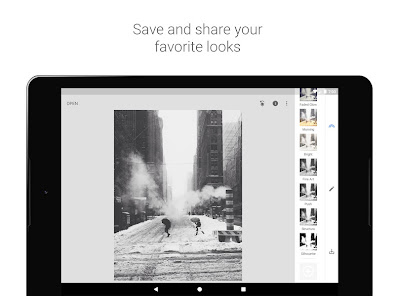
• Save your personal looks and apply them to new photos later
• Selective filter brush
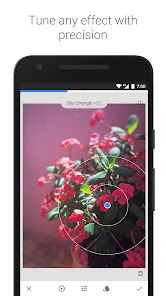
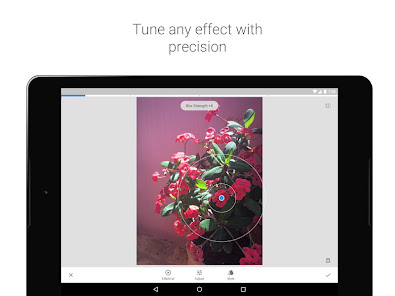
• All styles can be tweaked with fine, precise control
== TOOLS, FILTERS AND FACE ==
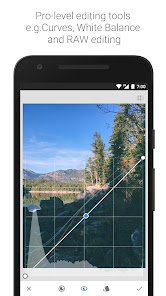
• RAW Develop – open and tweak RAW DNG files; save non-destructively or export as JPG
• Tune image – adjust exposure and color automatically or manually with fine, precise control
• Details – magically brings out surface structures in images
• Crop – crop to standard sizes or freely
• Rotate – rotate by 90°, or straighten a skewed horizon
• Perspective – fix skewed lines and perfect the geometry of horizons or buildings
• White Balance – adjust the colors so that the image looks more natural
• Brush – selectively retouch exposure, saturation, brightness or warmth
• Selective – the renown “Control Point” technology: Position up to 8 points on the image and assign enhancements, the algorithm does the rest magically
• Healing – remove the uninvited neighbor from a group picture
• Vignette – add a soft darkness around the corners like a beautiful, wide-aperture would do
• Text – add both stylized or plain text
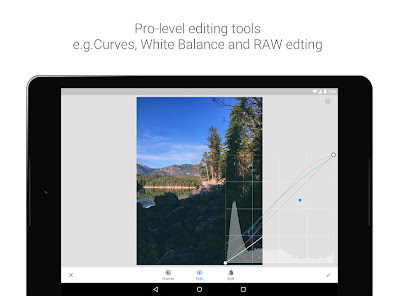
• Curves - have precise control over the brightness levels in your photos
• Expand - increase the size of your canvas and fill up the new space in smart ways with content of your image
• Lens Blur – add a beautiful Bokeh to images (background softening), ideal for photographic portraits
• Glamour Glow – add a fine glow to images, great for fashion or portraits
• Tonal Contrast – boost details selectively in the shadows, midtones and highlights
• HDR Scape – bring a stunning look to your images by creating the effect of multiple exposures
• Drama – add a hint of doomsday to your images (6 styles)
• Grunge – an edgy look with strong styles and texture overlays
• Grainy Film – get modern film looks with realistic grain
• Vintage – the style of color film photo from the 50’s, 60’s or 70’s
• Retrolux – go retro with light leaks, scratches, film styles
• Noir – Black and White film looks with realistic grain and the “wash” effect
• Black & White – classic Black and White look straight out of the darkroom
• Frames – add frames with adjustable size
• Double Exposure - blend two photos, choosing from blend modes that are inspired by shooting on film and by digital image processing
• Face Enhance – add focus to the eyes, add face-specific lighting, or smoothen skin
• Face Pose - correct the pose of portraits based on three dimensional models
== KEY FEATURES==
• 29 Tools and Filters, including: Healing, Brush, Structure, HDR, Perspective (see list below)
• Opens JPG and RAW files
• Save your personal looks and apply them to new photos later
• Selective filter brush
• All styles can be tweaked with fine, precise control
== TOOLS, FILTERS AND FACE ==
• RAW Develop – open and tweak RAW DNG files; save non-destructively or export as JPG
• Tune image – adjust exposure and color automatically or manually with fine, precise control
• Details – magically brings out surface structures in images
• Crop – crop to standard sizes or freely
• Rotate – rotate by 90°, or straighten a skewed horizon
• Perspective – fix skewed lines and perfect the geometry of horizons or buildings
• White Balance – adjust the colors so that the image looks more natural
• Brush – selectively retouch exposure, saturation, brightness or warmth
• Selective – the renown “Control Point” technology: Position up to 8 points on the image and assign enhancements, the algorithm does the rest magically
• Healing – remove the uninvited neighbor from a group picture
• Vignette – add a soft darkness around the corners like a beautiful, wide-aperture would do
• Text – add both stylized or plain text
• Curves - have precise control over the brightness levels in your photos
• Expand - increase the size of your canvas and fill up the new space in smart ways with content of your image
• Lens Blur – add a beautiful Bokeh to images (background softening), ideal for photographic portraits
• Glamour Glow – add a fine glow to images, great for fashion or portraits
• Tonal Contrast – boost details selectively in the shadows, midtones and highlights
• HDR Scape – bring a stunning look to your images by creating the effect of multiple exposures
• Drama – add a hint of doomsday to your images (6 styles)
• Grunge – an edgy look with strong styles and texture overlays
• Grainy Film – get modern film looks with realistic grain
• Vintage – the style of color film photo from the 50’s, 60’s or 70’s
• Retrolux – go retro with light leaks, scratches, film styles
• Noir – Black and White film looks with realistic grain and the “wash” effect
• Black & White – classic Black and White look straight out of the darkroom
• Frames – add frames with adjustable size
• Double Exposure - blend two photos, choosing from blend modes that are inspired by shooting on film and by digital image processing
• Face Enhance – add focus to the eyes, add face-specific lighting, or smoothen skin
• Face Pose - correct the pose of portraits based on three dimensional models
Updated on
Safety starts with understanding how developers collect and share your data. Data privacy and security practices may vary based on your use, region, and age. The developer provided this information and may update it over time.

No data shared with third parties
Learn more about how developers declare sharing

This app may collect these data types
Location, App activity and 2 others

Data is encrypted in transit

Data can’t be deleted

Independent security review
Ratings and reviews
4.1
1.69M reviews

A Google user
- Flag inappropriate
- Show review history
November 19, 2018
Snapspeed is a fantastic, powerful, and easy to use photo editing app. It provides good control over different elements of the photo without going into too much unnecessary detail. For most cases, snapspeed is enough to do whatever you want to do with your photo. Definitely a perfect solution for on the go editing where importing into Photoshop on a computer would be unnecessary. Perfect for enhancing photos taken on your phone.
1,762 people found this review helpful

Andy Campbell
- Flag inappropriate
- Show review history
March 17, 2021
This really is the best mobile app for image editing I've found, but a couple of things would make it better. When cropping a small image, it would be nice to have it fill the screen, so I can be somewhat precise about what I'm cutting off. And it seems strange to have no option for simply drawing on an image. I like the brushes for burning, dodging, saturation etc., but there are times I simply need to circle or highlight or block something out.
2,830 people found this review helpful
A Google user
- Flag inappropriate
- Show review history
October 25, 2019
An amazing free app for editing photos! Great for beginner photographers. One big downside (unless I've missed this feature) is saving a photo with the edit layers, without flattening the edits onto the photo. Right now I can't save a photo, close the app, and then edit the same photo from where I left off. This is a basic feature which is missing.
368 people found this review helpful
What’s new
• Added support for a dark theme mode in Settings
• Bug fixes
• Bug fixes
App support
About the developer
Google LLC
support@google.com
1600 Amphitheatre Pkwy
Mountain View, CA 94043
United States
+1 650-253-0000


