
Proton Authenticator

4.8star
9.95K reviews

Everyone
info
100K+
Downloads

Everyone
Learn more


About this app
Protect your accounts with Proton Authenticator, a private and secure cross-device two-factor authentication (2FA) that works offline. Created by Proton, the creators of Proton Mail, Proton VPN, Proton Drive, and Proton Pass.
Proton Authenticator is open-source, end-to-end encrypted, and backed by Swiss privacy laws. It’s the safest way to generate and store your one-time passwords (TOTP) for 2FA Login.
Why Proton Authenticator?
- Free to use: No Proton account required, ad-free.
- Offline support, on mobile and desktop apps
- Sync your 2FA codes to all your devices with end-to-end encryption.
- Enable automatic backups for peace of mind
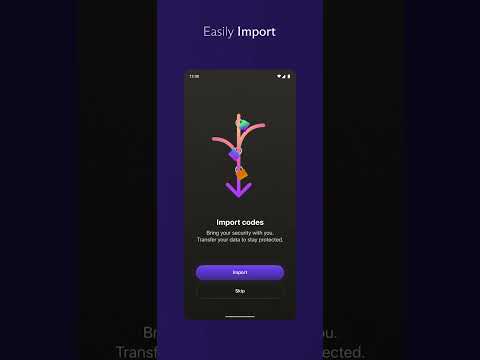
- Easily import from other 2FA apps, or export from Proton Authenticator.
- Protect your account with biometrics or a PIN code.
- Open-source transparency, verifiable code.
- Protected by Switzerland’s privacy laws.
Trusted by millions. Built by Proton.
Take control of your digital security today.
Proton Authenticator is open-source, end-to-end encrypted, and backed by Swiss privacy laws. It’s the safest way to generate and store your one-time passwords (TOTP) for 2FA Login.
Why Proton Authenticator?
- Free to use: No Proton account required, ad-free.
- Offline support, on mobile and desktop apps
- Sync your 2FA codes to all your devices with end-to-end encryption.
- Enable automatic backups for peace of mind
- Easily import from other 2FA apps, or export from Proton Authenticator.
- Protect your account with biometrics or a PIN code.
- Open-source transparency, verifiable code.
- Protected by Switzerland’s privacy laws.
Trusted by millions. Built by Proton.
Take control of your digital security today.
Updated on
Safety starts with understanding how developers collect and share your data. Data privacy and security practices may vary based on your use, region, and age. The developer provided this information and may update it over time.

No data shared with third parties
Learn more about how developers declare sharing

This app may collect these data types
Personal info

Data is encrypted in transit

You can request that data be deleted
Ratings and reviews
4.8
9.7K reviews

Elliot Hentschel
- Flag inappropriate
June 5, 2026
After scanning a qr code the app silently adds the new account without any feedback. You have to scroll through your accounts to find the new one unless you order them by when you added them. The app should auto scroll to the new account and highlight it. Having no feedback makes it seem like it failed to add an account. Otherwise app is incredible.
2 people found this review helpful
Proton AG
June 5, 2026
Thank you for the review. We have passed on your request to the team for future consideration. You can follow our blog and our socials for any news and updates.

Montclair Guy
- Flag inappropriate
April 20, 2026
Excellent replacement for Google's Authenticator, especially since you can create a free account and run the Windows version on your PC and have all the codes synced. That's a massive win for somebody who leaves their phone in the other room all the time, and just wants to log into their bank or whatever website that needs an authentication code. All I have to do is open up the PC version and there it is, instead of getting up and finding my phone. Excellent and perfectly serves my needs!
19 people found this review helpful

Mark A.
- Flag inappropriate
- Show review history
January 8, 2026
Love the app. The only reason for four stars instead of five is because I wish there was a way to edit the name of each entry. Occasionally, I'll add one that gets added with a name that is different than the website it is for - so I have to remember, xxxx MFA pairing is for yyyy website. Allowing us to edit the name so that they match would be EXTREMELY helpful. EDIT: after the feedback from Proton to my original review and confirming I can edit entries, I've updated my review to five stars.
83 people found this review helpful
Proton AG
January 8, 2026
Thank you for the support. You can in fact edit an entry by swiping right and selecting "Edit".
What’s new
Fixes:
- Fix QR code scanning.
- Fix snackbar message shown multiple times.
- Item creation fixes.
Other:
- Improve global performance if there are a lot of TOTP items.
- Translation updates.
- Fix QR code scanning.
- Fix snackbar message shown multiple times.
- Item creation fixes.
Other:
- Improve global performance if there are a lot of TOTP items.
- Translation updates.
Everyone
Learn moreApp support
About the developer
Proton AG
support@protonmail.zendesk.com
Route de la Galaise 32
1228 Plan-les-Ouates
Switzerland
+41 22 884 11 00


