
Google Play Books & Audiobooks
In-app purchases

star
3.23M reviews

Rated for 12+
info
1B+
Downloads


About this app
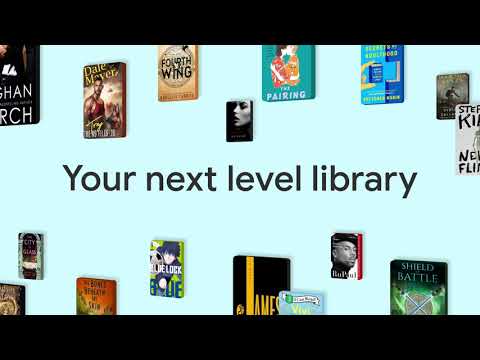
Dive into a world of stories with Google Play Books! Explore millions of ebooks, audiobooks, comics, and manga — all in one app.
Key Features:
• Your library, anywhere: Enjoy books on your phone, tablet, computer, or even in your car with Android Auto. Plus, you can download books to read offline.
• Earn Google Play Points: Get rewarded with Play Points when you purchase books. Note: Play Points availability, award levels, and multiplier rates differ by country. Play Points isn’t available in all countries.
• Organize with shelves: Personalize your digital library with custom shelves to categorize your books by genre, author, or any theme you’d like.
• Smart notes: Jot down notes that sync with your Google Drive and can be shared for easy collaboration.
• No subscription needed: Buy only the books you want, when you want them.
• Kid–friendly reading tools: Let kids explore word definitions and listen to books aloud. Note: Reading practice tools are available in English only.
• Immersive comics: Experience Bubble Zoom for a specialized comic and manga reading experience.
• Preview before you buy: Check out samples to make sure it’s the perfect book for you.
• Hands–free reading: Control your audiobook with your voice using Google Assistant.
• Read your way: Customize your reading experience by adjusting the font, text size, brightness, and more.
• Book insights: Get more out of your book with recaps and insights – right from your page. Note: Book insights is available in select English language titles.
Millions of stories await on Google Play Books! Download now and start reading.
Key Features:
• Your library, anywhere: Enjoy books on your phone, tablet, computer, or even in your car with Android Auto. Plus, you can download books to read offline.
• Earn Google Play Points: Get rewarded with Play Points when you purchase books. Note: Play Points availability, award levels, and multiplier rates differ by country. Play Points isn’t available in all countries.
• Organize with shelves: Personalize your digital library with custom shelves to categorize your books by genre, author, or any theme you’d like.
• Smart notes: Jot down notes that sync with your Google Drive and can be shared for easy collaboration.
• No subscription needed: Buy only the books you want, when you want them.
• Kid–friendly reading tools: Let kids explore word definitions and listen to books aloud. Note: Reading practice tools are available in English only.
• Immersive comics: Experience Bubble Zoom for a specialized comic and manga reading experience.
• Preview before you buy: Check out samples to make sure it’s the perfect book for you.
• Hands–free reading: Control your audiobook with your voice using Google Assistant.
• Read your way: Customize your reading experience by adjusting the font, text size, brightness, and more.
• Book insights: Get more out of your book with recaps and insights – right from your page. Note: Book insights is available in select English language titles.
Millions of stories await on Google Play Books! Download now and start reading.
All the books you love. On the page or out loud. Anywhere you are.
Updated on
Safety starts with understanding how developers collect and share your data. Data privacy and security practices may vary based on your use, region, and age. The developer provided this information and may update it over time.
- No data shared with third partiesLearn more about how developers declare sharing
- This app may collect these data typesPersonal info, Financial info and 5 others
- Data is encrypted in transit
- You can request that data be deleted
- Independent security review


Ratings and reviews
2.87M reviews

Manaal
- Flag inappropriate
August 9, 2026
This app was great. Then you got rid of the delete book option which was uncalled for. Today I've ran into a unique issue where alot of my older epubs won't open. Hundreds of books, all throwing an error when I try to access them. The newer files seem to be unaffected. Please look into this. I have loved and appreciated this app for 7 years but in the past year I feel the experience has gotten worse instead of better.
16 people found this review helpful
Google LLC
August 9, 2026
Sorry you're having issues with your book, Manaal. We'd be happy to help. Let's try these troubleshooting steps first: https://goo.gle/2Zsbssp. If these don't help, please contact us directly here: https://goo.gle/2QyJZSb. Thanks.

Pinki Kumar
- Flag inappropriate
July 14, 2026
The thing that I liked the most is that almost every book is available on Play Books. I used it and its experience is impressive. It has features like offline reading, built-in dictionary and page turning animations get reduced difficulty while reading. But I want to give feedback to Google. We can't select a full line or a full paragraph to see its translation or definition. We can select only one word at a time. Google, please add the feature of selecting the whole page and translating it.
24 people found this review helpful

Prasanth Ariyannur
- Flag inappropriate
February 5, 2021
I use this app as a default ebook reader. Many a time, importing books take a lot of time, displays "processing". Most of the time, when I cancel it and import again, it might go well. Sometimes I had to abort the import and don't do it. Sometimes the alignment might not be good for imported books. Seems like the app needs more work on fixing bugs. Nice concept, though. Hope these would be fixed soon.
19,015 people found this review helpful
What’s new
New in version 2025.1.10
• Improved ease-of-use in ebook text selection menu
Check out these features
• Upload EPUB and PDF files and read them on all of your devices
• Download purchased ebooks and audiobooks (DRM-free if allowed by the publisher) to read on other devices such as Nook, Sony Reader, Kobo
• Improved ease-of-use in ebook text selection menu
Check out these features
• Upload EPUB and PDF files and read them on all of your devices
• Download purchased ebooks and audiobooks (DRM-free if allowed by the publisher) to read on other devices such as Nook, Sony Reader, Kobo
App support
About the developer
Google LLC
support@google.com
1600 Amphitheatre Pkwy
Mountain View, CA 94043
United States
+1 650-253-0000


