

AnyDesk Remote Desktop

3.9star
118K reviewsinfo
50M+
Downloads

PEGI 3
info




About this app
Powerful Remote Assistance Software. Whether you're in the office next door or on the other side of the world, remote access via AnyDesk makes the connection possible. Secure and reliable, for IT professionals as well as private users.
AnyDesk is ad-free and free for personal use. For commercial use visit: https://anydesk.com/en/order
Whether you're in IT support, working from home, or a student studying remotely, AnyDesk's remote desktop software has a solution for you, allowing you to connect to remote devices securely and seamlessly.
AnyDesk offers a wide range of remote desktop functions such as:
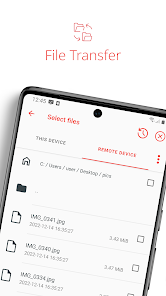
• File Transfer
• Remote Printing
• Wake-On-LAN
• Connection via VPN
and much more
The AnyDesk VPN feature allows the creation of a private network between local connecting and remote clients, providing additional security to users. It is important to note that it is not possible to access devices on the remote client's local network or vice versa. Nevertheless, after successfully connected over VPN, the following programs can be used over VPN:
• SSH – Ability to access the Remote Device over SSH
• Gaming – Ability to access a LAN-Multiplayer Game over the Internet.
For an overview of the features, visit: https://anydesk.com/en/features
If you are interested in more information, head to our Help Center by visiting: https://support.anydesk.com/knowledge/features
Why AnyDesk?
• Outstanding performance
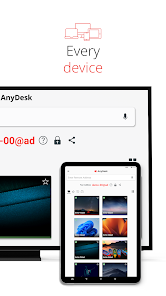
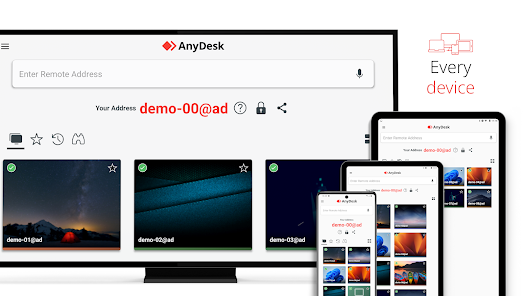
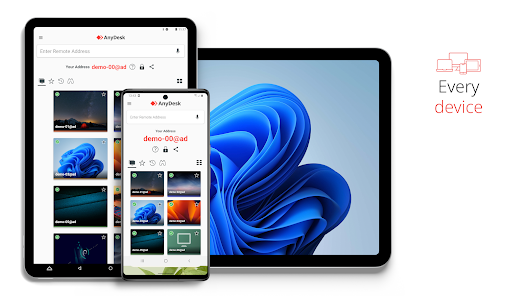
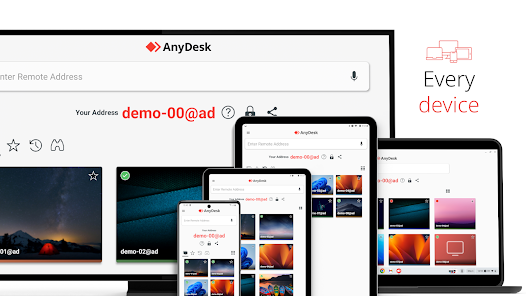
• Every operating system, every device
• Banking-standard encryption
• High frame rates, low latency
• In the Cloud or On-Premises
Every operating system, every device. Download the latest AnyDesk version for all platforms here: https://anydesk.com/en/downloads
Quick Start Guide
1. Install and launch AnyDesk on both devices.
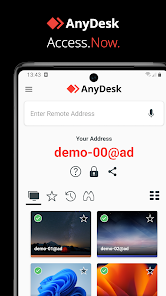
2. Enter the AnyDesk-ID that is displayed on the remote device.
3. Confirm the access request on the remote device.
4. Done. You can now control the remote device remotely.
Do you have any questions? Contact us! https://anydesk.com/en/contact
AnyDesk is ad-free and free for personal use. For commercial use visit: https://anydesk.com/en/order
Whether you're in IT support, working from home, or a student studying remotely, AnyDesk's remote desktop software has a solution for you, allowing you to connect to remote devices securely and seamlessly.
AnyDesk offers a wide range of remote desktop functions such as:
• File Transfer
• Remote Printing
• Wake-On-LAN
• Connection via VPN
and much more
The AnyDesk VPN feature allows the creation of a private network between local connecting and remote clients, providing additional security to users. It is important to note that it is not possible to access devices on the remote client's local network or vice versa. Nevertheless, after successfully connected over VPN, the following programs can be used over VPN:
• SSH – Ability to access the Remote Device over SSH
• Gaming – Ability to access a LAN-Multiplayer Game over the Internet.
For an overview of the features, visit: https://anydesk.com/en/features
If you are interested in more information, head to our Help Center by visiting: https://support.anydesk.com/knowledge/features
Why AnyDesk?
• Outstanding performance
• Every operating system, every device
• Banking-standard encryption
• High frame rates, low latency
• In the Cloud or On-Premises
Every operating system, every device. Download the latest AnyDesk version for all platforms here: https://anydesk.com/en/downloads
Quick Start Guide
1. Install and launch AnyDesk on both devices.
2. Enter the AnyDesk-ID that is displayed on the remote device.
3. Confirm the access request on the remote device.
4. Done. You can now control the remote device remotely.
Do you have any questions? Contact us! https://anydesk.com/en/contact
Updated on
Safety starts with understanding how developers collect and share your data. Data privacy and security practices may vary based on your use, region, and age. The developer provided this information and may update it over time.


Ratings and reviews
3.9
113K reviews

yttrium tyclief
- Flag inappropriate
July 5, 2024
AnyDesk is a remote access tool, so obviously, yes it can be used for scam attempts, but that's like attacking Excel because it can be used for tax fraud. The reason my score is low is because while AnyDesk's desktop product is solid, the Android app is very buggy. You can't terminate ongoing sessions. Often, sessions will just "hang", accepting input but never updating the screen. Sessions also sometimes just fail to start, but due to the first bug you can't even retry without force closing.
32 people found this review helpful
AnyDesk Software GmbH
July 8, 2024
Hello! We're sorry that you've been experiencing this issue, please submit a bug report to this link so that we can assist you: https://anydesk.com/en/contact/support

Craig Crafton
- Flag inappropriate
- Show review history
June 25, 2024
App is buggy as hell. Only trying to end current session, cause it keeps telling me to end current session, but it won't let me end session. It won't let me disconnect. It won't let me log out. *Downgraded to 1 star. I had delete from pc and phone to get it to work again,, worked fine the first few days after downloading but now it just freezes. I can see my desktop and I can move the mouse but that's it,, I can do nothing else. Also, when it does this, it won't even show my second screen.
112 people found this review helpful
AnyDesk Software GmbH
June 18, 2024
Please submit a report here so we can fix this issue for you: https://anydesk.com/en/contact/support

Michel Basquiat
- Flag inappropriate
- Show review history
July 4, 2024
5 stars. Much better than TeamViewer, much safer than TeamViewer it's just that the menu and a general look is a bit confusing for non-technical people. It's like a mm it feels like everything is thrown on the main menu or on the window that you see after connecting to another device. In the end, 1) Technically it's an fantastic app but 2)Graphically it's overwhelming. Some things that aren't needed are shown somethings that needed are hidden and etc.
49 people found this review helpful
AnyDesk Software GmbH
July 8, 2024
Thank you so much for the great review and critiques, we appreciate it!
What's new
Fixed Bugs
* Fixed deadlock on start when showing the news tutorial on some devices.
* Fixed deadlock on start when showing the news tutorial on some devices.


