
Galaxy Buds2 Manager
3.3star
8.52K reviews
1M+
Downloads

Everyone
info
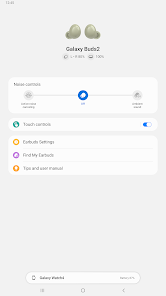
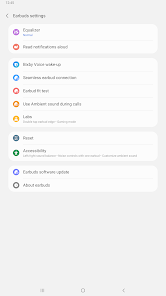

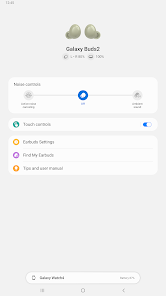
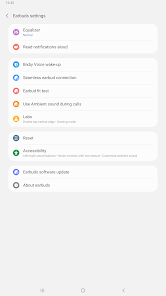
About this app
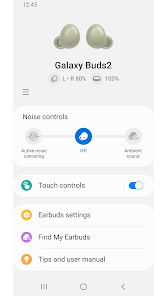
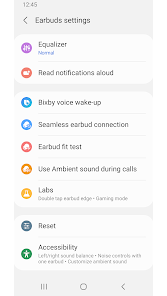
The Galaxy Buds2 Manager allows you to use features such as device settings and status view when connected to a Galaxy Buds2 device.
This application does not work alone because this is a component of the Galaxy Wearable application.
The Galaxy Wearable application has to be installed first for the Galaxy Buds2 Manager application to operate normally.
※ Please allow the permissions of the Galaxy Buds2 Manager in Android Settings to use all the features in Android 7.0 or later.
Settings > Applications > Galaxy Buds2 Manager> Permissions
※ Access rights information
The following permissions are required for the app service. For optional permissions, the default functionality of the service is turned on, but not allowed.
[Required Permissions]
- Notifications : Purpose for confirming voice notification function
- Contacts : Purpose for confirming Contacts information for voice notification function
- Phone : Purpose for confirming Contacts information for voice notification function
- Calendar : Purpose for checking Calendar information for using voice notification function
- Call logs : Purpose for confirming Call logs information for voice notification function
- Nearby devices : Purpose for confirming to search Buds Devices
[Optional Permissions]
-None
Previously allowed permissions can be reset on Apps menu in device settings after software update.
This application does not work alone because this is a component of the Galaxy Wearable application.
The Galaxy Wearable application has to be installed first for the Galaxy Buds2 Manager application to operate normally.
※ Please allow the permissions of the Galaxy Buds2 Manager in Android Settings to use all the features in Android 7.0 or later.
Settings > Applications > Galaxy Buds2 Manager> Permissions
※ Access rights information
The following permissions are required for the app service. For optional permissions, the default functionality of the service is turned on, but not allowed.
[Required Permissions]
- Notifications : Purpose for confirming voice notification function
- Contacts : Purpose for confirming Contacts information for voice notification function
- Phone : Purpose for confirming Contacts information for voice notification function
- Calendar : Purpose for checking Calendar information for using voice notification function
- Call logs : Purpose for confirming Call logs information for voice notification function
- Nearby devices : Purpose for confirming to search Buds Devices
[Optional Permissions]
-None
Previously allowed permissions can be reset on Apps menu in device settings after software update.
Updated on
Safety starts with understanding how developers collect and share your data. Data privacy and security practices may vary based on your use, region, and age. The developer provided this information and may update it over time.

No data shared with third parties
Learn more about how developers declare sharing

No data collected
Learn more about how developers declare collection
Ratings and reviews
3.3
8.39K reviews

Fenris
- Flag inappropriate
- Show review history
January 13, 2022
Okay, great. They finally rolled out an update, and now I can access my settings. I'm still giving this app 1 star. You made my app almost inaccessible for a month or two. Tread with caution, people. If you're going to buy Samsung Wearables, know that their companion apps are awful. Forced frequent updates, or no updates at all (resulting in your settings becoming inaccessible for an extended period of time).
88 people found this review helpful
Samsung Electronics Co., Ltd.
December 21, 2021
Sorry for the inconvenience.
Temporary action is possible as shown below before modification.
Data clear on Phone's Settings > Applications> Applications> Galaxy Wearable and run the Galaxy Wearable again
click Start, and select the device to connect to the device search results, and make a new connection.
thank you.

Martin
- Flag inappropriate
January 11, 2026
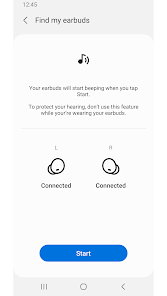
They removed the Glady Buds2 from the Wearable App. Had to use a Widget instead to give me bud battery info. Now if I lose my buds I'm screwed because the 'find my ear buds' was also on the Wearable App. Their replacement, the SmartThings App, can't even detect my buds when my phone is one inch away. Worst thing is Samsung never pre-warned me about the change. It may have been mentioned in an update, but who reads them? Been with Samsung 8 years... time for an alternative!
4 people found this review helpful

hide yo kids
- Flag inappropriate
December 18, 2025
I don't know why you would take away the option to control my buds from the wearable app I'm trying to couple a new Samsung buds to my old one because I lost one. you made that impossible. I wish I could give you one star but instead I'll just take my business elsewhere.
2 people found this review helpful
What’s new
Improved system stability and reliability
App support
About the developer
삼성전자(주)
mobile.biz@samsung.com
대한민국 16677 경기도 수원시
영통구 삼성로 129 (매탄동)
+82 1588-3366


