
Roav DashCam
2.8star
2.64K reviews
100K+
Downloads

Everyone
info
About this app
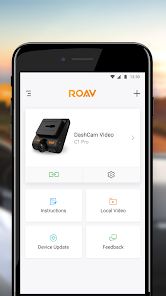
Roav DashCam is a device that can record everything that happens on the road. It provides the best proof of any accidents so that drivers can avoid any insurance hassles.
How Roav DashCam works
Roav DashCam will activate when your car starts. When the memory card gets full, it will remove the oldest file before creating a new one to work continuously.
How the app works
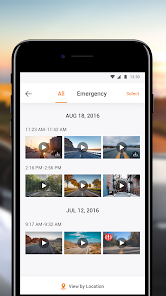
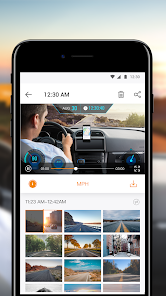
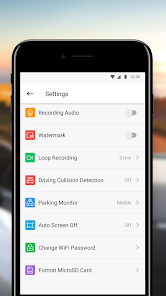
Download and share recorded videos by connecting your mobile phone with the app via the built-in WiFi.
Feel free to contact support at support@goroav.com
How Roav DashCam works
Roav DashCam will activate when your car starts. When the memory card gets full, it will remove the oldest file before creating a new one to work continuously.
How the app works
Download and share recorded videos by connecting your mobile phone with the app via the built-in WiFi.
Feel free to contact support at support@goroav.com
Updated on
Safety starts with understanding how developers collect and share your data. Data privacy and security practices may vary based on your use, region, and age. The developer provided this information and may update it over time.


Ratings and reviews
2.8
2.59K reviews

A Google user
- Flag inappropriate
December 26, 2019
Does what it needs to for managing and downloading videos from the Roav Dashcams (A1). Interface makes sense and is easy to use, with two notes: 1) Requires location permissions. They say they need it to connect to the dashcam. Not sure if that's right or not but I'm not too worried about it. 2) Requires the creation of a VPN to download videos. Fishy to say the least. If you let it create the VPN and then delete it from your settings, everything still works. Do this. Untrusted VPNs are bad.
5 people found this review helpful
A Google user
- Flag inappropriate
- Show review history
March 23, 2019
I haven't used the app too much but so far so good. I use it with my C2 Pro and everything seems to run well. You have to download the video clips to your phone to watch them without being connected to the camera, which it seems some people haven't figured out yet. Once downloaded you can find them in the 'local storage' section, otherwise it will only been viewable by clicking on your camera, while it is connected.
11 people found this review helpful
A Google user
- Flag inappropriate
June 15, 2019
I downloaded this app as a means of getting videos off of my dashcam and onto my phone quickly in case of an accident, but this app has proven to be anything but quick. It takes a long time (several minutes) to download video to the app from the camera and even longer (ten minutes and counting) to compress video if you want to upload it to Youtube. The app also uses really strange language, which leads me to believe it was developed by people who didn't speak English as a first language. That's fine, but it's hard to understand what I need to do to connect Wifi and do different things within the app. This is fairly disappointing coming from Anker, as I normally like their products. If you have the ability, I would recommend just taking out the SD card and downloading video directly to your computer, as it's probably faster than using the app.
18 people found this review helpful
What's new
1、Increase the stability of device connection.


