DigiD
4.4star
296K reviews
10M+
Downloads

Everyone
info

About this app
Start using the app?
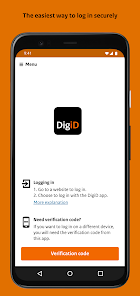
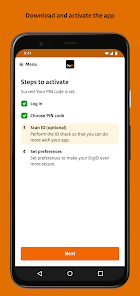
Activate the DigiD app first. Open the DigiD app and follow the steps in the app.
Need help with activation? Look at: www.digid.nl/digid-app
How do I log in with the DigiD app?
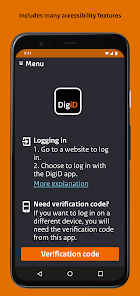
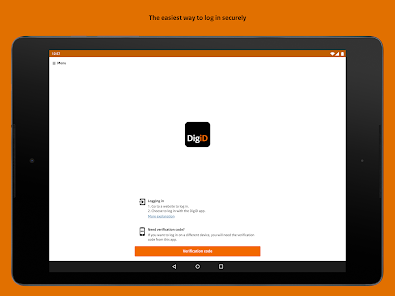
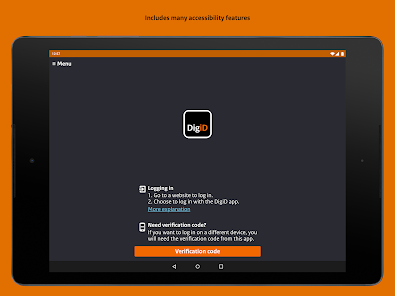
Logging in with the DigiD app can be done in two ways:
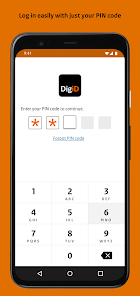
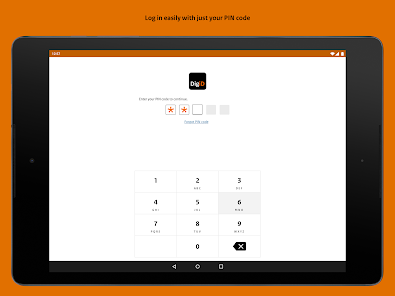
1. On your phone or tablet you log in with just a pin code.
2. Or log in on a computer using the app. You take over a verification code, scan a QR code and then enter your pin code.
DATA PROCESSING & PRIVACY
The DigiD app processes the IP address, the name and version of the operating system of your smartphone or tablet, the unique identifier of the mobile device, your mobile phone number and the 5-digit PIN code you select. When performing the ID check, DigiD processes the document number / driver's license number, date of birth and validity.
By downloading and using the DigiD app you agree to this processing, which is also subject to the following provisions.
1. The user's personal data will be processed in accordance with applicable privacy legislation. In the privacy statement you will find who is responsible for the processing of personal data for DigiD, which personal data of the DigiD user is processed and for what purpose. The processing of personal data by DigiD and rules on the operation, security and reliability of DigiD are included in legislation and regulations. The privacy statement and legislation and regulations can be found at www.digid.nl.
2. Logius has taken appropriate technical and organizational security measures against loss or unlawful processing of the user's personal data.
3. The DigiD app complies with security measures that are comparable to the security measures of DigiD. DigiD also uses the security mechanisms of the operating system.
4. The user is responsible for the security of his mobile device.
5. For the DigiD app, updates can be automatically downloaded and installed every now and then via the app store. These updates are intended to improve, expand or further develop the DigiD app and may consist of solutions for program errors, advanced functions, new software modules or completely new versions. Without these updates the DigiD app will possibly not function or not function properly.
6. Logius reserves the right to (temporarily) stop offering the DigiD app in the app store or to (temporarily) stop the operation of the DigiD app without stating reasons.
Activate the DigiD app first. Open the DigiD app and follow the steps in the app.
Need help with activation? Look at: www.digid.nl/digid-app
How do I log in with the DigiD app?
Logging in with the DigiD app can be done in two ways:
1. On your phone or tablet you log in with just a pin code.
2. Or log in on a computer using the app. You take over a verification code, scan a QR code and then enter your pin code.
DATA PROCESSING & PRIVACY
The DigiD app processes the IP address, the name and version of the operating system of your smartphone or tablet, the unique identifier of the mobile device, your mobile phone number and the 5-digit PIN code you select. When performing the ID check, DigiD processes the document number / driver's license number, date of birth and validity.
By downloading and using the DigiD app you agree to this processing, which is also subject to the following provisions.
1. The user's personal data will be processed in accordance with applicable privacy legislation. In the privacy statement you will find who is responsible for the processing of personal data for DigiD, which personal data of the DigiD user is processed and for what purpose. The processing of personal data by DigiD and rules on the operation, security and reliability of DigiD are included in legislation and regulations. The privacy statement and legislation and regulations can be found at www.digid.nl.
2. Logius has taken appropriate technical and organizational security measures against loss or unlawful processing of the user's personal data.
3. The DigiD app complies with security measures that are comparable to the security measures of DigiD. DigiD also uses the security mechanisms of the operating system.
4. The user is responsible for the security of his mobile device.
5. For the DigiD app, updates can be automatically downloaded and installed every now and then via the app store. These updates are intended to improve, expand or further develop the DigiD app and may consist of solutions for program errors, advanced functions, new software modules or completely new versions. Without these updates the DigiD app will possibly not function or not function properly.
6. Logius reserves the right to (temporarily) stop offering the DigiD app in the app store or to (temporarily) stop the operation of the DigiD app without stating reasons.
Updated on
Safety starts with understanding how developers collect and share your data. Data privacy and security practices may vary based on your use, region, and age. The developer provided this information and may update it over time.

No data shared with third parties
Learn more about how developers declare sharing

No data collected
Learn more about how developers declare collection

Data is encrypted in transit

Data can’t be deleted
Ratings and reviews
4.4
288K reviews

marie herrera
- Flag inappropriate
- Show review history
September 5, 2023
The ID scan doesn't work, making login almost impossible if you happen to lose your phone#. I can't receive SMS messages to login to the app or online (and there's no option to send a code via email). I just got a letter with an activation code to allow login without SMS. But! There is nowhere in the app to input the code. I can login from my laptop, but I can't update my phone# bc the verification still goes to my old phone (or the app, which I still can't access). Ridiculously dysfunctional.
20 people found this review helpful
Rijksoverheid
September 5, 2023
Dear Marie, we are sorry you cannot activate the DigiD app. Please contact us through telephone number 088-1236555 to find out what is going on. We would like to help you.
^RE | Webcare DigiD

Joost de Greef
- Flag inappropriate
May 6, 2024
Trying to install on a new phone. The app is very slow to start. To activate there are 4 steps. Step 1: login: okay. Step 2: choose a pin-code: Error message "The DigiD app temporarily does not allow you to scan identity documents.". That message has nothing to do with chosing a pin code, so I don't even reach step 3 which is optional) about scanning an ID. This app is almost obligatory to use in NL: make it work please.
15 people found this review helpful

Jon Koops
- Flag inappropriate
June 3, 2024
Generally a good app, and I love being able to use the services that DigiD offers. However, the QR code scanner is bad, like really BAD. There are plenty of great libraries that the developers can use to have a quick QR code scanning experience, but now I often have to change screen brightness, hold my phone awkwardly, etc. as it tries to scan the code. Room for improvement.
9 people found this review helpful
Rijksoverheid
June 3, 2024
Dear Jon, due to a malfunction, scanning the QR code is temporarily not possible. We are aware of this problem and are working on a solution. When it is not possible to log in with a QR code, then log in with the DigiD app on one device, or use the login with SMS code. We apologise for the inconvenience. ^JH | Webcare DigiD
What's new
The DigiD app has been renewed. This version offers better guidance when performing the ID Check. It also helps you keep the identity document in the right place during the scan.
Plus, this version of the DigiD app ensures that Samsung A23 devices can now properly scan the DigiD QR code.
Plus, this version of the DigiD app ensures that Samsung A23 devices can now properly scan the DigiD QR code.


