
MyChart
4.5star
259K reviews
10M+
Downloads

Everyone
info


About this app
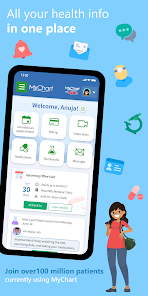
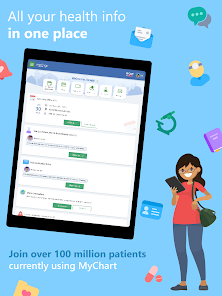
MyChart puts your health information in the palm of your hand and helps you conveniently manage care for yourself and your family members. With MyChart you can:
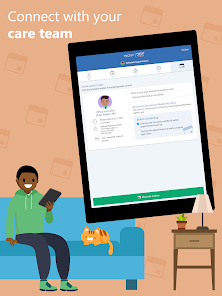
• Communicate with your care team.
• Review test results, medications, immunization history, and other health information.
• Connect your account to Google Fit to pull health-related data from your personal devices right into MyChart.
• View your After Visit Summary® for past visits and hospital stays, along with any clinical notes your provider has recorded and shared with you.
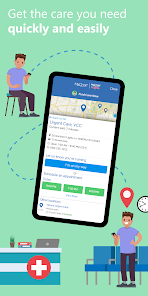
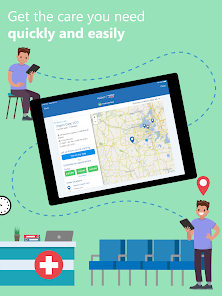
• Schedule and manage appointments, including in-person visits and video visits.
• Get price estimates for the cost of care.
• View and pay your medical bills.
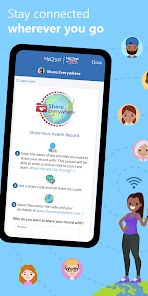
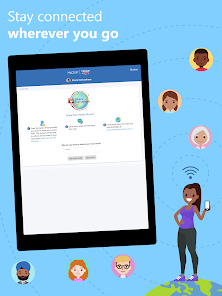
• Securely share your medical record from anywhere with anyone who has Internet access.
• Connect your accounts from other healthcare organizations so you can see all your health information in one place, even if you've been seen at multiple healthcare organizations.
• Receive push notifications when new information is available in MyChart. You can check whether push notifications are enabled under the Account Settings within the app.
Note that what you can see and do within the MyChart app depends on which features your healthcare organization has enabled and whether they’re using the latest version of Epic software. If you have questions about what’s available, contact your healthcare organization.
To access MyChart, you must create an account with your healthcare organization. To sign up for an account, download the app and search for your healthcare organization or go to your healthcare organization’s MyChart website. After you’ve signed up, turn on fingerprint authentication or set up a four-digit passcode to quickly log in without needing to use your MyChart username and password each time.
For more information about MyChart’s features or to find a healthcare organization that offers MyChart, visit www.mychart.com.
Have feedback about the app? Email us at mychartsupport@epic.com.
• Communicate with your care team.
• Review test results, medications, immunization history, and other health information.
• Connect your account to Google Fit to pull health-related data from your personal devices right into MyChart.
• View your After Visit Summary® for past visits and hospital stays, along with any clinical notes your provider has recorded and shared with you.
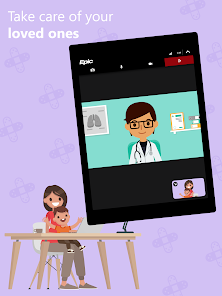
• Schedule and manage appointments, including in-person visits and video visits.
• Get price estimates for the cost of care.
• View and pay your medical bills.
• Securely share your medical record from anywhere with anyone who has Internet access.
• Connect your accounts from other healthcare organizations so you can see all your health information in one place, even if you've been seen at multiple healthcare organizations.
• Receive push notifications when new information is available in MyChart. You can check whether push notifications are enabled under the Account Settings within the app.
Note that what you can see and do within the MyChart app depends on which features your healthcare organization has enabled and whether they’re using the latest version of Epic software. If you have questions about what’s available, contact your healthcare organization.
To access MyChart, you must create an account with your healthcare organization. To sign up for an account, download the app and search for your healthcare organization or go to your healthcare organization’s MyChart website. After you’ve signed up, turn on fingerprint authentication or set up a four-digit passcode to quickly log in without needing to use your MyChart username and password each time.
For more information about MyChart’s features or to find a healthcare organization that offers MyChart, visit www.mychart.com.
Have feedback about the app? Email us at mychartsupport@epic.com.
Updated on
Safety starts with understanding how developers collect and share your data. Data privacy and security practices may vary based on your use, region, and age. The developer provided this information and may update it over time.

No data shared with third parties
Learn more about how developers declare sharing

This app may collect these data types
Personal info, Financial info and 8 others

Data is encrypted in transit

You can request that data be deleted
Ratings and reviews
4.5
250K reviews

Scott
- Flag inappropriate
August 15, 2025
MyChart is an ok repository for medical records, but it's not great for setting appointments or for communication with doctors. There are different confusing ways to contact the practice and half the time they don't seem to get my messages. For appointments I've found in most cases it's a lot easier to just call by phone. There is a lot of functionality here, but in terms of usability, the site and the app are not intuitive. They need to hire some better user experience design professionals.
1,908 people found this review helpful
Epic Systems Corporation
September 2, 2025
Thank you for the review. Many aspects of MyChart are controlled by your own healthcare organization through setup and settings. We recommend reaching out to them for support. If you don't know how to reach them, email us at MyChartSupport@epic.com, let us know the issue and the organization name and we can look up their contact info for you.

Wendy Fink
- Flag inappropriate
- Show review history
January 29, 2026
It's very helpful when it comes to tracking your rxs and allowing you to see your diagnosis and clinical notes ( because not all providers are great communicators). That said, it doesn't allow you to make appointments with specialists in the app and it doesn't include every member of your team ( my nutritionist wasn't in there and I had to spend 15 minutes talking to an operator to get a simple message to her). Helpful, definitely, but a few small tweaks could make it a great healthcare tool
7 people found this review helpful
Epic Systems Corporation
January 30, 2026
Thank you for the review. Many aspects of MyChart are controlled by your own healthcare organization through setup and settings. We recommend reaching out to them for support. If you don't know how to reach them, email us at MyChartSupport@epic.com, let us know the issue and the organization name and we can look up their contact info for you.

Chad Easton
- Flag inappropriate
January 27, 2026
Better than nothing, I guess. The waiting for the text for authentication to access to app so often is annoying - I just want to open the app and see what I'm opening it. Push notifications also don't show up on my phone anymore. I checked my phone notification settings for the app, and the notification settings in the app, and they were all turned on. I turned them all off individually and back on to see if that gets them back on, but nothing still. and no app updates available either.
3 people found this review helpful
Epic Systems Corporation
January 27, 2026
We're sorry to hear you're having trouble receiving the two-factor authentication code sent by your organization. These codes are sent from your healthcare organization's servers. Please reach out to them with your issue. If you don't know how to reach them, just email us at MyChartSupport@epic.com and we can look up their contact info for you.
What’s new
Vietnamese is now an available language. The minimum OS version required to update MyChart has been increased to Android 11. You can now receive offers for earlier surgical cases in the visits activity. You can now use passkeys to log into MyChart Mobile. These features might become available to you after your healthcare organization starts using the latest version of Epic.
App support
About the developer
Epic Systems Corporation
info@epic.com
1979 Milky Way
Verona, WI 53593
United States
+1 608-271-9000


