
Google Play Books & Audiobooks
In-app purchases

star
3.24M reviewsinfo

Parental guidance
info
1B+
Downloads


About this app
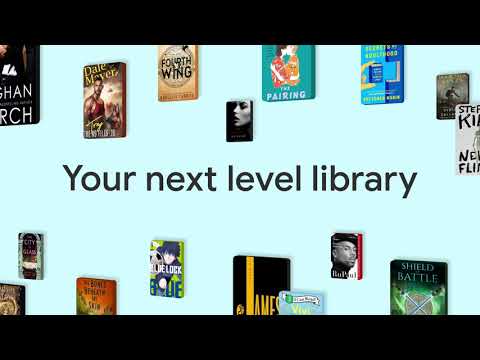
Dive into a world of stories with Google Play Books! Explore millions of ebooks, audiobooks, comics, and manga — all in one app.
Key Features:
• Your library, anywhere: Enjoy books on your phone, tablet, computer, or even in your car with Android Auto. Plus, you can download books to read offline.
• Earn Google Play Points: Get rewarded with Play Points when you purchase books. Note: Play Points availability, award levels, and multiplier rates differ by country. Play Points isn’t available in all countries.
• Organize with shelves: Personalize your digital library with custom shelves to categorize your books by genre, author, or any theme you’d like.
• Smart notes: Jot down notes that sync with your Google Drive and can be shared for easy collaboration.
• No subscription needed: Buy only the books you want, when you want them.
• Kid–friendly reading tools: Let kids explore word definitions and listen to books aloud. Note: Reading practice tools are available in English only.
• Immersive comics: Experience Bubble Zoom for a specialized comic and manga reading experience.
• Preview before you buy: Check out samples to make sure it’s the perfect book for you.
• Hands–free reading: Control your audiobook with your voice using Google Assistant.
• Read your way: Customize your reading experience by adjusting the font, text size, brightness, and more.
• Book insights: Get more out of your book with recaps and insights – right from your page. Note: Book insights is available in select English language titles.
Millions of stories await on Google Play Books! Download now and start reading.
Key Features:
• Your library, anywhere: Enjoy books on your phone, tablet, computer, or even in your car with Android Auto. Plus, you can download books to read offline.
• Earn Google Play Points: Get rewarded with Play Points when you purchase books. Note: Play Points availability, award levels, and multiplier rates differ by country. Play Points isn’t available in all countries.
• Organize with shelves: Personalize your digital library with custom shelves to categorize your books by genre, author, or any theme you’d like.
• Smart notes: Jot down notes that sync with your Google Drive and can be shared for easy collaboration.
• No subscription needed: Buy only the books you want, when you want them.
• Kid–friendly reading tools: Let kids explore word definitions and listen to books aloud. Note: Reading practice tools are available in English only.
• Immersive comics: Experience Bubble Zoom for a specialized comic and manga reading experience.
• Preview before you buy: Check out samples to make sure it’s the perfect book for you.
• Hands–free reading: Control your audiobook with your voice using Google Assistant.
• Read your way: Customize your reading experience by adjusting the font, text size, brightness, and more.
• Book insights: Get more out of your book with recaps and insights – right from your page. Note: Book insights is available in select English language titles.
Millions of stories await on Google Play Books! Download now and start reading.
All the books you love. On the page or out loud. Anywhere you are.
Updated on
Safety starts with understanding how developers collect and share your data. Data privacy and security practices may vary based on your use, region, and age. The developer provided this information and may update it over time.
- No data shared with third partiesLearn more about how developers declare sharing
- This app may collect these data typesPersonal info, Financial info and 5 others
- Data is encrypted in transit
- You can request that data be deleted
- Independent security review


Ratings and reviews
2.88M reviews

Min Soo Kang
- Flag inappropriate
- Show review history
April 15, 2025
I cannot download the ebooks I have purchased for some reason. I tried uninstalling and reinstalling the app but it didn't work. It keeps saying "The book cannot be downloaded right now. Try again later." It's been like this all day. This is the first time I am having such an issue with google books. I can still download the samples of unpurchased ebooks though. This is very strange. Help. (april, 2025) issue seems fixed, not too sure how though, still a little slow, rating changed to 4 stars
18,686 people found this review helpful
Google LLC
February 21, 2025
Hi Min. Sorry you're having issues with your book! We'd be happy to help. Let's try these troubleshooting steps first: https://goo.gle/2Zsbssp. If these don't help, please contact us directly here: https://goo.gle/2QyJZSb. Hope this helps.

Beth Spirko
- Flag inappropriate
August 3, 2025
• text to voice needs more voice and speed options • home page of app should be library with a search tool. • book suggestions should be a menu item under profile, or a tab in the app. instead, it's always "greeting" me with "here! buy this!" It's hard (at first) to get back to books I've already bought. soon, we won't be able to go anywhere or do anything without damn commercials yelling at us. I'll tell you how i want to spend my money, thank you. Don't shove stuff in my face. It's rude.
1,894 people found this review helpful
Google LLC
August 3, 2025
We understand your concern, Beth. Our product team greatly appreciates feedback. You can submit it via: The Play Books app > Profile Icon > Help & Feedback. Appreciate it.

Aneek Sanyal
- Flag inappropriate
- Show review history
November 6, 2024
After the recent update, the option to permanently delete uploaded epub files is gone. To delete an uploaded book, I need to go to the website using a browser and from there I can delete the book. This is such a basic option to have, and it was working perfectly fine, but now I have to deal with this whole inconvenience. Also books that are 'hidden' can nowhere be found. There's supposed to be a 'hidden' shelf, but there's nothing even on a browser. Such a mess!!
2,545 people found this review helpful
Google LLC
November 7, 2024
Hi Aneek. Our product team greatly appreciates feedback. You can submit it via: The Play Books app > Profile Icon > Help & Feedback. Appreciate it.
What’s new
New in version 2025.1.10
• Improved ease-of-use in ebook text selection menu
Check out these features
• Upload EPUB and PDF files and read them on all of your devices
• Download purchased ebooks and audiobooks (DRM-free if allowed by the publisher) to read on other devices such as Nook, Sony Reader, Kobo
• Improved ease-of-use in ebook text selection menu
Check out these features
• Upload EPUB and PDF files and read them on all of your devices
• Download purchased ebooks and audiobooks (DRM-free if allowed by the publisher) to read on other devices such as Nook, Sony Reader, Kobo
App support
About the developer
Google LLC
support@google.com
1600 Amphitheatre Pkwy
Mountain View, CA 94043
United States
+1 650-253-0000


