
Santander Business Banking
3.2star
1.09K reviews
100K+
Downloads

Everyone
info



About this app
SANTANDER BUSINESS BANKING APP
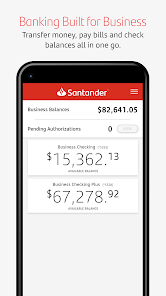
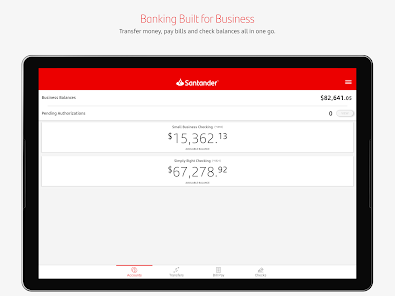
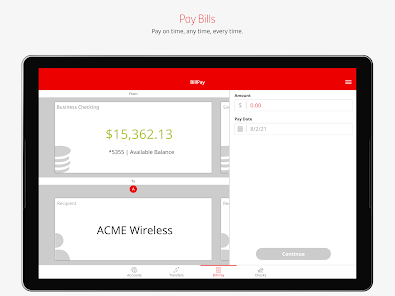
Manage your money anywhere, any time with the Santander Business Banking app. It’s fast, simple, and convenient. You can use the app to check real-time balances, make transfers between your accounts, pay bills, and deposit checks.
The app is free to Santander Bank customers in the United States with a Business Online & Mobile Banking account.
Business banking is better than ever with these enhanced app features:
Account Management
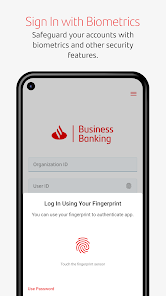
• Log in to the app using your Online Organization ID, User ID, and Password.
• Forgot your Password? No problem: Reset with the app.
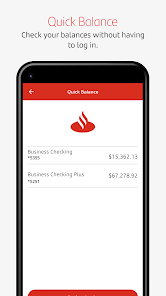
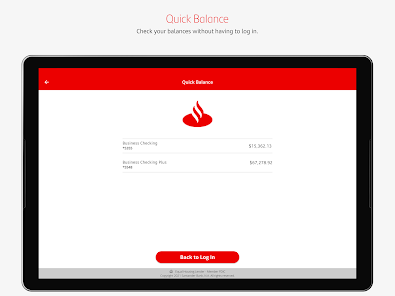
• Check real-time balances without logging in with the Quick Balance feature.
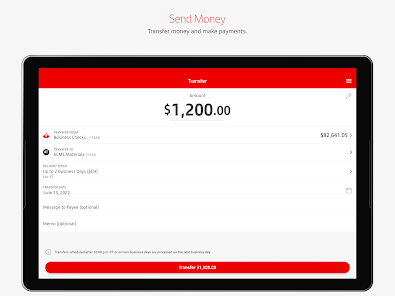
• Make transfers between your business and personal accounts. Restrictions apply. Please see the Digital Banking Agreement for Business Online and Mobile Banking for details.
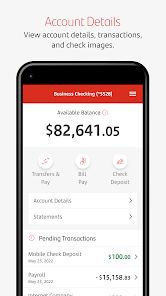
• View recent activity on your business accounts and monthly statements.
• Manage Paperless settings and modify payees.
Stay Secure
• Log in with just your fingerprint or face recognition. If you share your device with others, please note that any fingerprints stored on your device may be used to log in to Santander Business Mobile Banking and access your account.
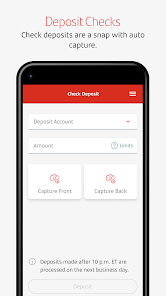
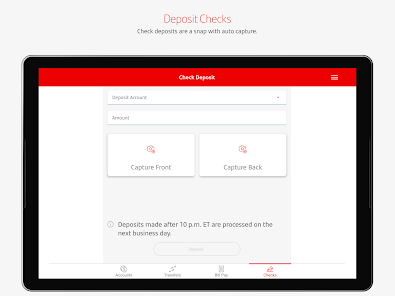
• Deposit checks in a snap, with simplified check deposit flow, camera enhancements, and step-by-step instructions. Mobile deposits are subject to limits and other restrictions. Please see the Digital Banking Agreement for Business Online and Mobile Banking for details.
Pay Bills
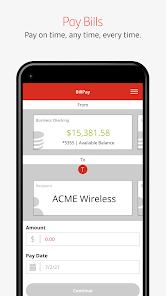
• Schedule and authorize payments.
• Pay eBills.
Contact Us
• Contact Santander Customer Service with one-touch calling.
• Get directions to the nearest Santander branch or ATM.
To use the Business Banking app, you’ll need to enroll first by contacting Santander. Message and data rates may apply.
Santander Bank N.A., Member FDIC
©2022 Santander Bank, N.A. All rights reserved.
Manage your money anywhere, any time with the Santander Business Banking app. It’s fast, simple, and convenient. You can use the app to check real-time balances, make transfers between your accounts, pay bills, and deposit checks.
The app is free to Santander Bank customers in the United States with a Business Online & Mobile Banking account.
Business banking is better than ever with these enhanced app features:
Account Management
• Log in to the app using your Online Organization ID, User ID, and Password.
• Forgot your Password? No problem: Reset with the app.
• Check real-time balances without logging in with the Quick Balance feature.
• Make transfers between your business and personal accounts. Restrictions apply. Please see the Digital Banking Agreement for Business Online and Mobile Banking for details.
• View recent activity on your business accounts and monthly statements.
• Manage Paperless settings and modify payees.
Stay Secure
• Log in with just your fingerprint or face recognition. If you share your device with others, please note that any fingerprints stored on your device may be used to log in to Santander Business Mobile Banking and access your account.
• Deposit checks in a snap, with simplified check deposit flow, camera enhancements, and step-by-step instructions. Mobile deposits are subject to limits and other restrictions. Please see the Digital Banking Agreement for Business Online and Mobile Banking for details.
Pay Bills
• Schedule and authorize payments.
• Pay eBills.
Contact Us
• Contact Santander Customer Service with one-touch calling.
• Get directions to the nearest Santander branch or ATM.
To use the Business Banking app, you’ll need to enroll first by contacting Santander. Message and data rates may apply.
Santander Bank N.A., Member FDIC
©2022 Santander Bank, N.A. All rights reserved.
Updated on
Safety starts with understanding how developers collect and share your data. Data privacy and security practices may vary based on your use, region, and age. The developer provided this information and may update it over time.


Ratings and reviews
3.2
1.06K reviews

Samuel Siegel
- Flag inappropriate
- Show review history
July 14, 2025
It worked before in the past, not so much now. No Internet detected (yet my personal banking is fine), and it keeps trying to do something with fingerprint which barely works on a good day on my phone... What's the point of a business banking app when we have to go into a physical bank (which is out of my way in my area) to get stuff done? FIX IT! Update: 7/14/25 fresh update, same issue.
12 people found this review helpful

Patrick Liska
- Flag inappropriate
July 24, 2025
Agree with @Samuel Siegel, the App used to work, I am getting the same problem he is having saying that the internet is not connecting and always wanting to use Fingerprint. this app is no longer working and is horrible. you would think they would have quality control to make sure what they mess with works after they fool with it.
5 people found this review helpful

Lauryn Casasanta
- Flag inappropriate
August 1, 2025
Never works anymore! The app says I have no internet connection when trying to log in, yet both wireless and mobile data are strong. Wastes a lot of my time.
2 people found this review helpful
What’s new
We’ve made improvements based on your feedback. This version includes:
• Bug fixes and general improvements.
We want to continually improve your Mobile Banking experience. If you have suggestions, please use the feedback option within the main menu in our Mobile Banking App.
• Bug fixes and general improvements.
We want to continually improve your Mobile Banking experience. If you have suggestions, please use the feedback option within the main menu in our Mobile Banking App.
App support
phone
Phone number
+18774953246
About the developer
Santander Bank, N.A.
SBNAMobileApps@santander.us
75 State St
Boston, MA 02109-1827
United States
+1 508-488-9709


