Microsoft To Do: Lists & Tasks

4.7star
373K reviews
10M+
Downloads

Everyone
info




About this app
Microsoft To Do is a task management app to help you stay organized and manage your day-to-day. You can use Microsoft To Do to make shopping lists or task lists, take notes, record collections, plan an event, or set reminders to increase your productivity and focus on what matters to you. Microsoft To Do makes it easy to stay organized and manage your life.
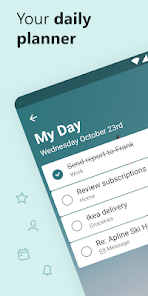
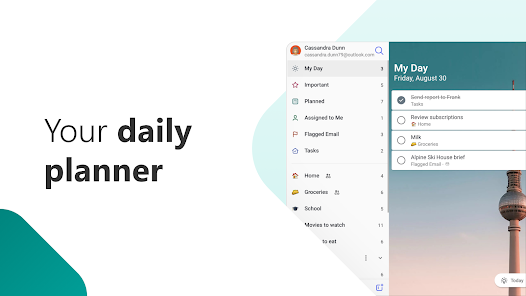
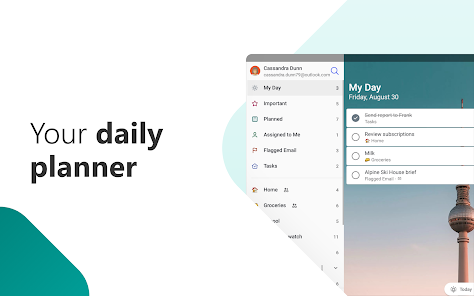
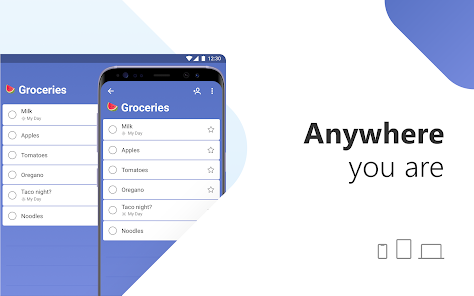
Accomplish what's meaningful and important to you each day with My Day and Suggestions, your personalized daily planner tools. Intelligent suggestions recommend tasks from across your lists that may be relevant for the day. From grocery lists to housecleaning routines, daily tasks are simple with To Do. When you're quickly switching between contexts and tasks, it's important to have tools that help you achieve what matters. Microsoft To Do helps you quickly capture and retrieve your lists and tasks across devices and between multiple accounts.
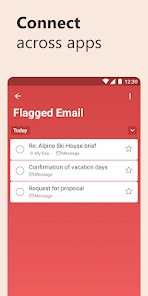
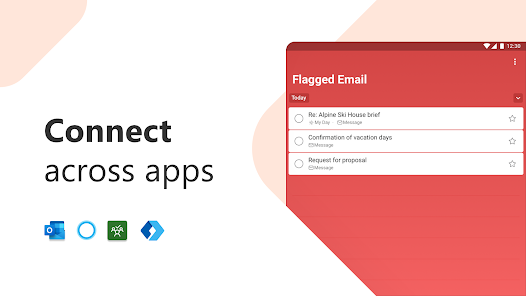
Capture tasks from different Microsoft apps and services and sync them with Microsoft To Do. Flag emails as tasks in Outlook or any email account hosted by Microsoft, add to lists with Cortana, and see tasks assigned to you from Microsoft Planner. Get peace of mind knowing that your tasks and lists are hosted on the Microsoft 365 service – one of the most reliable services with industry-leading security offerings.
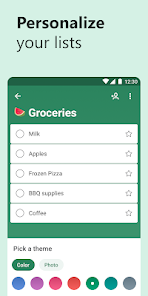
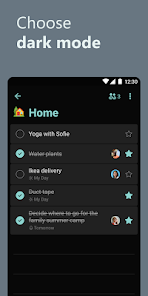
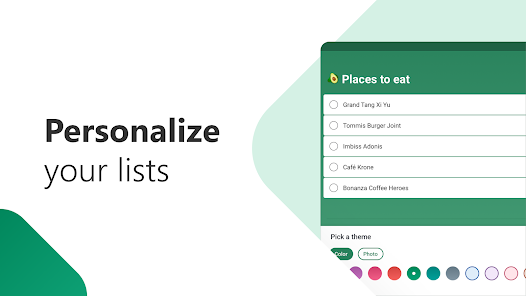
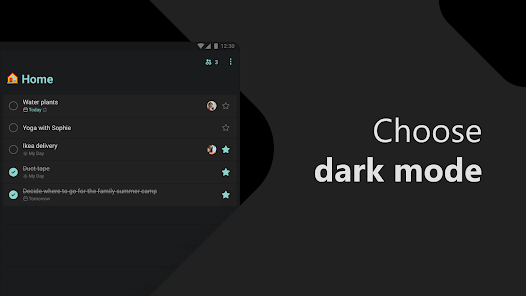
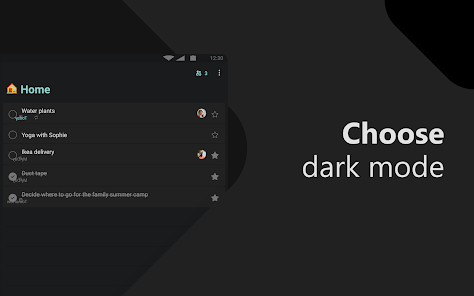
Microsoft To Do’s modern, easy-to-use experience makes your lists unique, with customizable features like emoji in lists, colorful themes, dark mode, and more. Plus, shared lists help you stay connected and collaborate with family, friends, and colleagues.
Microsoft To Do features:
Daily planner
• A daily planner personalized with suggested tasks: My Day
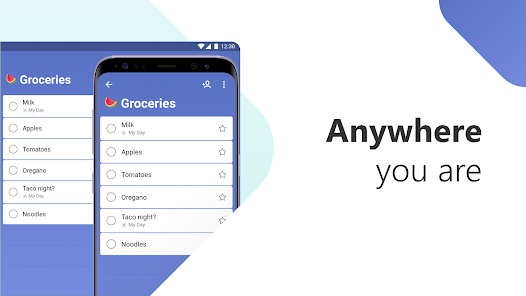
• To do lists are accessible anywhere, on any device
• Share lists and assign tasks with your friends, family, colleagues, and classmates
• Task management features break your tasks into manageable steps
• Take notes to add to any task
• Group lists together by topic or project
Task manager
• Add reminders, tasks and lists with the To Do widget
• Daily organizer personalized with bold and colorful backgrounds
• Reminders with one-time or recurring due dates
• Make task lists and switch between school, work, and personal lists
• Attach up to 25 MB of files to any task
To Do lists for any purpose
• Bill planner
• Shopping list
• Reminders
• Task management
• Take notes
• And more
Office 365 integration
• Sync reminders and task lists between Outlook and To Do
• Lists and tasks are hosted with the security of Microsoft 365
• Task lists are compiled from the apps and services across Microsoft 365
• Add multiple Microsoft accounts
Microsoft To Do helps you organize and simplify your plans, whether it's for work, school, or home.
To Do is free and available across the web and iOS, Mac, Android, and Windows devices.
Learn more: https://to-do.microsoft.com
Follow us on Twitter: @MicrosoftToDo
Need support? https://todosupport.microsoft.com/support?product_id=todo
By installing Microsoft To Do, you agree to the Microsoft Terms of Use: https://go.microsoft.com/fwlink/?linkid=842575
Accomplish what's meaningful and important to you each day with My Day and Suggestions, your personalized daily planner tools. Intelligent suggestions recommend tasks from across your lists that may be relevant for the day. From grocery lists to housecleaning routines, daily tasks are simple with To Do. When you're quickly switching between contexts and tasks, it's important to have tools that help you achieve what matters. Microsoft To Do helps you quickly capture and retrieve your lists and tasks across devices and between multiple accounts.
Capture tasks from different Microsoft apps and services and sync them with Microsoft To Do. Flag emails as tasks in Outlook or any email account hosted by Microsoft, add to lists with Cortana, and see tasks assigned to you from Microsoft Planner. Get peace of mind knowing that your tasks and lists are hosted on the Microsoft 365 service – one of the most reliable services with industry-leading security offerings.
Microsoft To Do’s modern, easy-to-use experience makes your lists unique, with customizable features like emoji in lists, colorful themes, dark mode, and more. Plus, shared lists help you stay connected and collaborate with family, friends, and colleagues.
Microsoft To Do features:
Daily planner
• A daily planner personalized with suggested tasks: My Day
• To do lists are accessible anywhere, on any device
• Share lists and assign tasks with your friends, family, colleagues, and classmates
• Task management features break your tasks into manageable steps
• Take notes to add to any task
• Group lists together by topic or project
Task manager
• Add reminders, tasks and lists with the To Do widget
• Daily organizer personalized with bold and colorful backgrounds
• Reminders with one-time or recurring due dates
• Make task lists and switch between school, work, and personal lists
• Attach up to 25 MB of files to any task
To Do lists for any purpose
• Bill planner
• Shopping list
• Reminders
• Task management
• Take notes
• And more
Office 365 integration
• Sync reminders and task lists between Outlook and To Do
• Lists and tasks are hosted with the security of Microsoft 365
• Task lists are compiled from the apps and services across Microsoft 365
• Add multiple Microsoft accounts
Microsoft To Do helps you organize and simplify your plans, whether it's for work, school, or home.
To Do is free and available across the web and iOS, Mac, Android, and Windows devices.
Learn more: https://to-do.microsoft.com
Follow us on Twitter: @MicrosoftToDo
Need support? https://todosupport.microsoft.com/support?product_id=todo
By installing Microsoft To Do, you agree to the Microsoft Terms of Use: https://go.microsoft.com/fwlink/?linkid=842575
Updated on
Safety starts with understanding how developers collect and share your data. Data privacy and security practices may vary based on your use, region, and age. The developer provided this information and may update it over time.

No data shared with third parties
Learn more about how developers declare sharing

This app may collect these data types
Location, Personal info and 5 others

Data is encrypted in transit

You can request that data be deleted
Ratings and reviews
4.7
359K reviews

Becca L
- Flag inappropriate
July 18, 2024
Wonderful app for organizing my family's schedule and appointments. Easy to add multiple family members and start several calendars at once. The app sends notifications for all events to your phone. This app is great for scheduling recurring events easily and quickly. The free version has minimal ads that don't affect functionality. Easy to add different colors for multiple events on the same date for easy readability. 10/10!!!
1 person found this review helpful

Randy Koppenhaver
- Flag inappropriate
- Show review history
May 31, 2024
I loved this app. Until today... I have the widget on my home screen with my task list. Suddenly today, as I added items to my list, they don't show up on the widget. So I need an app that shows my task list on my home screen. Update: still having issues with the widget. All of sudden it says, "loading" and the only way to resolve it is to remove and re-add it. Frustrating!
51 people found this review helpful

Alicorn Queen
- Flag inappropriate
- Show review history
June 22, 2024
I've gone through almost all of the chore apps looking for something to organize my schedule without taking up too much space on my phone. I was glad when I finally tried this. I think the only improvement I would suggest is the ability to customize notification tones I'm only adding 1 thing to improve. It would be nice to be able to view all of my lists in calendar view to avoid an overlap in task times.
33 people found this review helpful
What's new
We fixed some bugs to improve the app experience.


