MyNISSAN®
4.6star
11.3K reviews
100K+
Downloads

Everyone
info



About this app
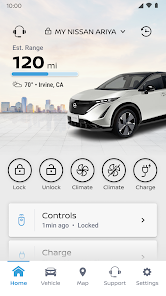
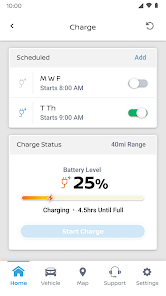
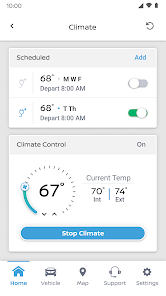
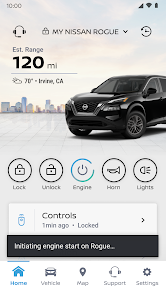
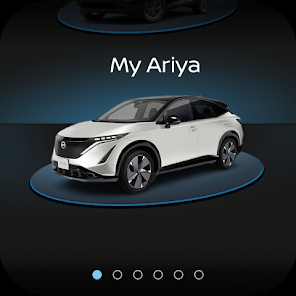
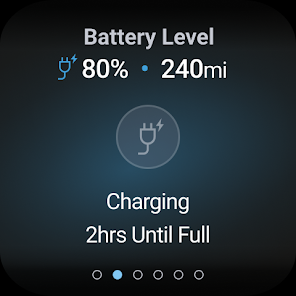
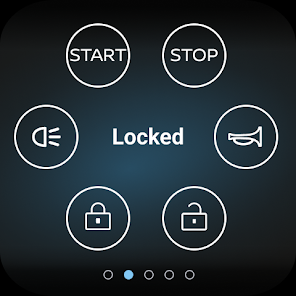
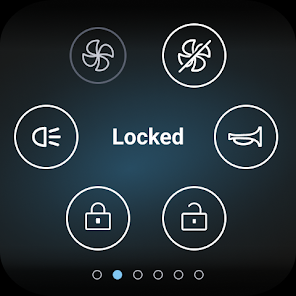
The MyNISSAN App is designed to help you get the most out of your vehicle and overall ownership experience. It brings remote access, security, personalization, vehicle information, maintenance, and convenience features from your Nissan to your compatible Android phone or Wear OS.
The MyNISSAN App is available for use by all Nissan owners, though the experience has been optimized for vehicles 2014 and later. The complete MyNISSAN experience is available for owners with an active NissanConnect® Services Premium package, on select models 2018 and newer.* For a complete list of available features for your specific vehicle, visit owners.nissanusa.com
The following MyNISSAN features are available to all Nissan owners and vehicles:
• Manage your Nissan account and preferences
• Make a service appointment with your preferred retailer****
• Receive notifications for applicable vehicle recalls or service campaigns
• View your vehicle’s service history and maintenance schedule
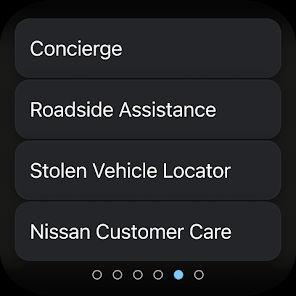
• Connect to Roadside Assistance
With a compatible vehicle, you can:
• Remotely start and stop your vehicle**, lock and unlock vehicle doors, and activate horn and lights
• Search for, save and send points of interest to your vehicle
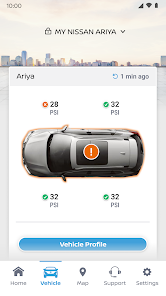
• Check vehicle status (doors, engine, mileage, remaining fuel range, tire pressure, oil pressure, airbags, brakes)
• Locate your vehicle
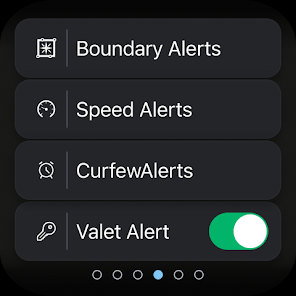
• Keep tabs on your vehicle with customizable boundary, speed and curfew alerts***
Vehicle trims with Google built-in** have additional accessibility, including:
• Remote vehicle climate adjustment
• Remote engine start
• Receive notifications if you’ve left your vehicle with doors unlocked, windows cracked, and more
• Connect with your automotive repair shop to receive real-time updates
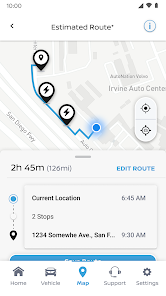
• Simplify your trip with data-based route planning
• Receive alerts ahead of time if vehicle maintenance is coming due
• Add up to four additional drivers on one Nissan ID account
For important safety information, system limitations, and additional operating and feature information, see dealer, owner’s manual, or www.nissanusa.com/connect/privacy.
*The NissanConnect Services telematics program was affected by AT&T’s decision to discontinue its 3G cellular network. As of February 22, 2022, all Nissan vehicles equipped with telematics hardware compatible for use with the 3G cellular network will be unable to connect to the 3G network and unable to access the NissanConnect Services features. Customers having purchased a Nissan vehicle with this type of hardware must have enrolled in NissanConnect Services prior to June 1, 2021, to activate the service to have received access through February 22, 2022 (access is subject to cellular network availability and coverage limitations). For more information, please visit http://www.nissanusa.com/connect/support-faqs.
**Feature availability varies by vehicle model year, model, trim level, packaging and options. Consumer activation of NissanConnect Services SELECT package ("Package") required. Package trial period included with eligible new vehicle purchase or lease. Trial period may be subject to change or termination at any time and without notice. After trial period ends, monthly subscription fee required. Driving is serious business and requires your full attention. Only use features when safe and legal to do so. Never program while driving. GPS mapping may not be detailed in all areas or reflect current road status. Connectivity service required. App subscriptions may be required. Data rates may apply. Subject to third party service availability. Should such service providers terminate or restrict service or features, service or features may be suspended or terminated without notice or with no liability to NISSAN or its partners or agents. Google, Google Play and Google Maps are trademarks of Google LLC. For more information, see www.nissanusa.com/connect/legal.
The MyNISSAN App is available for use by all Nissan owners, though the experience has been optimized for vehicles 2014 and later. The complete MyNISSAN experience is available for owners with an active NissanConnect® Services Premium package, on select models 2018 and newer.* For a complete list of available features for your specific vehicle, visit owners.nissanusa.com
The following MyNISSAN features are available to all Nissan owners and vehicles:
• Manage your Nissan account and preferences
• Make a service appointment with your preferred retailer****
• Receive notifications for applicable vehicle recalls or service campaigns
• View your vehicle’s service history and maintenance schedule
• Connect to Roadside Assistance
With a compatible vehicle, you can:
• Remotely start and stop your vehicle**, lock and unlock vehicle doors, and activate horn and lights
• Search for, save and send points of interest to your vehicle
• Check vehicle status (doors, engine, mileage, remaining fuel range, tire pressure, oil pressure, airbags, brakes)
• Locate your vehicle
• Keep tabs on your vehicle with customizable boundary, speed and curfew alerts***
Vehicle trims with Google built-in** have additional accessibility, including:
• Remote vehicle climate adjustment
• Remote engine start
• Receive notifications if you’ve left your vehicle with doors unlocked, windows cracked, and more
• Connect with your automotive repair shop to receive real-time updates
• Simplify your trip with data-based route planning
• Receive alerts ahead of time if vehicle maintenance is coming due
• Add up to four additional drivers on one Nissan ID account
For important safety information, system limitations, and additional operating and feature information, see dealer, owner’s manual, or www.nissanusa.com/connect/privacy.
*The NissanConnect Services telematics program was affected by AT&T’s decision to discontinue its 3G cellular network. As of February 22, 2022, all Nissan vehicles equipped with telematics hardware compatible for use with the 3G cellular network will be unable to connect to the 3G network and unable to access the NissanConnect Services features. Customers having purchased a Nissan vehicle with this type of hardware must have enrolled in NissanConnect Services prior to June 1, 2021, to activate the service to have received access through February 22, 2022 (access is subject to cellular network availability and coverage limitations). For more information, please visit http://www.nissanusa.com/connect/support-faqs.
**Feature availability varies by vehicle model year, model, trim level, packaging and options. Consumer activation of NissanConnect Services SELECT package ("Package") required. Package trial period included with eligible new vehicle purchase or lease. Trial period may be subject to change or termination at any time and without notice. After trial period ends, monthly subscription fee required. Driving is serious business and requires your full attention. Only use features when safe and legal to do so. Never program while driving. GPS mapping may not be detailed in all areas or reflect current road status. Connectivity service required. App subscriptions may be required. Data rates may apply. Subject to third party service availability. Should such service providers terminate or restrict service or features, service or features may be suspended or terminated without notice or with no liability to NISSAN or its partners or agents. Google, Google Play and Google Maps are trademarks of Google LLC. For more information, see www.nissanusa.com/connect/legal.
Updated on
Safety starts with understanding how developers collect and share your data. Data privacy and security practices may vary based on your use, region, and age. The developer provided this information and may update it over time.


Ratings and reviews
4.6
11K reviews

Mark C.
- Flag inappropriate
July 19, 2024
Garbage. App is extremely slow and often out of sync. If somehow it gets synced, all data displayed are incorrect/inaccurate. Example: app displays driving range too low for the current state of charge like 65miles at 70% or shows decreasing range with each refresh while vehicle is charging, which is not possible as vehicle is not moving.
1 person found this review helpful
Nissan North America, Inc.
July 19, 2024
Thank you for your feedback. If you are in need of support, please reach out to MyNISSAN App Support by dialing (844) 908-0077 Monday through Friday 8:00 a.m. to 7:00 p.m. CST. This team can also be reached via text at (615) 675-9338. Please be sure to have your 17-digit VIN available to share as that will be necessary to further assist you.

gatts br
- Flag inappropriate
- Show review history
June 26, 2024
All of the data presented in this app is incorrect. Wrong mileage, wrong fuel level. This app will share your contact info with AT&T so they can offer to active your wifi hotspot trial, regardless of how long you've had the vehicle, and how many times you've unsubscribed, and have also opted out via Nissan. This app does not save nor respect the settings you put in for the marking option. Despite having all marketing preferences disabled, app advertising though on device notifications.
9 people found this review helpful
Nissan North America, Inc.
April 5, 2023
Thank you for your feedback. For support regarding your concerns, please reach out to MyNISSAN App Support by dialing (855) 426-6628 Monday through Friday 8:00 a.m. to 7:00 p.m. CST. This team can also be reached via text (615) 675-9338. Please be sure to have your 17-digit VIN available to share as that will be necessary to further assist you.

Craig Moore
- Flag inappropriate
July 13, 2024
It's a nice app when it works. Very inconsistent and slow. More than half the time it won't start the climate control or lock/unlock the doors. And trying to schedule charging on my EV is also inconsistent. These are basically the main reasons to even have the app. Nissan needs to do better.
2 people found this review helpful
Nissan North America, Inc.
July 15, 2024
Thank you for your feedback. For support regarding your concerns, please reach out to MyNISSAN App Support by dialing (844) 908-0077 Monday through Friday 8:00 a.m. to 7:00 p.m. CST. This team can also be reached via text at (615) 675-9338. Please be sure to have your 17-digit VIN available to share as that will be necessary to further assist you.
What's new
- Bug fixes and performance improvements


