
Google Messages
4.4star
41.3M reviews

Everyone
info
10B+
Downloads



About this app
Google Messages is the official Google app for messaging. Google Messages is revolutionizing how a billion users connect and is powered by Rich Communication Services (RCS), the industry standard for texting that replaces SMS and MMS. With RCS, you can share high resolution photos and videos, enjoy dynamic group chats, and seamlessly connect with other RCS users including your iPhone friends.
• Rich Communication: Share high-quality photos and videos, see when friends are typing, and enjoy dynamic group chats that now seamlessly include your iPhone friends.
• Personal Touch: Make conversations uniquely yours with features like custom chat bubble colors or fun selfie gifs.
• Privacy Matters: Rest easy knowing your personal chats are protected with end-to-end encryption between Google Messages users, so no one (including Google and third parties) can read or view your messages and attachments except the person you’re messaging. Plus, enjoy advanced spam protection.
• AI-Powered Messaging: Craft the perfect message with Magic Compose suggestions and our latest AI features.
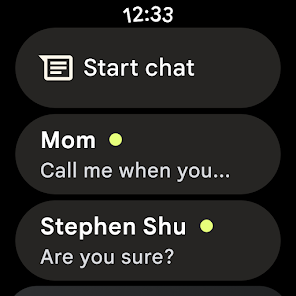
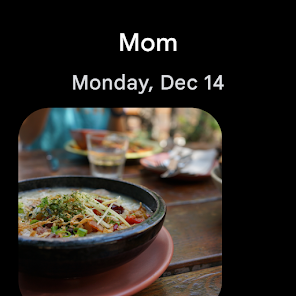
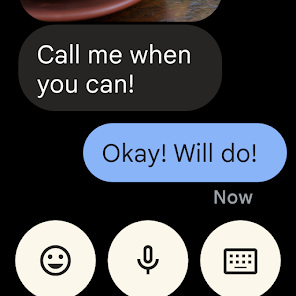
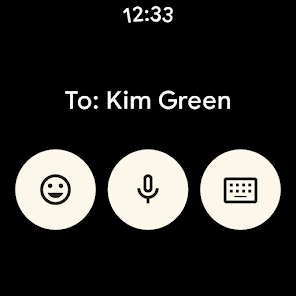
• Seamless Across Devices: Start a chat on your phone and continue it effortlessly on your tablet or computer. The app is also available on Wear OS.
Google Messages is more than just messaging; it's a richer, safer, and more expressive way to connect.
App is also available on Wear OS. Availability of RCS varies by region and carrier and a data plan may be required. Availability of features varies by market and device and sign up for beta testing may be required.
• Rich Communication: Share high-quality photos and videos, see when friends are typing, and enjoy dynamic group chats that now seamlessly include your iPhone friends.
• Personal Touch: Make conversations uniquely yours with features like custom chat bubble colors or fun selfie gifs.
• Privacy Matters: Rest easy knowing your personal chats are protected with end-to-end encryption between Google Messages users, so no one (including Google and third parties) can read or view your messages and attachments except the person you’re messaging. Plus, enjoy advanced spam protection.
• AI-Powered Messaging: Craft the perfect message with Magic Compose suggestions and our latest AI features.
• Seamless Across Devices: Start a chat on your phone and continue it effortlessly on your tablet or computer. The app is also available on Wear OS.
Google Messages is more than just messaging; it's a richer, safer, and more expressive way to connect.
App is also available on Wear OS. Availability of RCS varies by region and carrier and a data plan may be required. Availability of features varies by market and device and sign up for beta testing may be required.
Updated on
Safety starts with understanding how developers collect and share your data. Data privacy and security practices may vary based on your use, region, and age. The developer provided this information and may update it over time.


Ratings and reviews
4.4
40.9M reviews

Courtney Allison
- Flag inappropriate
- Show review history
April 21, 2026
I had to switch to this from Samsung messages. Now, there is a big lag in the text I receive. I'll get the notification, but when I open my message, it takes a few seconds for the text to pop up, or I have to open the text thread from the person to see the actual text. I have tried to fix it through all of the settings. The only way I can get it to work well is to turn off RCS and obviously I can't do that or several other things won't work correctly. Edit: Suggestion made it worse
4 people found this review helpful
Google LLC
April 17, 2026
Hi Allison. Can you try to uninstall and reinstall the Google Messages app itself? To do so, open the Play Store app. Search "Google Messages.” Tap Uninstall and then Reinstall or Update.

Cici Cruces
- Flag inappropriate
- Show review history
April 11, 2026
Just switched phones and I cannot get the RCS to work. I've tried all the steps and tricks. Not sure what to do, but I'm not getting any messages. This app needs work, especially if it's going to be the only one we can use in the near future. Edit to reply to response - I've done all of the troubleshooting. I also send feedback about 3 times. Haven't gotten any response or fixes.
8 people found this review helpful
Google LLC
April 11, 2026
Hi Cici. To solve the most common issues, check our troubleshooting article: https://goo.gle/2OryNHm. If you still experience issues, please send feedback in the Google Messages app. At the top right, tap Profile picture or Initial and then Help & feedback and then Send feedback.

Jessica Langston
- Flag inappropriate
April 14, 2026
I had to change my texts to the Messages App and it's not as versatile as the other app I used. I can't assigned background images to each chat. I can only change the text bubble colors and even that is limited to only a handful of choices. I can't make the font size smaller either. That's super lame for an app I'm being required to use.
7 people found this review helpful
Google LLC
April 15, 2026
Hi, Jessica. We're sorry to hear that. We'll pass this along to the team so they can use your feedback to make Google Messages even better. To send feedback, at the top right, tap Profile picture or Initial and then Help & feedback and then Send feedback. Thanks.
What’s new
• Bug fixes and stability improvements.
App support
About the developer
Google LLC
support@google.com
1600 Amphitheatre Pkwy
Mountain View, CA 94043
United States
+1 650-253-0000


