Gboard - the Google Keyboard
4.5star
18.6M reviews

PEGI 3
info
10B+
Downloads

PEGI 3
Learn more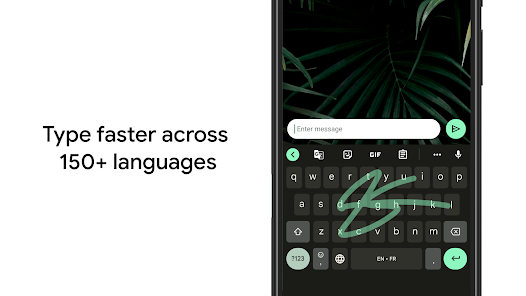




About this app
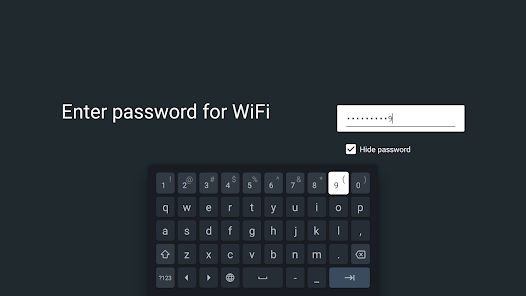
Gboard has everything you love about Google Keyboard—speed and reliability, Glide Typing, voice typing, Handwriting, and more
Glide Typing — Type faster by sliding your finger from letter to letter
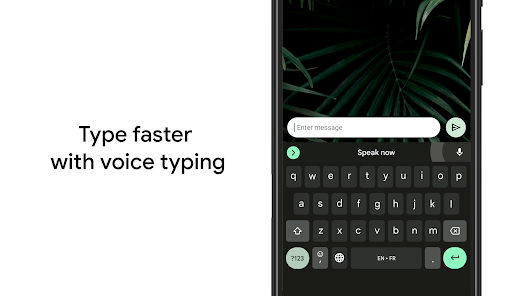
Voice typing — Easily dictate text on the go
Handwriting* — Write in cursive and printed letters
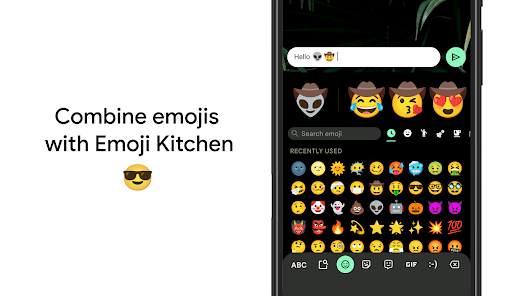
Emoji Search* — Find that emoji, faster
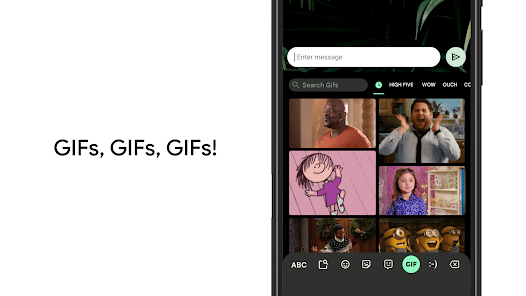
GIFs* — Search and share GIFs for the perfect reaction.
Multilingual typing — No more switching between languages manually. Gboard will autocorrect and suggest from any of your enabled languages.
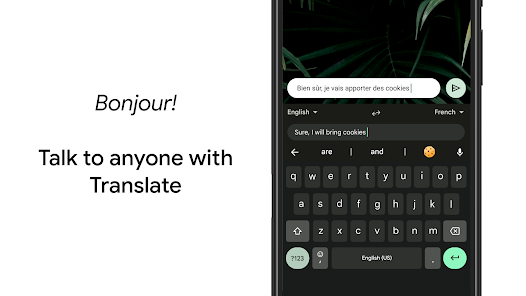
Google Translate — Translate as you type in the keyboard
* Not supported on Android Go devices
Hundreds of language varieties, including:
Afrikaans, Amharic, Arabic, Assamese, Azerbaijani, Bavarian, Bengali, Bhojpuri, Burmese, Cebuano, Chhattisgarhi, Chinese (Mandarin, Cantonese, and others), Chittagonian, Czech, Deccan, Dutch, English, Filipino, French, German, Greek, Gujarati, Hausa, Hindi, Igbo, Indonesian, Italian, Japanese, Javanese, Kannada, Khmer, Korean, Kurdish, Magahi, Maithili, Malay, Malayalam, Marathi, Nepali, Northern Sotho, Odia, Pashto, Persian, Polish, Portuguese, Punjabi, Romanian, Russian, Saraiki, Sindhi, Sinhala, Somali, Southern Sotho, Spanish, Sundanese, Swahili, Tamil, Telugu, Thai, Tswana, Turkish, Ukrainian, Urdu, Uzbek, Vietnamese, Xhosa, Yoruba, Zulu, and many more! Visit https://goo.gl/fMQ85U for the full list of languages supported
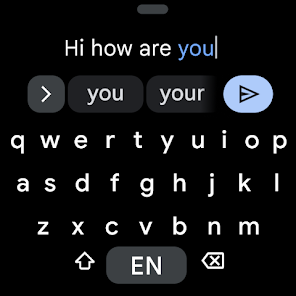
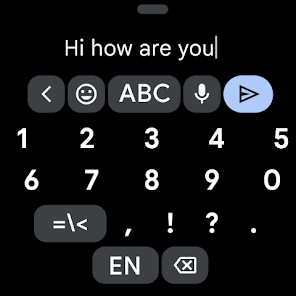
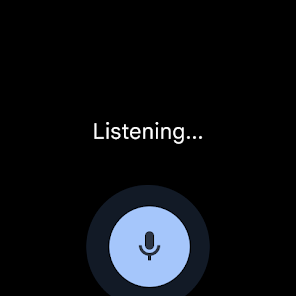
Wear OS support: Everything you love about the Google Keyboard now available on your watch—speed and reliability, Glide Typing, Voice Typing, and more
Glide Typing — Type faster by sliding your finger from letter to letter
Voice Typing — Easily dictate text on the go
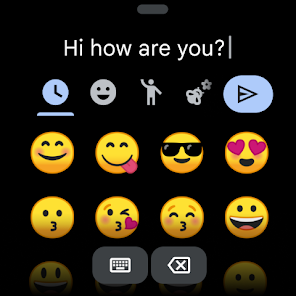
Emoji Typing — Find your favorite emojis on your wrist
All Wear OS languages supported, including:
Chinese (Mandarin, Cantonese, and others), Czech, Danish, Dutch, English, Finnish, French, German, Hindi, Indonesian, Italian, Korean, Norwegian, Polish, Portuguese, Russian, Spanish, Swedish, Thai, Turkish, Vietnamese, and many more!
Pro tips:
• Gesture cursor control: Slide your finger across the space bar to move the cursor
• Gesture delete: Slide left from the delete key to quickly delete multiple words
• Make the number row always available (enable in Settings → Preferences → Number Row)
• Symbols hints: Show quick hints on your keys to access symbols with a long press (enable in Settings → Preferences → Long press for symbols)
• One handed mode: On large screen phones, pin keyboard to the left or the right of the screen
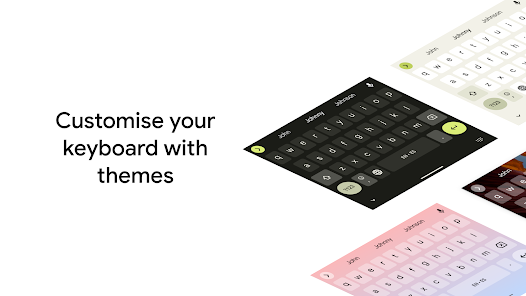
• Themes: Choose your own theme, with or without key borders
Glide Typing — Type faster by sliding your finger from letter to letter
Voice typing — Easily dictate text on the go
Handwriting* — Write in cursive and printed letters
Emoji Search* — Find that emoji, faster
GIFs* — Search and share GIFs for the perfect reaction.
Multilingual typing — No more switching between languages manually. Gboard will autocorrect and suggest from any of your enabled languages.
Google Translate — Translate as you type in the keyboard
* Not supported on Android Go devices
Hundreds of language varieties, including:
Afrikaans, Amharic, Arabic, Assamese, Azerbaijani, Bavarian, Bengali, Bhojpuri, Burmese, Cebuano, Chhattisgarhi, Chinese (Mandarin, Cantonese, and others), Chittagonian, Czech, Deccan, Dutch, English, Filipino, French, German, Greek, Gujarati, Hausa, Hindi, Igbo, Indonesian, Italian, Japanese, Javanese, Kannada, Khmer, Korean, Kurdish, Magahi, Maithili, Malay, Malayalam, Marathi, Nepali, Northern Sotho, Odia, Pashto, Persian, Polish, Portuguese, Punjabi, Romanian, Russian, Saraiki, Sindhi, Sinhala, Somali, Southern Sotho, Spanish, Sundanese, Swahili, Tamil, Telugu, Thai, Tswana, Turkish, Ukrainian, Urdu, Uzbek, Vietnamese, Xhosa, Yoruba, Zulu, and many more! Visit https://goo.gl/fMQ85U for the full list of languages supported
Wear OS support: Everything you love about the Google Keyboard now available on your watch—speed and reliability, Glide Typing, Voice Typing, and more
Glide Typing — Type faster by sliding your finger from letter to letter
Voice Typing — Easily dictate text on the go
Emoji Typing — Find your favorite emojis on your wrist
All Wear OS languages supported, including:
Chinese (Mandarin, Cantonese, and others), Czech, Danish, Dutch, English, Finnish, French, German, Hindi, Indonesian, Italian, Korean, Norwegian, Polish, Portuguese, Russian, Spanish, Swedish, Thai, Turkish, Vietnamese, and many more!
Pro tips:
• Gesture cursor control: Slide your finger across the space bar to move the cursor
• Gesture delete: Slide left from the delete key to quickly delete multiple words
• Make the number row always available (enable in Settings → Preferences → Number Row)
• Symbols hints: Show quick hints on your keys to access symbols with a long press (enable in Settings → Preferences → Long press for symbols)
• One handed mode: On large screen phones, pin keyboard to the left or the right of the screen
• Themes: Choose your own theme, with or without key borders
Updated on
Safety starts with understanding how developers collect and share your data. Data privacy and security practices may vary based on your use, region, and age. The developer provided this information and may update it over time.

No data shared with third parties
Learn more about how developers declare sharing

This app may collect these data types
Audio, App activity and 2 others

Data is encrypted in transit

Data can’t be deleted

Independent security review
Ratings and reviews
4.5
18.1M reviews

Brian McCorkell
- Flag inappropriate
April 28, 2026
Gboard is very good, however it does have some frustrations especially when voice typing. For instance, I've just had to change that word frustrations from the word situations that it automatically put in without my consent or knowledge. At other times the punctuation is not as I would expect. I don't expect a full stop to go before someone's name when I am communicating with them. eg: " ...that's the end. Charlie" I expect the comma before and the full stop after the name.
9 people found this review helpful

Dee Johnson
- Flag inappropriate
April 23, 2026
The latest update has caused the cursor to select a batch of text and it can't be undone. So when I go to add it change something in what's been written, as I click on the space where I want to type, it will only select text, I can't type because it will erase the selection. Very frustrating. It also no longer auto capitalises the start of a sentence. Please fix it!
14 people found this review helpful
Google LLC
April 23, 2026
Hi Dee. Our product team appreciates feedback directly from users! You can submit your feedback in the Gboard Settings > Help & Feedback > Send Feedback. Thanks!

MDP
- Flag inappropriate
- Show review history
March 7, 2026
I have used this app for many years. I use Google voice for typing my messages, emails & notes all the time. UNFORTUNATELY the last couple of updates have taken it backwards again, at least for me. It is not picking up my words very well at all & it capitalizes random words in the middle of a sentence. It was very familiar with my voice before the last 2 updates, now it types words that don't even sound like what I'm trying to say. I've done the troubleshooting, no chance. Please fix🙏 Thx!
470 people found this review helpful
Google LLC
March 7, 2026
Hi there, having trouble with Gboard's voice typing accuracy or the microphone? Try re-enabling voice input in Gboard Settings > Voice typing. To learn more about voice typing, visit goo.gle/3IYjLHD. Thanks.
PEGI 3
Learn moreApp support
About the developer
Google LLC
support@google.com
1600 Amphitheatre Pkwy
Mountain View, CA 94043
United States
+1 650-253-0000


