
Google Play Books & Audiobooks
In-app purchases

star
3.2M reviews

Teen
info
1B+
Downloads


About this app
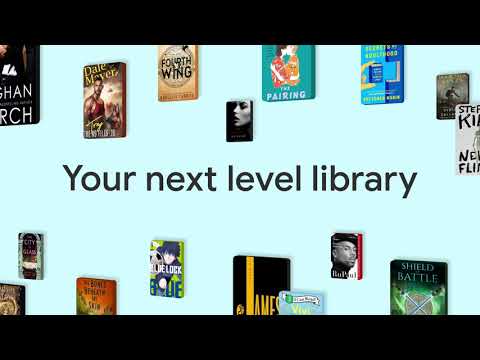
Dive into a world of stories with Google Play Books! Explore millions of ebooks, audiobooks, comics, and manga — all in one app.
Key Features:
• Your library, anywhere: Enjoy books on your phone, tablet, computer, or even in your car with Android Auto. Plus, you can download books to read offline.
• Earn Google Play Points: Get rewarded with Play Points when you purchase books. Note: Play Points availability, award levels, and multiplier rates differ by country. Play Points isn’t available in all countries.
• Organize with shelves: Personalize your digital library with custom shelves to categorize your books by genre, author, or any theme you’d like.
• Smart notes: Jot down notes that sync with your Google Drive and can be shared for easy collaboration.
• No subscription needed: Buy only the books you want, when you want them.
• Kid–friendly reading tools: Let kids explore word definitions and listen to books aloud. Note: Reading practice tools are available in English only.
• Immersive comics: Experience Bubble Zoom for a specialized comic and manga reading experience.
• Preview before you buy: Check out samples to make sure it’s the perfect book for you.
• Hands–free reading: Control your audiobook with your voice using Google Assistant.
• Read your way: Customize your reading experience by adjusting the font, text size, brightness, and more.
Millions of stories await on Google Play Books! Download now and start reading.
Key Features:
• Your library, anywhere: Enjoy books on your phone, tablet, computer, or even in your car with Android Auto. Plus, you can download books to read offline.
• Earn Google Play Points: Get rewarded with Play Points when you purchase books. Note: Play Points availability, award levels, and multiplier rates differ by country. Play Points isn’t available in all countries.
• Organize with shelves: Personalize your digital library with custom shelves to categorize your books by genre, author, or any theme you’d like.
• Smart notes: Jot down notes that sync with your Google Drive and can be shared for easy collaboration.
• No subscription needed: Buy only the books you want, when you want them.
• Kid–friendly reading tools: Let kids explore word definitions and listen to books aloud. Note: Reading practice tools are available in English only.
• Immersive comics: Experience Bubble Zoom for a specialized comic and manga reading experience.
• Preview before you buy: Check out samples to make sure it’s the perfect book for you.
• Hands–free reading: Control your audiobook with your voice using Google Assistant.
• Read your way: Customize your reading experience by adjusting the font, text size, brightness, and more.
Millions of stories await on Google Play Books! Download now and start reading.
All the books you love. On the page or out loud. Anywhere you are.
Updated on
Featured stories


Safety starts with understanding how developers collect and share your data. Data privacy and security practices may vary based on your use, region, and age. The developer provided this information and may update it over time.
- No data shared with third partiesLearn more about how developers declare sharing
- This app may collect these data typesPersonal info, Financial info and 5 others
- Data is encrypted in transit
- You can request that data be deleted
- Independent security review


Ratings and reviews
2.85M reviews

John Giller Jr.
- Flag inappropriate
July 27, 2026
I highly value books, whether they are physical copies or digital, but while reading books over time I had come to the conclusion that I only have so much room for storing books 📚. When a person enjoys reading such a broad range of literary efforts, it's very important to have a place to keep them. So I'm grateful that I have this app, of all of the different things I could do in this existence, I consider reading to be a vital part of not only my continued learning, it's also very enjoyable🙏.
1 person found this review helpful

Keith Shaw II
- Flag inappropriate
June 28, 2026
I was getting back into an old series favorite so I wanted to read some old ebooks I had purchased as a refresher, but they're suddenly "not available in my region," and there doesn't seem to be a way to switch to the version that IS available in my region without paying for those books a second time. Other than that, I have no issues, but I lost a solid portion of older books that I purchased.
13 people found this review helpful
Google LLC
June 28, 2026
Hi Keith. Our product team greatly appreciates feature suggestions. You can submit it via: The Play Books app > Profile Icon > Help & Feedback. Appreciate it.

Jim Tolbert
- Flag inappropriate
July 17, 2026
this app simply does not work on Windows based readers/pcs!! Rather worthless. Google simply does not want to service the share of the market that reads books on a PC or a Microsoft Surface (really a great device). I recommend NOT starting your library in Google Books uless you only want to read books on your phone. Ugh, who wants to only read books on the small surface of a phone. Dah. Signed... An extremely frustrated Google user.
6 people found this review helpful
What’s new
New in version 2025.1.10
• Improved ease-of-use in ebook text selection menu
Check out these features
• Upload EPUB and PDF files and read them on all of your devices
• Download purchased ebooks and audiobooks (DRM-free if allowed by the publisher) to read on other devices such as Nook, Sony Reader, Kobo
• Improved ease-of-use in ebook text selection menu
Check out these features
• Upload EPUB and PDF files and read them on all of your devices
• Download purchased ebooks and audiobooks (DRM-free if allowed by the publisher) to read on other devices such as Nook, Sony Reader, Kobo
App support
About the developer
Google LLC
support@google.com
1600 Amphitheatre Pkwy
Mountain View, CA 94043
United States
+1 650-253-0000


