Speech Recognition & Synthesis
3.9star
리뷰 417만개
100억+
다운로드

전체이용가
info

앱 정보
Power your device with the magic of Google’s text-to-speech and speech-to-text technology. Google Speech-to-Text functionality
Speech Recognition provides speech-to-text functionality to Google and other third party apps to convert what you say to text. For example, it can be used by:
• Google Maps when you use your voice to search places
• Recorder App to transcribe your recordings on device
• Phone App Call Screen feature to get a real-time transcription of your caller
• Accessibility apps like Voice Access for operating your device through voice
• Dictation or keyboard apps you might use to dictate text messages through voice
• Apps that contain a search by voice feature so that you can quickly search for your favorite shows or songs
• Language learning apps that recognize what you say as you practice a new language
• …and many other applications in Play Store
To use Google Speech-to-Text functionality on your Android device, go to Settings > Apps & notifications > Default apps > Assist App. Select Speech Recognition and Synthesis from Google as your preferred voice input engine.
Google Text-to-Speech functionality
Speech Services powers applications to read the text on your screen aloud. For example, it can be used by:
• Google Play Books to “Read Aloud” your favorite book
• Google Translate to speak translations aloud so you can hear the pronunciation of a word
• Talkback and accessibility applications for spoken feedback across your device
• …and many other applications in Play Store
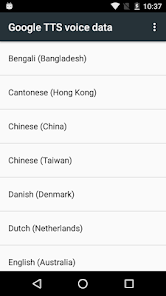
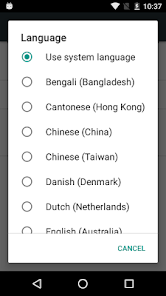
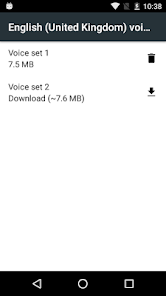
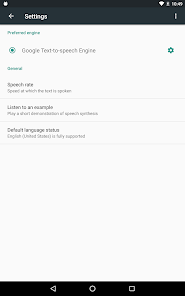
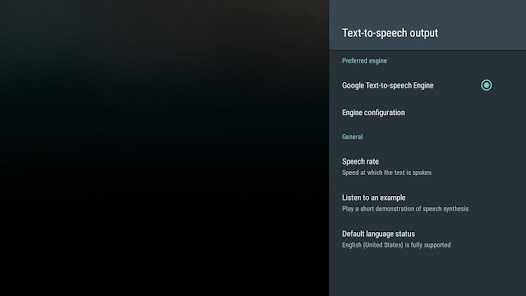
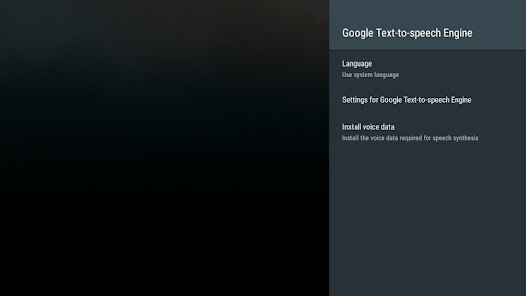
To use Google Text-to-Speech functionality on your Android device, go to Settings > Languages & Input > Text-to-Speech output. Select Speech Recognition and Synthesis from Google as your preferred engine.
Note, on many Android devices, Speech Recognition and Synthesis from Google is already available, but you can update to the latest version here.
Speech Recognition provides speech-to-text functionality to Google and other third party apps to convert what you say to text. For example, it can be used by:
• Google Maps when you use your voice to search places
• Recorder App to transcribe your recordings on device
• Phone App Call Screen feature to get a real-time transcription of your caller
• Accessibility apps like Voice Access for operating your device through voice
• Dictation or keyboard apps you might use to dictate text messages through voice
• Apps that contain a search by voice feature so that you can quickly search for your favorite shows or songs
• Language learning apps that recognize what you say as you practice a new language
• …and many other applications in Play Store
To use Google Speech-to-Text functionality on your Android device, go to Settings > Apps & notifications > Default apps > Assist App. Select Speech Recognition and Synthesis from Google as your preferred voice input engine.
Google Text-to-Speech functionality
Speech Services powers applications to read the text on your screen aloud. For example, it can be used by:
• Google Play Books to “Read Aloud” your favorite book
• Google Translate to speak translations aloud so you can hear the pronunciation of a word
• Talkback and accessibility applications for spoken feedback across your device
• …and many other applications in Play Store
To use Google Text-to-Speech functionality on your Android device, go to Settings > Languages & Input > Text-to-Speech output. Select Speech Recognition and Synthesis from Google as your preferred engine.
Note, on many Android devices, Speech Recognition and Synthesis from Google is already available, but you can update to the latest version here.
업데이트 날짜
보안은 개발자가 데이터를 수집 및 공유하는 방식을 파악하는 것에서 시작됩니다. 데이터 개인 정보 보호 및 보안 관행은 사용자의 앱 사용, 지역, 연령에 따라 다를 수 있습니다. 다음은 개발자가 제공한 정보이며 추후 업데이트될 수 있습니다.

제3자와 공유되는 데이터 없음
개발자가 어떻게 공유를 선언하는지 자세히 알아보세요.

앱에서 수집할 수 있는 데이터 유형
개인 정보, 앱 활동 외 2개 항목

전송 중 데이터 암호화됨

데이터를 삭제할 수 없음
평점 및 리뷰
4.0
리뷰 399만개

趙明雲 (밝은구름)
- 부적절한 리뷰로 신고
- 리뷰 기록 표시
2025년 10월 24일
사용하지 않는 기능을 영원히 삭제할 수 있다면 참 좋겠다. 삭제하면 다시 업데이트 하라는 그 끈질김은 어찌나 집요한지.. 한숨나옴. 네맘대로 강제 업데이트되도 난 지울거란다
사용자 5명이 이 리뷰가 유용하다고 평가함

신수진
- 부적절한 리뷰로 신고
- 리뷰 기록 표시
2025년 11월 9일
2단계인증에서 암호화 읽어줄때 왜 생전 들어보지도 못한 수십개의 언어가 섞여서 나오는지 모르겠음. 업데이트 안함. 업데이터할때마다 점점 더 심각해짐.

맘마미아
- 부적절한 리뷰로 신고
- 리뷰 기록 표시
2025년 10월 21일
한국어로 읽어주는 목소리좀 개선이 안되나요?? 너무 째저가지고 기계소리가 심해서 듣기가 힘들어요.
앱 지원
개발자 소개
Google LLC
support@google.com
1600 Amphitheatre Pkwy
Mountain View, CA 94043
United States
+1 650-253-0000


