New to Google Play
Ready to launch your game? Discover the latest tools and updates for developers joining the platform.

-
Essentials
-
Learning
-
Programs
-
Play Console

Test

Release

Grow

Quality

Monetize

Manage


Google Play is creating a bigger stage for more games to succeed
If you’re launching a paid game, this page is your essential onboarding guide. From game trials to unified purchases, you'll find dedicated tools for titles across mobile and PC.
Connect with over 2.5 billion monthly active users across 190+ countries. These tools are designed to lower barriers, drive discovery, and turn engagement into growth.
Read our blog for the latest updates.

Link to Youtube Video (visible only when JS is disabled)
The Google Play Device Ecosystem
Mobile
Game developers can tap into a massive, engaged player base ready to discover and purchase high-quality titles. Google Play’s discovery tools and featuring opportunities help games stand out and reach the right players on the devices they use most.
Google Play Games on PC
Connect with players across screens
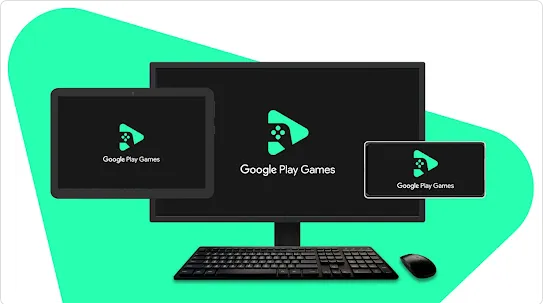
Today’s players want great games on every screen. Google Play Games on PC makes it easy to bring your mobile games to Windows with high-performance emulation or bring your native PC titles to one of the largest gaming audiences in the world.
- Expand your reach with access to over 2 billion monthly mobile users.
- Manage mobile and PC game builds together in Play Console.
- Access Play Games PC SDK for powerful tools like in-app purchase integration and advanced security.
Reach players across screens
Games on Google Play can reach even more players by optimizing for tablets, foldables, and ChromeOS devices, and Android Automotive OS. Key optimization includes supporting resizability, maintaining game state across configuration changes, and ensuring controls and visuals perform well across screen sizes. Learn more about making your game compatible with all form factors.
Tools to drive discovery and sales
Google Play offers powerful tools designed to help developers drive discovery, increase conversions, and grow their player base.
Game Trials let players try your game directly from your store listing before purchasing. Game Trials is built into your Android App Bundle, so there’s no separate codebase or demo version to maintain.
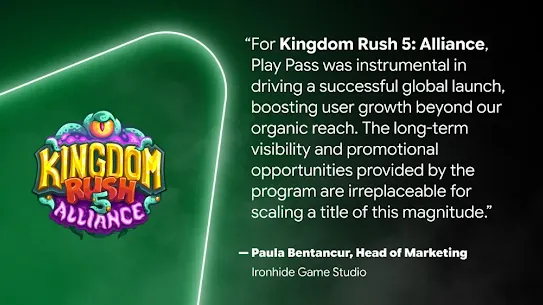
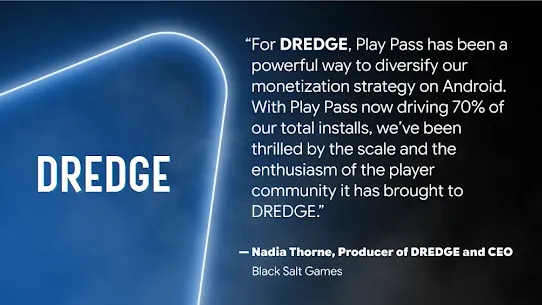
Play Pass reaches subscribers seeking a curated, ad-free experience. Play Pass is a strong launchpad for indie hits, and a simplified opt-in process in Play Console.
Wishlists and Discounts let players save titles they love and receive automated notifications when you run a discount. Works for paid mobile and PC games. Players can filter and sort their wishlist by category, discount, and price, making it easy to discover deals on titles they already want.
Buy once, play anywhere offers a unified, one-time purchase that covers both mobile and PC versions of your game. A title purchased on mobile becomes instantly available on Google Play Games on PC, giving players flexibility and giving your broader reach.
Resources and next steps
Level Up Program is your definitive guide to maximizing discoverability on Google Play, with updated UX guidelines and benefits shaped by developer feedback.
Play Console distribution setting makes it easy to bring your mobile game to PC via Google Play Games on PC. Optimize your mobile game for PC to deliver the best player experience or opt out at any time. Developers with native PC games can learn more about bringing titles to Google Play.
Frequently asked questions
Google Play Games on PC is available to players in 140+ markets.
You can express your interest in bringing your native PC games to Google Play Games on PC here. Once the interest form is submitted, our onboarding team will review your submission, verify that you’re a PC game developer, and reach out with next steps based on the above criteria.
Google Play Games on PC currently supports free-to-play native PC games that also have a Google Play mobile version. In 2025, we will add support for paid native PC games, as well as PC-only games.
If you’re interested in distributing your game with us, please let us know so we can review your specific requirements.
EARNBACK PROGRAM TOPICS
All native PC games on Google Play Games on PC qualify for the earnback program provided they meet program requirements.
This program has three tiers. The more revenue a title earns, the more you earn back on that title. The Earnback benefit applies only to the revenue from the PC version of your game on Google Play Games on PC.
| Earnback | Criteria |
| 5% of Play PC spend | [Tier 1] Title is Windows executable (.exe), and meets the earnback technical requirements |
| 10% of Play PC spend above $5M | [Tier 2] Meets Tier 1 criteria plus Cumulative Play PC spend during the program over $5M, plus integration of applicable Tier 2 technical requirements, plus limited marketing commitments |
| 15% of Play PC spend above $25M | [Tier 3] Meets Tier 2 criteria plus Cumulative Play PC spend during the program over $25M, plus limited marketing commitments |
1. Technical Requirements for all native PC games
The following requirements apply to any native game published on the Google Play Games for PC platform, whether they are participating in the PC Earnback Program or not.
1.1 Integrate with the Native PC SDK
Games will be required to integrate with the Native PC SDK. Older games using direct OAuth and REST API calls for identity and billing must migrate to this SDK in order to participate in the PC Earnback Program.
The Native PC SDK will automatically handle authentication for the game, leveraging the current active account in Google Play Games, and provide access to client-side Billing APIs.
2. Technical Requirements for PC Commercial Earnback Program
The following requirements apply to any native game published on the Google Play Games for PC platform that wishes to participate in the PC Commercial Earnback Program
2.1 Do not use fullscreen exclusive mode by default
Fullscreen exclusive mode (FSE) gives the game complete ownership over display rendering, and complicates the ability of Google Play Games to provide functionality to the game via an overlay (e.g. in-app purchase flow). To be able to provide these features to as many users as possible, games cannot use FSE mode by default, but are allowed to provide this as an option within their game settings.
2.2 Optimize store listing
Developers must optimize the Play store listing for their PC game by including a description of gameplay and uploading at least 3 high-resolution screenshots and/or videos.
2.3 List Play as a supported platform on primary game website and marketing assets
To qualify for the PC Commercial Earnback Program, any primary website or market asset that lists supported platforms for the game must include Google Play Games on PC as a supported platform.
2.4 Use of Voided Purchases API
Note: This requirement is only applicable to titles with a backend server that processes in-app purchases (e.g. live service titles), and is not applicable to games that are primarily single-player or offline, or games without in-app purchases. This requirement is only applicable for games at or above the 10% Earnback Tier.
The play Voided Purchases API provides game developers with a server-side mechanism to find purchases that have been voided, such as a user refunding or issuing a chargeback. For games that manage their own entitlements (e.g. in-app currency), it is important that developers leverage this API to attempt to revoke access to the purchased products to prevent fraud.
2.5 Set account identifiers when launching purchase flow
Note: This requirement is only applicable to titles with an in-game identity system (e.g. live service titles), and is not applicable to games that are primarily single-player or offline, or games without in-app purchases. This requirement is only applicable for games with annual user spend over $100k on Play.
As a fraud detection mechanism, when launching a purchase flow, obfuscated in-game account identifiers should be added to the request.
These identifiers should be set when calling BillingClient::LaunchPurchaseFlow:
- obfuscated_account_id: an obfuscated string that is uniquely associated with the user's account in your app.
- obfuscated_profile_id: an optional obfuscated string that is uniquely associated with the user's profile in your app.
Yes, developers may enroll in both programs. The earnback program is applicable after the 15% service fee tier no longer applies (>$1M (USD) in earnings).
New Features
For Developers:
Game Trials lets you offer a 60-minute trial of your paid game at no charge — no developer integration required. Google Play handles the timer, in-game gating, and purchase flow automatically through your Android App Bundle. To get started, you need Play App Signing, .aab format, and API level 21+. Game trials are on by default for new paid games; for existing games, enable them in Play Console under Monetize with Play > App pricing. Automatic protection (anti-tamper) is enabled to prevent abuse. Supported on mobile, tablets, ChromeOS, and Android XR. Not available on Android TV, Wear OS, or Android Auto.
For Consumers:
Game Trials lets you install and play paid games at no charge for up to 60 minutes. Just tap the “Try” button on a game’s store listing to get started — no payment needed upfront. The timer starts when you first launch the game and continues even if you close the app. Before the trial begins, you’ll see a screen confirming the trial duration and letting you know your progress carries over if you buy the full game. When time runs out, you’ll be prompted to purchase. The standard Google Play refund policy applies after purchase.
Google Play Pass is a subscription service that gives users access to over 1,000 apps and games ad-free and with no in-app purchases. Your app gets featured in a curated section of the Play Store with a Play Pass badge, helping you reach users who might not have found you otherwise. The subscriber base grew 120% year-over-year in 2023.
Integration is lightweight, a single app works in both the regular Play Store and Play Pass. You just need to integrate a few Google Play APIs: use the licensing service to gate paid app access, define an in-app product that removes ads when unlocked, and use the Billing API to detect new or removed purchases for in-app products and subscriptions. Developers earn recurring revenue based on Play Pass user engagement with their app.